


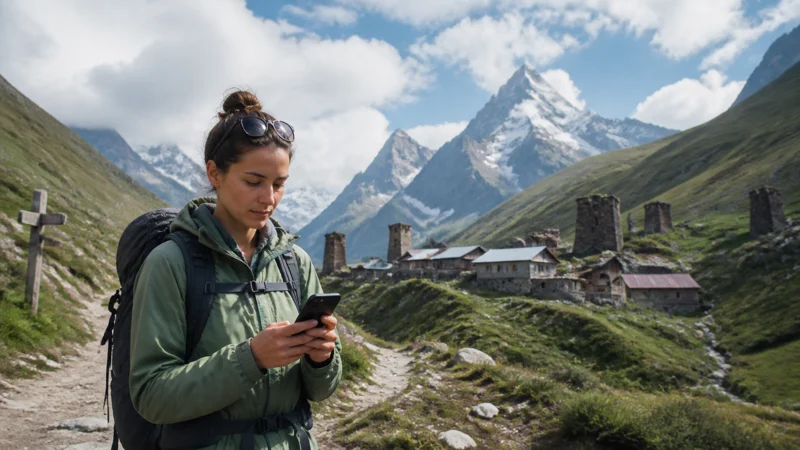

For hiking in Georgia, prepare to use your route and essential information without mobile reception. A working connection in Mestia, Stepantsminda or at a trailhead does not establish coverage throughout a trail, valley or overnight stop.
Mobile data can help with transfers, accommodation messages and updates where service is available. Check the intended route separately from the phone setup, and complete downloads before leaving dependable internet.
NoveSIM travel eSIMs are data-only. They do not include a Georgian number, conventional calls or carrier SMS. Internet messaging and calling apps can use the connection, but they still depend on working data.
Quick answer: Check the purchased plan’s authorised network access, download the complete route and verify that it opens offline. Save transport and accommodation details, prepare charging and keep essential information accessible independently of one phone. Install the eSIM only at the time permitted by its instructions, test mobile data before the transfer and do not assume continuous trail reception. A consumer mobile plan is not an emergency-communication guarantee.
Top Georgia eSIMs

Georgia eSIM
Fixed
1 GB, 7 days3.50$2 GB, 15 days5.50$3 GB, 30 days7.00$Unlimited
Unlimited, 1 day4.00$Unlimited, 3 days8.00$Unlimited, 5 days12.50$
Commonwealth of Independent States eSIM
Fixed
1 GB, 7 days9.00$2 GB, 15 days19.50$3 GB, 30 days20.50$Unlimited
Unlimited, 1 day9.50$Unlimited, 3 days25.50$Unlimited, 5 days41.00$Check coverage without turning it into a trail guarantee
Use the Georgia coverage guide to understand partner access and route checks. An operator map can inform preparation, but cannot establish reception at every point of a walking route or inside a particular guesthouse.
Ask hosts, guides or the relevant visitor information service about recent conditions for the actual itinerary. Treat reception at a village or trailhead as information about that location, not proof that a messaging app will work throughout the hike.
The purchased plan, device and local conditions determine available network access and performance. More data or a 5G label cannot create reception where a supported network is unavailable. Choose the itinerary and appropriate preparation independently of assumptions about mobile coverage.
Prepare each stage of the journey
| Stage | Check while connected | Keep available offline |
|---|---|---|
| Transfer to the walking area | Booking, pickup instructions and the correct destination. | Ticket, meeting point, host or driver contact and arrival address. |
| Trailhead | Current local route advice, the intended route file and whether the phone’s data works there. | The full map area, route details and relevant contact arrangements. |
| During the hike | Use updates only where a connection is available and it is appropriate to stop. | Navigation, alternatives and essential information that does not require a new login. |
| Overnight stop and return | Check-in arrangements, return transport and any available charging or Wi-Fi. | Accommodation details, onward route and return booking. |
This is a connectivity checklist, not a trail assessment. Follow current advice from the appropriate park, guide or local authority about access, conditions and preparation. A downloaded map does not establish that a route is open or suitable.
Download and test the offline route
- Save the relevant map area and the intended route, including the approach and return journey.
- Check your app’s offline features. Live weather, new searches, messaging and some rerouting functions may still require internet.
- Save accommodation, transport and guide contacts outside an online-only booking page.
- Temporarily disconnect from internet before departure and confirm that the saved maps and documents open. Restore the intended connection settings afterwards.
- Keep an appropriate independent copy of essential directions or information in case the main phone becomes unavailable.
Do not leave every route detail in an app that must refresh an account before it opens. Prepare any agreed contact arrangements before setting off, allowing for the possibility that messages cannot be sent during parts of the route.
Keep power and information available
Start with a charged phone and carry suitable backup power and cables for the planned duration. Navigation, screen use, uploads and hotspot sharing affect consumption. Check the battery at appropriate stops and preserve power for the return and arrival arrangements.
Protect the phone and power equipment according to their manufacturers’ instructions for moisture and temperature. Do not assume that a case makes every device or charging arrangement suitable for every condition.
If using Airplane Mode to conserve power, understand that it changes mobile connectivity and prevents the usual cellular connection while enabled. Check the settings needed for your navigation app in advance rather than discovering the effect on the trail.
Keep key addresses, contacts and route details accessible independently of one phone where appropriate. Protect private documents, account recovery information and eSIM activation details; do not publish them or share a QR code as a general group resource.
If your hike includes camping
Confirm where camping is permitted and the current conditions with the relevant park, land manager or site operator before setting off. Ask about reception at the intended camping area rather than assuming that a signal at the entrance or reception desk extends to the tent. Save the site details, approach route and any supplied instructions offline; mobile coverage does not establish permission to camp or suitable conditions.
Plan power for the full time away from charging facilities, including the return journey. Confirm whether charging is actually available at the stop and carry suitable backup power and cables rather than depending on an unverified socket. Keep the route and key contacts accessible offline, and agree in advance how to handle a missed check-in when data is unavailable. Allow for a night without mobile reception instead of making essential arrangements depend on sending a message from the campsite.
Choose mobile data for the whole stay
Compare our Georgia eSIM plans for the complete visit, including arrival, transfers and departure. A hiking holiday may still use substantial data in towns for uploads or calls even when little data is usable on a remote trail.
Estimate what you expect to do away from dependable Wi-Fi using our Georgia data-planning guide. Keep a reserve for booking changes and the return transfer. Avoid buying a larger allowance solely to compensate for an expected coverage gap.
Read the validity-start rule, expiry, high-speed conditions and any reduced-speed policy. Confirm whether additional data or a new purchase is available for the exact option; do not assume automatic renewal or top-up on the same profile.
If you need a Georgian number or ordinary carrier calls, compare a suitable local service with our Georgia SIM guide. Data-only service and a local voice service meet different needs, and neither establishes continuous reception.
Sharing with companions
Confirm hotspot permission on the exact plan before sharing at accommodation or a rest stop. Connected devices use the host’s allowance and depend on its mobile signal, battery and Wi-Fi range. Pause backups and large downloads before connecting them.
A shared hotspot does not provide independent access for companions who separate. Agree how the group will handle meeting points and unavailable messages, and distribute essential offline information rather than keeping it only on the host phone.
Install and test before leaving dependable internet
Check the exact model, regional version and carrier-unlocked status in our compatibility guide. Read the purchased plan’s installation timing and validity instructions. Install before departure over reliable internet only when permitted and when the validity will cover your dates.
Follow our Georgia eSIM installation guide, label the travel profile clearly and keep the arrival instructions available offline.
- At an included destination, enable the installed travel line when the plan permits use.
- Select it for mobile data and apply its supplied Data Roaming setting.
- Keep home-line Data Roaming off if you do not intend to use it, and review automatic data switching to prevent fallback.
- Leave network selection on Automatic initially and allow time for registration.
- With Wi-Fi off, open a small webpage before depending on the line for a transfer. Check saved maps separately.
Home-line calls, SMS and voicemail remain subject to the home operator’s terms. Testing data does not establish that carrier calls or a Georgian number are included.
If data stops working
If the line worked earlier and loses service on a different part of the route, consider local reception before changing its setup. Continue with the offline preparation and investigate only at an appropriate safe stop; do not change the route merely to chase a signal.
Where reception is expected, check the selected data line, validity, remaining allowance and required roaming settings. Use our Georgia troubleshooting guide for the actual symptom. Keep the installed profile unless NoveSIM support explicitly instructs you to delete it.
If only the navigation app fails while other websites load, check the app and its downloaded content separately. A problem with one app does not by itself prove that the eSIM or coverage is at fault.
Related Articles
FAQ
Will mobile data work throughout a hike in Georgia?
Do not assume continuous reception. A connection in a village, at a trailhead or at one point on a route does not establish service elsewhere. Check local information and keep the complete route and essential arrangements available offline.
What should I download before leaving Wi-Fi?
Save the relevant map areas, route, alternatives, accommodation details and transport bookings. Confirm they open without internet or a fresh account login, and check which features your navigation app supports offline.
Will a larger data plan improve trail coverage?
No. A larger allowance does not extend the supported network’s reception. Match data and validity to the whole visit, including transfers and uploads, while preparing independently for coverage gaps.
Can the group rely on one phone hotspot?
Only consider sharing when the plan and device permit it and companions remain within range. Everyone shares the host’s data and battery dependence. Keep essential information on more than one device and arrange independent access or offline plans for separation.
Should I delete the eSIM if there is no signal on the trail?
No. Missing reception does not by itself establish an installation fault. Check again at an appropriate location and follow troubleshooting if the issue persists where reception is expected. Delete the profile only if NoveSIM support instructs you to do so.
Final Recommendation
Choose data and validity for the complete hiking visit, while checking the actual route and overnight stops separately from the plan’s national coverage listing.
Install at the permitted time, test mobile data before transfers and verify offline navigation before leaving dependable internet.
Keep backup power and essential information accessible independently of one phone. Follow appropriate local preparation and route advice without treating consumer mobile reception as a safety guarantee.