


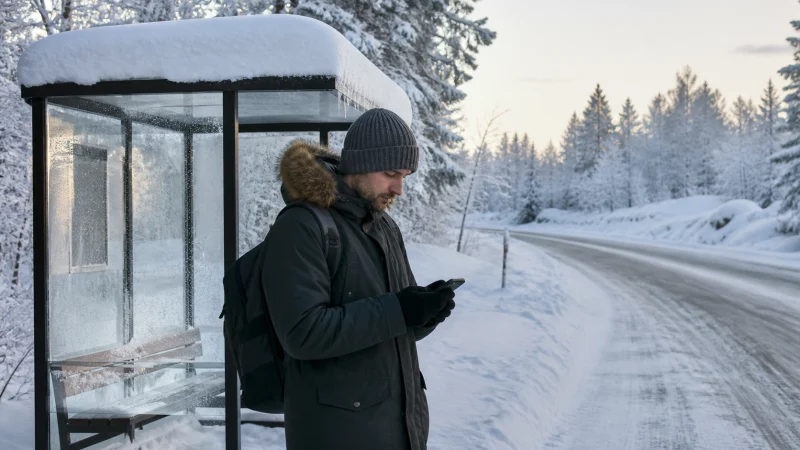

Winter changes how a phone connection should be planned in Finland. The network may be available while the battery falls quickly in deep cold, touch controls become awkward with gloves and a delayed bus or closed road makes live information more important.
Quick answer: Set up the eSIM before the travel day, download maps and tickets, keep the phone warm and carry a charged power bank. Cities and resorts commonly have mobile service, but long roads and remote activity areas can include weaker stretches.
Top eSIMs

Cold affects the phone before it affects the network
A lithium-ion battery can lose usable capacity rapidly in low temperatures. Keep the phone in an inner pocket and expose it only when needed. A power bank should also stay insulated; leaving both devices in an outer bag can make the backup ineffective.
Start navigation, open the ticket and confirm the pickup point before stepping outside. If the phone switches off in the cold, warm it gradually indoors before charging rather than placing it directly beside a heater.
Coverage in cities, resorts and Lapland
Helsinki, Rovaniemi and established resort areas are different from sparsely populated roads or wilderness locations. Forest, terrain, distance from a site and the building itself affect reception. No eSIM can create coverage where the underlying partner network has none.
Check the route rather than relying on a nationwide percentage. For northern travel, read our focused Lapland mobile internet guide; drivers should also prepare with the Finland road-trip connectivity guide.
Prepare transfers and outdoor activities offline
Save the accommodation address, transfer company contact, meeting point and return time. Aurora tours, husky activities and remote cabins may start beyond easy urban coverage. The operator’s safety instructions always take priority over a phone app.
Download maps for every route and take screenshots of tickets or booking references where permitted. Tell someone the plan before independent outdoor travel. Mobile data is useful support, not an emergency guarantee.
Use data efficiently on a winter itinerary
Weather, messages, navigation and ticket checks are usually modest. Video streaming, hotspot use and automatic photo backup consume much more. Pause cloud uploads and large updates until the phone is charging on reliable accommodation Wi-Fi.
For the correct allowance, estimate actual travel days and high-data activities using our Finland data guide. Avoid choosing a plan solely because it is described as unlimited; review any speed, fair-use and hotspot conditions.
Set up the Finland eSIM before going into the cold
Install on secure Wi-Fi while the QR code and order details are easy to access. On arrival, select the Finland eSIM for mobile data, enable Data Roaming for it and disable mobile-data switching. Keep roaming off on the home line.
NoveSIM Finland travel eSIMs provide data only; we do not provide a Finnish phone number, ordinary voice minutes or carrier SMS. Internet messaging can use the data connection, while conventional service remains tied to the appropriate home or local SIM.
If data stops during a winter journey
First move to an open area and allow time for the phone to register. Check that the eSIM is enabled, selected for data and allowed to roam. Toggle aeroplane mode once, then restart if necessary. Keep network selection automatic unless support or the plan instructions require a specific network.
Do not repeatedly run speed tests in a weak area, and do not delete the eSIM as a first fix. Use the steps in our Finland eSIM troubleshooting guide when the connection does not return.
Winter connectivity checklist
- Download maps, tickets and pickup details.
- Charge the phone and an insulated power bank.
- Keep the phone in an inner pocket.
- Save accommodation and tour contacts offline.
- Check current weather and road warnings before departure.
Related Articles
- Internet in Rovaniemi for Tourists
- Mobile Coverage in Rural Finland
- Best Apps for Finland Travel
- How to Install an eSIM for Finland
FAQ
Does mobile internet work in Finland during winter?
Yes. Winter does not disable mobile networks, but exact coverage still varies by location. Cold can reduce phone battery life and make a connection appear unavailable when the device itself has shut down.
Will an eSIM work in Lapland?
It can connect wherever an included partner network has usable service. Resorts and towns differ from remote roads and wilderness areas, so download essential information in advance.
How do I protect my phone battery in Finnish winter?
Keep the phone and power bank close to the body, limit unnecessary screen use and avoid leaving devices in an exposed bag or parked vehicle.
Should I rely on mobile data for an aurora tour?
No. Keep the operator’s meeting details and return plan offline and follow its safety instructions. Reception can weaken away from towns.
Final Recommendation
Prepare the connection indoors, protect the battery and carry the day’s essential information offline. Mobile data helps with live weather, transport changes and communication, but safe winter travel depends on power, downloaded routes and realistic expectations outside populated areas.