


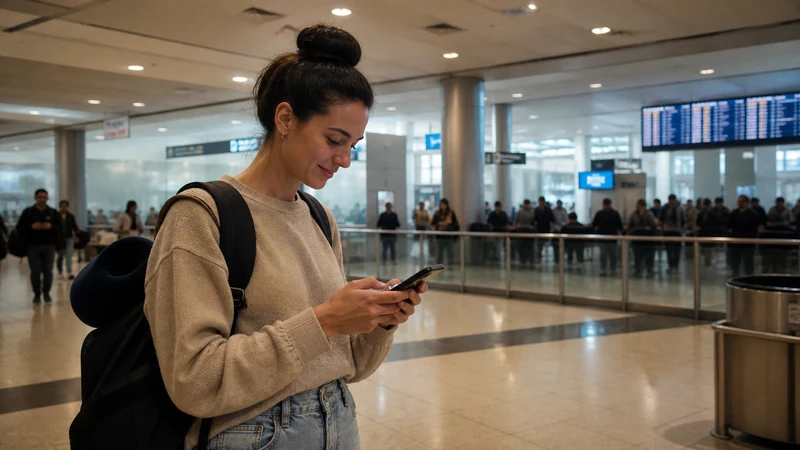

Internet at Ezeiza International Airport (EZE) is available through terminal Wi-Fi, mobile roaming, a travel eSIM or a local SIM. Airport Wi-Fi can handle immediate arrival tasks, while prepared mobile data is more useful after leaving the terminal.
Travellers commonly need a connection for hotel messages, ride arrangements, maps and onward transport. Set up the preferred option before departure so a crowded terminal or delayed Wi-Fi login does not become the only route online.
NoveSIM Argentina plans are data-only. They do not provide an Argentine telephone number, conventional calls or carrier SMS, although messaging and internet calling can work over mobile data.
Quick answer: Use the airport’s official Wi-Fi for a temporary connection, but install an Argentina eSIM before the flight if you want data during the journey into Buenos Aires. Save the accommodation address and transport details offline before landing.
Top Argentina eSIMs

Argentina eSIM
Fixed
1 GB, 7 days€ 4.902 GB, 15 days€ 8.913 GB, 30 days€ 12.03Unlimited
Unlimited, 1 day€ 6.68Unlimited, 3 days€ 16.93Unlimited, 5 days€ 27.17
Internet Options after Landing at Ezeiza
| Option | Useful for | What to check |
|---|---|---|
| Official airport Wi-Fi | Messages and immediate arrival checks | Correct network and portal acceptance |
| Travel eSIM | Data in the terminal and after departure | Compatibility, plan status and roaming setting |
| Home-carrier roaming | Short-term fallback | Confirmed pass and potential charges |
| Argentine prepaid SIM | Domestic number and local prepaid service | Purchase point, identification and activation |
Argentina’s airport Wi-Fi standard requires free wireless service in passenger areas, but real-world speed can vary with congestion and location inside the terminal. Treat it as a useful arrival service rather than the only connection for the entire stay.
Connect to Airport Wi-Fi Safely
- Confirm the official network name using airport signage or staff.
- Open the login page and review the displayed terms before accepting.
- Avoid networks with a similar name that the airport does not identify.
- Do not ignore certificate or browser-security warnings.
- Use the connection for routine arrival tasks and postpone sensitive account changes if anything looks unusual.
- Turn off automatic Wi-Fi joining after finishing.
Public Wi-Fi is shared infrastructure. Use encrypted apps, keep the device updated and avoid exposing the eSIM QR code or account credentials in the terminal.
Prepare Mobile Data before the Flight
A travel eSIM can be installed on dependable Wi-Fi before departure, leaving only the arrival settings to complete at Ezeiza. Check that the exact phone model supports eSIM, is unlocked and has the profile added successfully.
Follow the Argentina eSIM installation guide, but read the purchased plan’s activation rule first. Installation and activation are not always the same event, and validity should not be started early by assumption.
Turn On the Argentina eSIM after Landing
- Disable Airplane Mode after the aircraft permits it.
- Turn on the labelled Argentina eSIM line.
- Select it for mobile data.
- Enable Data Roaming on the travel line when the plan requires partner-network access.
- Keep automatic network selection enabled and wait several minutes for registration.
- Test a map and an unrelated browser page before leaving the terminal.
Keep data roaming off on the primary SIM if you want to avoid home-carrier data charges. The Argentina activation guide explains the difference between an installed profile and a working data session.
If the eSIM Does Not Connect at Ezeiza
Airport buildings can affect signal, so move towards an open public area or window before concluding that the plan has failed. Confirm that the plan is active, the travel line is selected for data and Data Roaming is on for that line.
Toggle Airplane Mode once and allow the phone to register again. If signal appears without internet, check the allowance and the Argentina APN settings; NoveSIM uses data.esim when manual APN entry is required. Continue with the Argentina troubleshooting guide and do not delete the installed profile.
Leaving Ezeiza for Buenos Aires
Before walking away from terminal Wi-Fi, load the route, confirm the legitimate transport arrangement and send any necessary arrival message. Save the destination address in a form that can be shown without reopening an app.
Mobile data is useful during the transfer for route changes and communication, but keep screenshots of the booking and pickup instructions. The wider Argentina tourist internet guide compares eSIM, local SIM, roaming and Wi-Fi for the rest of the trip.
Should You Buy a SIM at the Airport?
A local SIM may suit travellers who need an Argentine number, but availability, opening hours, identification and activation should be checked at the time of travel. Do not make arrival connectivity depend on an unverified counter being open.
Compare the practical differences in the Argentina tourist SIM card guide. A travel eSIM is generally more predictable for immediate data, while a local SIM may provide traditional local mobile services after activation.
Related Articles
- Argentina eSIM Plans
- Choosing an Argentina eSIM
- How Much Data to Choose for Argentina
- Argentina Mobile Coverage
FAQ
Does Ezeiza Airport have free Wi-Fi?
Argentina’s airport Wi-Fi standard provides free wireless service in passenger areas. Availability and performance can vary inside the terminal, so confirm the official network name on arrival.
Should I install my Argentina eSIM before landing at Ezeiza?
Yes, when the plan’s activation terms allow it. Install on reliable Wi-Fi before departure, then switch on the line and apply the required data settings after landing.
Can I buy an Argentine SIM at Ezeiza Airport?
Sales availability and opening hours can change. Verify the current counter and activation requirements rather than relying on it as the only arrival option.
What should I do if mobile data does not work after landing?
Keep the eSIM installed. Check plan status, selected data line, Data Roaming, automatic network selection and APN data.esim before contacting support.
Final Recommendation
Use official Ezeiza Airport Wi-Fi for immediate arrival tasks, but prepare an Argentina eSIM before travel when you need continuous data after leaving the terminal.
Activate the correct line deliberately, test the connection before starting the transfer and keep the primary SIM’s data roaming under control.
Save the destination, transport booking and essential contact details offline so arrival remains manageable even if either Wi-Fi or mobile service is temporarily unavailable.