


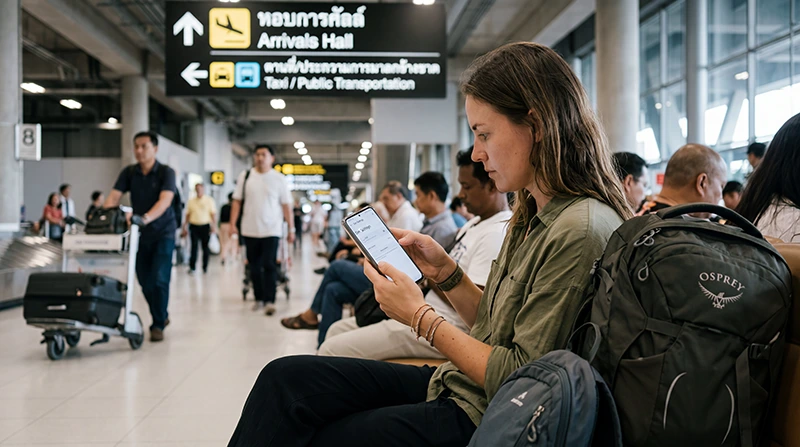

A Suvarnabhumi Airport eSIM is most useful when it is ready before the aircraft lands. The immediate goal is not general holiday browsing: it is having mobile data for the arrival message, hotel address and first transfer into Bangkok.
Suvarnabhumi uses airport code BKK. It is different from Don Mueang Airport (DMK), so the saved route and pickup instructions must match the airport shown on the ticket.
We provide data-only travel eSIMs. We do not provide a Thai telephone number, conventional mobile calls or carrier SMS.
Quick answer: Install a Thailand eSIM on dependable internet before departure, but activate it according to the plan instructions. Save the hotel address and BKK transfer offline. After landing, select the eSIM for mobile data, apply its Data Roaming instruction and test a webpage before relying on it for rail directions or driver contact.
Top Thailand eSIMs

Thailand eSIM
Fixed
1 GB, 7 days€ 3.122 GB, 15 days€ 5.363 GB, 30 days€ 7.14Unlimited
Unlimited, 1 day€ 4.02Unlimited, 3 days€ 10.26Unlimited, 5 days€ 15.62
Before boarding: prepare the first hour in Bangkok
Confirm that the purchased plan explicitly includes Thailand, lasts through the final travel day and has enough data for the wider trip. Verify the exact phone model on the eSIM-compatible device list and make sure the handset is carrier-unlocked.
Install the profile while reliable internet is available and label it “Thailand Data”. Save the booking reference, accommodation address, a screenshot of the first route and any pickup instruction. Keep the QR code or installation details somewhere accessible from another device or offline record, but do not scan the same profile repeatedly.
After landing: make one controlled connection test
When cellular use is permitted, turn off Airplane Mode and enable the Thailand eSIM. Assign mobile data to that line, apply the plan’s Data Roaming instruction and prevent automatic switching to the home SIM. Leave network selection on Automatic while the phone registers.
If a NoveSIM plan requires manual APN entry, enter data.esim exactly. Then open a fresh webpage and the saved hotel pin. These two checks confirm real data access more reliably than the number of signal bars.
Use waiting time without losing control of the setup
Immigration and baggage collection provide time for network registration. Avoid changing several settings at once while the phone is still searching. If a connection does not appear, verify the active data line and roaming instruction before restarting the device.
Suvarnabhumi provides official airport Wi‑Fi, which can serve as a backup for checking the order or contacting Support. Select only the official network shown by the airport and avoid exposing sensitive accounts unnecessarily on public Wi‑Fi.
Match the connection to the transfer
| Leaving BKK by | Why mobile data helps | Offline item to save |
|---|---|---|
| Airport Rail Link | Checking the onward interchange and walking route | Station sequence and final hotel route |
| Metered taxi | Showing the destination and following the journey | Address in English and Thai where available |
| Ride-hailing service | Pickup messages, vehicle details and live location | Designated meeting point and booking screenshot |
| Hotel transfer | Notifying the driver about delays | Driver contact and pickup instruction |
The Airport Rail Link station is on level B1 of the terminal. A taxi or app-based pickup requires different wayfinding, so decide which transfer is primary before leaving the arrivals area.
If BKK is only a connection point
For an onward domestic flight, check whether the next departure is also from BKK or from Don Mueang. Do not assume that “Bangkok airport” identifies the correct terminal complex. Save the onward flight and transfer details before moving.
If Thailand is one stop in a regional journey, verify every destination included in the plan. A Thailand-only connection will not automatically continue after the next international border.
If mobile data is still unavailable before departure from the airport
Keep the profile installed. Confirm plan status, Thailand coverage, the selected data line, Data Roaming and APN. Toggle Airplane Mode briefly, allow Automatic network selection to retry and test again near a less enclosed part of the terminal.
Record the phone model, time, displayed network and any error. Use the airport’s official Wi‑Fi to open the Thailand eSIM troubleshooting guide or contact Support. Deleting the eSIM can turn a connection problem into an installation problem.
Plan beyond the airport
Once the first transfer is secure, review data use for the rest of the stay. Maps and messages are usually modest; video, cloud photo upload and hotspot use can consume the allowance quickly. The Bangkok mobile internet guide covers city use, while the Thailand mobile internet guide is more useful for a multi-destination route.
FAQ
Should I install my Suvarnabhumi Airport eSIM before flying?
Yes, installation is safer on dependable internet before departure. Follow the specific plan instructions about when activation or validity begins.
Can I connect the eSIM while waiting for baggage?
Once cellular use is permitted, enable the travel line and allow it time to register. Test an actual webpage before depending on the connection for transport.
Does a NoveSIM Thailand eSIM include a Thai number?
No. We provide data-only service. Supported messaging and internet-calling apps can use the data connection, but ordinary carrier calls and SMS are not included.
What should I do if the eSIM does not connect at BKK?
Keep it installed and check plan status, the selected data line, Data Roaming and APN. Retry Automatic network selection and use official airport Wi‑Fi for troubleshooting if necessary.
Final Recommendation
Prepare the BKK arrival before the flight: install the Thailand eSIM, save the exact airport-to-hotel route and protect the home SIM from unintended data use. After landing, perform one controlled connection test, then use the result to manage the chosen rail, taxi, ride-hailing or hotel transfer.