


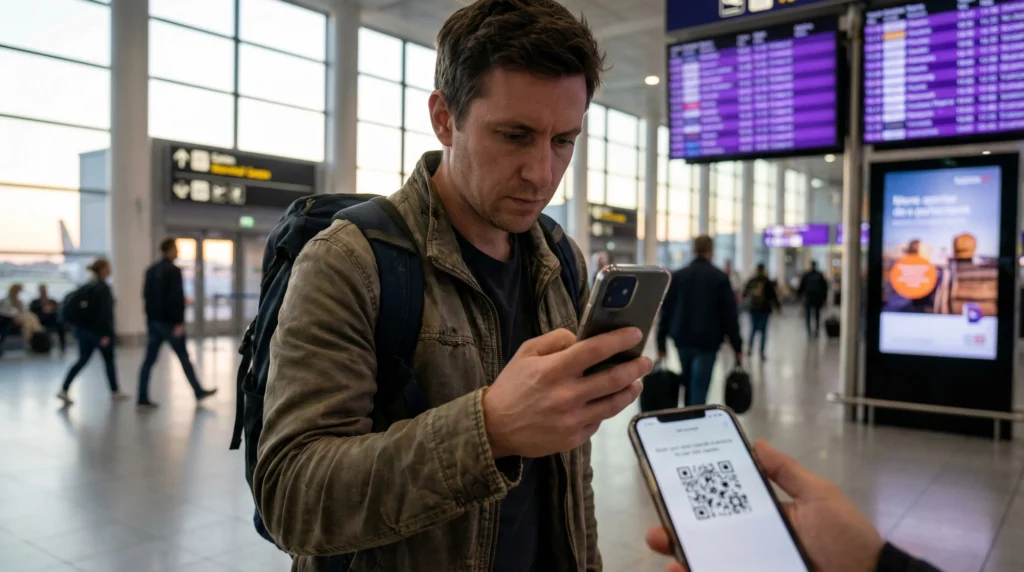
If your eSIM QR code isn’t working, don’t panic. This is a common issue travelers encounter during installation.
Typical problems:
- QR code won’t scan
- Camera doesn’t recognize it
- Installation fails
- Invalid code message
Important:
In most cases, the QR code is fine — the issue is caused by setup conditions. Most users fix this in minutes.
Most common cause — camera can’t read code
Your phone may fail to scan if:
- Screen brightness is low
- QR is blurry
- Lighting is poor
- Screen glare exists
Fix:
- Increase brightness
- Clean camera lens
- Move to better lighting
- Hold phone steady
Second cause — QR already used
Many eSIM QR codes can only be scanned once.
If you see messages like:
- Code invalid
- Already used
- Activation failed
it may mean the code was already installed.
Fix:
Check if eSIM profile already exists:
- Settings → SIM Manager → eSIM profiles
Third cause — scanning from same device
You can’t scan a QR code displayed on the same phone.
Fix:
Open QR code on:
- Another phone
- Laptop
- Tablet
- Printed copy
Then scan.
Fourth cause — unstable internet connection
QR activation requires internet. If your connection is weak or unstable, installation may fail.
Fix:
Connect to:
- strong Wi-Fi
- stable mobile data
Then retry.
Fifth cause — unsupported device
Some phones don’t support eSIM QR installation.
Check compatibility: 👉 https://novesim.com/compatible-devices/
If your device isn’t supported, scanning won’t work.
Sixth cause — camera permission disabled
If camera access is blocked, scanning fails.
Fix:
- Settings → Apps → Camera → Permissions → Allow
Seventh cause — manual install required
Some networks require manual activation instead of QR scanning. If scanning fails repeatedly, use manual setup.
Guide: 👉 https://novesim.com/how-to-activate-esim-manually/
Quick fix checklist
Try these steps:
- Clean camera lens
- Increase screen brightness
- Use another device to display QR
- Connect to stable internet
- Confirm phone supports eSIM
These fix most QR issues.
When QR errors are normal
QR scanning may fail temporarily if:
- Lighting is poor
- Internet drops
- System glitches occur
Retrying after a few seconds often works.
Biggest myth
- Myth -> QR code not working means it’s invalid.
- Reality -> Most QR errors are caused by camera or setup issues.
Real traveler scenario
- 1. Traveler tries scanning QR at airport.
- 2. Phone won’t detect code.
- 3. They increase brightness → scan works instantly.
When to contact support
Contact support only if:
- QR shows invalid after multiple attempts
- Installation fails repeatedly
- Code truly expired
These cases are uncommon.
Final verdict
If your eSIM QR code isn’t working, it’s usually caused by:
- Lighting issues
- Wrong device setup
- Poor connection
- Camera problems
Most issues can be fixed quickly.
Get a travel eSIM that installs smoothly: 👉 https://novesim.com/destinations/
Frequently asked questions
Why is my eSIM QR code not scanning?
Usually because of lighting issues, camera problems, or unstable internet connection during installation.
Can an eSIM QR code expire?
Yes. Some QR codes expire after use or after a certain time period depending on the provider.
Can I scan QR code from same phone
No. You must display the QR code on another screen or print it.
What should I do if QR code fails multiple times?
Try manual installation or contact support to verify the QR code is still valid.