


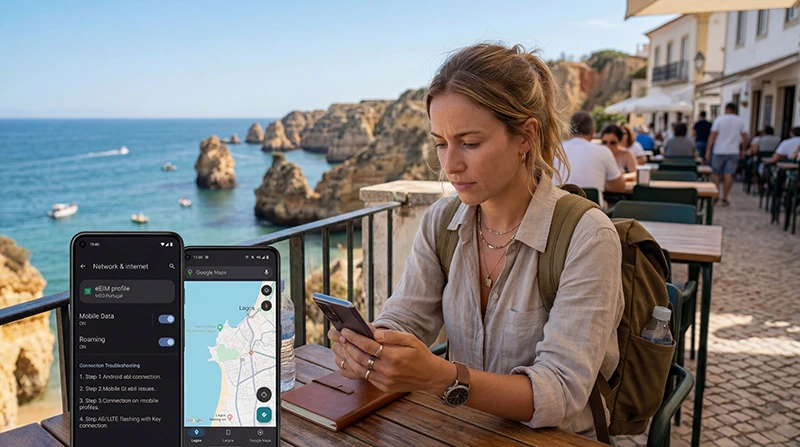

You arrived in Portugal, installed your eSIM, but mobile internet is not working.
This is one of the most common questions travelers have after arriving in Lisbon, Porto, Faro, Madeira, the Azores, Algarve, or other destinations across Portugal.
The good news is that most Portugal eSIM connection problems can be fixed in just a few minutes.
Quick answer: In most cases, a Portugal eSIM is not working because data roaming is disabled, the eSIM is not selected for mobile data, the phone needs a restart, or APN settings have not updated correctly.
Top Portugal eSIMs

Portugal eSIM
Fixed
1 GB, 7 days2.00$2 GB, 15 days4.00$3 GB, 30 days5.00$Unlimited
Unlimited, 1 day2.50$Unlimited, 3 days5.50$Unlimited, 5 days9.00$
Europe Extra eSIM
Fixed
1 GB, 7 days2.50$2 GB, 15 days4.00$3 GB, 30 days5.00$Unlimited
Unlimited, 1 day3.00$Unlimited, 3 days6.00$Unlimited, 5 days10.00$Europe+ eSIM
Fixed
1 GB, 7 days3.00$2 GB, 15 days4.50$3 GB, 30 days6.00$Unlimited
Unlimited, 1 day3.00$Unlimited, 3 days7.00$Unlimited, 5 days11.50$Europe Lite eSIM
Fixed
1 GB, 7 days2.50$2 GB, 15 days4.00$3 GB, 30 days5.00$Unlimited
Unlimited, 1 day3.00$Unlimited, 3 days6.00$Unlimited, 5 days10.00$Before You Start
Before troubleshooting your Portugal eSIM, confirm the following:
- You are physically in Portugal
- Your eSIM installation completed successfully
- Your phone supports eSIM
- Your device is carrier unlocked
- The eSIM has been activated correctly
If all of these conditions are met, continue with the steps below.
Step 1: Make Sure the Portugal eSIM Is Selected for Mobile Data
The most common issue is that the phone is still using the primary SIM card for mobile data.
Check your device settings and make sure the Portugal eSIM is selected as the active mobile data line.
On many phones:
- Open Mobile Data or Cellular settings
- Select Mobile Data
- Choose your Portugal eSIM
- Confirm it is the active data source
If another SIM is selected, mobile internet may not work through the eSIM.
Step 2: Enable Data Roaming
This is the most important step.
Most travel eSIM plans require data roaming to be enabled on the eSIM line.
If data roaming is turned off, the eSIM may connect to a network but mobile internet will not work.
To check:
- Open Mobile Data or Cellular settings.
- Select the Portugal eSIM.
- Enable Data Roaming.
- Wait a few minutes.
Many eSIM issues in Portugal are solved immediately after enabling data roaming.
Step 3: Restart Your Phone
Sometimes the phone needs to refresh the network connection after arriving in Portugal.
After enabling the correct settings:
- Turn the phone completely off.
- Wait 30 seconds.
- Turn it back on.
- Wait several minutes for network registration.
This often resolves temporary network registration issues.
Step 4: Use Airplane Mode
If restarting does not help, force the phone to reconnect to the network.
- Enable Airplane Mode.
- Wait 30 seconds.
- Disable Airplane Mode.
- Wait for the network to reconnect.
This refreshes the mobile connection without requiring a full restart.
Step 5: Check APN Settings
Most devices configure APN settings automatically.
However, if mobile internet still does not work, verify the APN configuration.
NoveSIM APN Settings
| Setting | Value |
|---|---|
| APN | data.esim |
If the APN field is empty or incorrect, update it and save the changes.
Step 6: Disable Automatic Network Switching
Some devices may repeatedly switch between networks, preventing stable connectivity.
Try:
- Open Mobile Network settings.
- Select the Portugal eSIM.
- Disable Automatic Network Selection.
- Select a local network manually.
After connecting, test your internet connection again.
Step 7: Check Signal Strength
Although Portugal generally has good mobile coverage, signal quality may vary in:
- Remote beaches
- Mountain areas
- Tunnels
- Caves
- Rural roads
- Underground parking garages
- Remote island locations
Move to an open outdoor area and test the connection again.
Step 8: Disable VPN Temporarily
VPN applications can sometimes interfere with mobile internet connections.
If you use a VPN:
- Disable the VPN.
- Wait a few moments.
- Test mobile internet again.
If internet starts working, the VPN may be causing the issue.
Step 9: Disable Data Saver Mode
Some phones restrict background mobile data through Data Saver or Low Data Mode.
Temporarily disable these settings and test your connection.
Step 10: Verify Your eSIM Installation
Make sure the eSIM profile is still present on the device.
Check:
- The eSIM appears in your SIM settings
- The eSIM is enabled
- The eSIM is not accidentally disabled
- The eSIM was not deleted after installation
Portugal eSIM Connected But No Internet
If you see signal bars but internet still does not work, the issue is usually one of the following:
- Data roaming disabled
- Incorrect APN settings
- Wrong SIM selected for mobile data
- VPN conflict
- Network registration delay
Follow the troubleshooting steps above carefully.
Portugal eSIM Showing “No Service”
If your phone shows “No Service” or “No Signal”:
- Restart the phone
- Enable data roaming
- Use airplane mode for 30 seconds
- Move to an open area
- Check if the eSIM is enabled
- Try manual network selection
Most registration issues are resolved after reconnecting to the network.
Portugal eSIM Not Working on iPhone
For iPhone users, check:
- Cellular Data is assigned to the Portugal eSIM
- Data Roaming is enabled
- The eSIM line is enabled
- Allow Cellular Data Switching is configured correctly
- The device has been restarted
Many iPhone issues are caused by the wrong line being selected for data.
Portugal eSIM Not Working on Samsung
For Samsung Galaxy devices:
- Select the eSIM as the preferred mobile data source
- Enable Data Roaming
- Disable Automatic Network Selection if necessary
- Restart the phone
- Verify APN settings
Samsung devices may take a few minutes to register on a new network after arrival.
Can You Keep Your Home SIM Active?
Yes. Most modern smartphones support dual SIM functionality.
You can use the Portugal eSIM for mobile data while keeping your regular SIM active for:
- Calls
- SMS verification codes
- Banking apps
- Authentication messages
- WhatsApp on your existing number
Where to Find Your NoveSIM eSIM Details
Your NoveSIM QR code and installation instructions are available:
- In your confirmation email
- Under My Account → Orders → View → eSIM details
Information to Send Support
If the issue continues, support can usually help faster if you provide:
- Your device model
- Your current location in Portugal
- A screenshot of Mobile Data settings
- A screenshot of the eSIM settings page
- A screenshot of APN settings
- A screenshot showing signal status
More Portugal eSIM Guides
- Portugal eSIM
- How to Get Internet in Portugal
- Mobile Internet Portugal
- Best Data Plan for Portugal Travel
- Google Maps in Portugal
- Internet Portugal Tourists
- Internet Algarve Tourists
FAQ: Portugal eSIM Not Working
Why is my Portugal eSIM not working?
The most common causes are disabled data roaming, incorrect APN settings, the wrong SIM selected for mobile data, or temporary network registration issues.
Do I need data roaming enabled?
Yes. Most travel eSIM plans require data roaming to be enabled on the eSIM line.
What is the APN for NoveSIM eSIM?
The APN is data.esim.
Should I restart my phone?
Yes. Restarting the device often helps refresh the connection and complete network registration.
Can airplane mode fix eSIM problems?
Yes. Turning airplane mode on for 30 seconds and then off can force the phone to reconnect to the network.
Can I keep my home SIM active?
Yes. Most dual SIM devices allow you to use the Portugal eSIM for data while keeping your regular SIM active.
Where can I find my QR code again?
You can find your QR code in your confirmation email and inside My Account → Orders → View → eSIM details.
Final Recommendation
If your Portugal eSIM is not working, start by checking data roaming, mobile data selection, APN settings, and network registration.
Most connection problems are resolved within a few minutes using the troubleshooting steps above.
If the issue continues, contact support and provide screenshots of your settings so the problem can be diagnosed more quickly.