
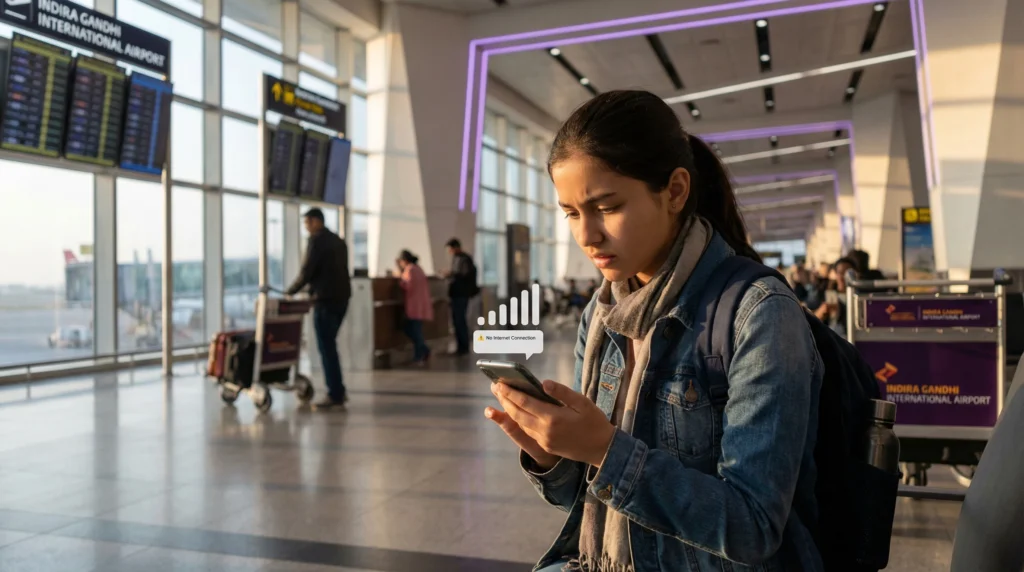

Traveler in India checking phone with eSIM signal but no internet

India eSIM Not Working? Fix No Service & No Internet

If your India eSIM is not working, showing no service, or you have no internet after arriving in India, the issue is usually related to mobile data settings, roaming, network selection, APN settings, or activation timing.

This guide will help you fix the most common India eSIM problems step by step.

If you need a new plan, you can also view our India eSIM plans.

Quick Fix

  • Turn Data Roaming ON for your eSIM
  • Select the eSIM for Mobile Data
  • Restart your phone
  • Turn Airplane Mode ON and OFF
  • Try manual network selection
  • Check APN settings if provided
  • Wait a few minutes for local network registration

Important: Some travel eSIMs activate only after you arrive in the destination country and connect to a supported local network. If your India eSIM does not connect immediately, wait a few minutes, restart your phone, and make sure data roaming is enabled for the eSIM line.

Why Your India eSIM Is Not Working

  • data roaming is turned off
  • your main SIM is still selected for mobile data
  • the eSIM has not activated yet
  • your phone has not connected to an Indian network automatically
  • you are in an area with weak signal
  • APN settings are missing or incorrect
  • your phone is not eSIM-compatible or is carrier-locked
  • the eSIM was deleted after installation

How to Fix eSIM Not Working in India

1. Turn Data Roaming ON

Travel eSIMs usually require data roaming to connect to local networks. Open your eSIM settings and turn Data Roaming ON.

2. Select Your India eSIM for Mobile Data

Go to your mobile data settings and make sure your India eSIM is selected as the line for mobile data.

3. Restart Your Phone

Restarting your phone can help it register on a local Indian mobile network.

4. Turn Airplane Mode ON and OFF

Turn Airplane Mode on for 20–30 seconds, then turn it off. This can refresh your network connection.

5. Try Manual Network Selection

If automatic network selection does not work, try choosing an Indian network manually.

Common mobile networks in India include Jio, Airtel, and Vi.

6. Wait a Few Minutes After Arrival

Your phone may need a few minutes to register on a local network after landing in India or moving between coverage areas.

7. Check Your APN Settings

If your installation email includes APN details, enter them exactly as shown. Incorrect APN settings can cause no internet even when the eSIM appears active.

8. Check Device Compatibility

If your eSIM does not appear or cannot be installed, check whether your phone supports eSIM and is not carrier-locked.

Read this guide: How to check if your phone supports eSIM.

Best eSIM for India

Get mobile data in India without buying a physical SIM card at the airport or searching for a shop after arrival.

Most travelers choose 5–20 GB plans for India trips, depending on trip length, maps, messaging, social media, ride apps, and browsing.

With NoveSIM, you get:

  • Instant eSIM delivery by email
  • Mobile data in India
  • Easy setup with QR code or activation details
  • No physical SIM card needed
  • No airport queues or shop visits
  • Works on eSIM-compatible unlocked phones
Buy India eSIM

Top India eSIMs

India Network Tips

  • Jio is widely used across many areas in India.
  • Airtel often provides strong urban and regional coverage.
  • Vi may work well in many cities, but coverage can vary by location.
  • If one network does not connect, try manual network selection and test another available network.
  • Signal quality may vary in airports, rural areas, mountains, trains, basements, and crowded areas.

eSIM Installed but No Internet in India

If your eSIM is installed but you still have no internet in India, check mobile data selection, data roaming, APN settings, and network connection.

First, make sure your India eSIM is selected for mobile data and that data roaming is enabled for the eSIM line.

Read also: eSIM no internet after activation.

eSIM Shows No Service in India

If your India eSIM shows no service, restart your phone, turn Airplane Mode ON and OFF, enable data roaming, and try selecting an Indian network manually.

If you just arrived, wait a few minutes because local network registration may take time.

Read also: eSIM installed but not working after arrival.

eSIM Activation Failed in India

If your eSIM activation failed, connect to stable WiFi, restart your phone, and check whether your device supports eSIM and is unlocked.

Do not scan the same QR code repeatedly on different devices, and do not delete the eSIM unless support confirms it is safe.

Read also: eSIM activation failed.

Can You Reinstall Your India eSIM?

Do not delete your eSIM unless support confirms it is safe. Some eSIMs cannot be installed again after deletion.

If you cannot find your QR code or installation details, check:

NoveSIM → My Account → Orders → View → eSIM Details

You may also receive your eSIM details by email. If you do not see the email, check your spam or junk folder.

When Should You Contact Support?

Contact support if:

  • your eSIM does not appear in mobile settings
  • your QR code says it has already been used
  • your phone supports eSIM but activation still fails
  • you deleted the eSIM and cannot reinstall it
  • you have tried roaming, mobile data selection, restart, and manual network selection but still have no service

Useful Guides

FAQ

Why is my India eSIM not working?

Your India eSIM may not work because data roaming is off, the wrong SIM is selected for mobile data, APN settings are missing, your phone has not connected to an Indian network yet, or the eSIM has not activated.

Why does my India eSIM show no service?

No service usually means your phone has not registered on a local network. Restart your phone, turn Airplane Mode ON and OFF, enable data roaming, or try manual network selection.

Why do I have no internet after activating my eSIM in India?

This is usually caused by mobile data selection, data roaming, APN settings, or temporary network registration delay. Make sure your eSIM is selected for mobile data and roaming is enabled.

Should data roaming be ON for an India eSIM?

Yes. Travel eSIMs usually require data roaming to be turned ON in order to connect to local networks abroad.

Which network should I choose in India?

You can try Jio, Airtel, or Vi manually if automatic network selection does not connect.

Can I delete and reinstall my India eSIM?

Do not delete your eSIM unless support confirms it is safe. Some eSIMs cannot be installed again after deletion.

Why is my eSIM installed but not working after arrival in India?

The eSIM may be installed but not selected for mobile data, data roaming may be off, APN settings may be missing, or your phone may still be registering on a local network.

Where can I find my NoveSIM eSIM details?

You can find your eSIM details in your account: NoveSIM → My Account → Orders → View → eSIM Details.

Conclusion

If your India eSIM is not working, start with the basics: turn data roaming on, select the eSIM for mobile data, restart your phone, and try manual network selection.

Do not delete your eSIM unless support confirms it is safe.

If you need mobile data for India, choose an India eSIM before your trip and install it while you still have stable WiFi.

View India eSIM Plans

Scroll to Top