
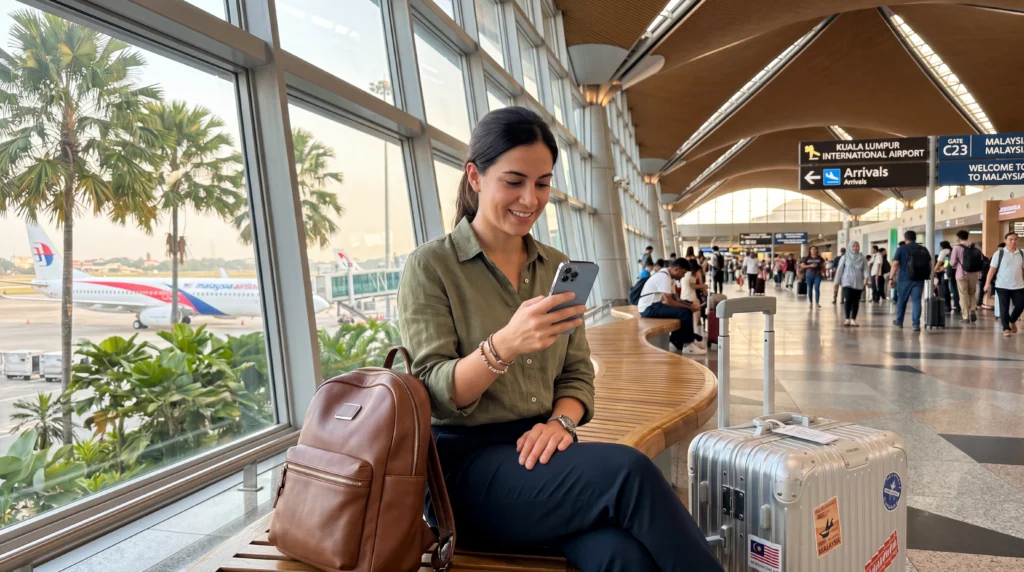

Traveler using an eSIM for mobile internet after arriving at Kuala Lumpur International Airport

eSIM at Kuala Lumpur Airport (2026 Guide for Travelers)

If you are arriving at Kuala Lumpur International Airport, also known as KLIA, one of the first things you may need is mobile internet.

Whether you are visiting Malaysia for tourism, business, transit or a longer Southeast Asia trip, having internet immediately after landing can make your arrival much easier.

You may need mobile data for booking a Grab ride, contacting your hotel, checking Google Maps, accessing travel documents, messaging family, translating information or planning your route into Kuala Lumpur city center.

Quick answer: using an eSIM at Kuala Lumpur Airport is one of the easiest ways to get mobile internet after landing. You can install the eSIM before departure, then activate mobile data when you arrive in Malaysia without waiting in airport SIM card queues.

Top Malaysia eSIMs

Can You Use an eSIM at Kuala Lumpur Airport?

Yes. If your phone supports eSIM and is unlocked, you can use an eSIM after arriving at Kuala Lumpur International Airport.

Many travelers prefer this option because it removes the need to buy a physical SIM card at the airport after a long flight.

Instead of searching for a mobile operator counter, waiting in line and replacing your physical SIM card, you can prepare everything before your trip and connect when you land.

Why Use an eSIM at KLIA?

Kuala Lumpur Airport is large, busy and often used as both a final destination airport and a transit hub.

After landing, travelers often need internet quickly for practical tasks.

  • Booking Grab or other transportation
  • Checking hotel address and check-in details
  • Using Google Maps
  • Contacting accommodation
  • Messaging family or friends
  • Checking onward flights
  • Accessing digital boarding passes
  • Using translation tools

An eSIM helps you avoid the uncertainty of airport WiFi and gives you mobile internet that continues working after you leave the terminal.

How an eSIM Works at Kuala Lumpur Airport

An eSIM is a digital SIM profile installed directly on your smartphone.

Instead of inserting a physical SIM card, you scan a QR code or enter eSIM details manually.

Once installed, the eSIM can connect to supported mobile networks in Malaysia, depending on the plan coverage.

This means you can install your eSIM before traveling and then use it after arrival at KLIA.

When Should You Install Your Malaysia eSIM?

The best time to install your eSIM is before departure while connected to a stable WiFi network.

This gives you time to complete the setup calmly before your trip.

Airport WiFi can sometimes be crowded, slow or unreliable, so it is better not to depend on it for the initial installation process.

Most travelers install their eSIM at home, at the hotel before departure, or while still connected to reliable WiFi before flying to Malaysia.

Does the eSIM Activate Immediately?

In many cases, the eSIM plan starts working when your device connects to a supported network in Malaysia, depending on the plan conditions.

This means installation and activation are not always the same thing.

Installation means adding the eSIM profile to your device.

Activation means the eSIM starts connecting and providing mobile data.

For travelers arriving at Kuala Lumpur Airport, this usually happens after landing when the phone detects a supported Malaysian network.

How to Use Your eSIM After Landing at Kuala Lumpur Airport

After your flight lands and your phone is allowed to connect to mobile networks, follow these steps.

Step 1: Turn on the eSIM profile

Open your phone settings and make sure the Malaysia eSIM profile is enabled.

Step 2: Select the eSIM for mobile data

Your phone may still be using your home SIM for mobile data. Change the mobile data line to the travel eSIM.

Step 3: Enable data roaming on the eSIM

For many travel eSIMs, data roaming must be enabled on the eSIM profile in order for mobile data to work correctly.

Step 4: Wait for network connection

Your phone may need a few minutes to register on a supported network.

Step 5: Use airplane mode if needed

If mobile data does not start immediately, turn airplane mode on for 30 seconds and then turn it off.

Arrival Checklist for eSIM at Kuala Lumpur Airport

  • Install your eSIM before departure using WiFi
  • Keep the eSIM profile on your phone
  • Enable the eSIM after landing
  • Select the eSIM as your mobile data line
  • Enable data roaming on the eSIM profile
  • Turn off roaming on your home SIM if you want to avoid charges
  • Use airplane mode for 30 seconds if the connection does not start

Using an eSIM Before Leaving the Airport

Having mobile internet before leaving KLIA can be extremely useful.

Many travelers need internet before they even reach the hotel.

You may need to check the correct pickup point for Grab, confirm your hotel address, contact a driver, review train options, find a currency exchange counter or communicate with your travel group.

An eSIM gives you internet access during this entire process, instead of only while connected to airport WiFi.

Using Grab at Kuala Lumpur Airport with an eSIM

Grab is one of the most common transportation apps used by travelers arriving in Malaysia.

From Kuala Lumpur Airport, travelers often use Grab to reach:

  • Kuala Lumpur city center
  • KL Sentral
  • Bukit Bintang
  • Petaling Jaya
  • Major hotels
  • Business districts

To use Grab smoothly, you need mobile internet for location detection, booking confirmation, driver messages and route tracking.

Airport WiFi may work inside the terminal, but mobile data is more convenient once you move toward pickup areas.

eSIM vs Airport WiFi at Kuala Lumpur Airport

Kuala Lumpur Airport provides WiFi access, but WiFi is not always enough for the full arrival experience.

Option Best For Limitation
Airport WiFi Temporary browsing inside the terminal Does not help once you leave airport coverage
eSIM Mobile internet from arrival throughout the trip Requires an eSIM-compatible phone
Airport SIM card Travelers who prefer physical SIM cards Requires queue, purchase and setup after arrival
Roaming Short emergency use Can be expensive depending on your home operator

eSIM vs SIM Card at Kuala Lumpur Airport

You can buy a SIM card at Kuala Lumpur Airport, but it is not always the fastest option.

Buying a local SIM card may involve:

  • Finding a SIM card counter
  • Waiting in line
  • Choosing a package
  • Showing identification if required
  • Replacing your physical SIM card
  • Waiting for activation

With an eSIM, most of this work is done before your flight.

This is why many travelers prefer eSIMs, especially when arriving late, traveling with family, or connecting to another flight.

Can You Buy an eSIM After Arriving at KLIA?

Yes, you can usually purchase an eSIM online after arrival if you still have internet access through airport WiFi.

However, it is better to buy and install your eSIM before departure.

This reduces the risk of depending on airport WiFi or trying to complete setup while tired after a long flight.

Can You Keep Your Home SIM Active?

Yes. Most modern smartphones allow you to keep your home SIM active while using the travel eSIM for mobile data.

This is useful if you want to continue receiving:

  • Calls
  • SMS messages
  • Bank verification codes
  • Two-factor authentication codes

To avoid unexpected roaming costs, make sure mobile data is assigned to the eSIM and not your home SIM.

Does WhatsApp Work with an eSIM at Kuala Lumpur Airport?

Yes. WhatsApp usually works normally with an eSIM.

Your WhatsApp account remains connected to your existing number while the eSIM provides mobile data.

You do not need to change your WhatsApp number just because you are using a Malaysia eSIM.

Do You Need Data Roaming Enabled?

Yes. For most travel eSIMs, data roaming should be enabled on the eSIM profile.

This does not mean you need to enable roaming on your primary home SIM.

The important part is to enable data roaming for the travel eSIM and keep your home SIM roaming off if you want to avoid roaming charges.

APN Settings for Malaysia eSIM

Most phones configure the APN automatically.

If mobile data does not work after arrival at Kuala Lumpur Airport, check the APN settings manually.

Setting Value
APN data.esim
Username Leave blank
Password Leave blank

What If Your eSIM Does Not Work at Kuala Lumpur Airport?

If your eSIM does not connect after landing, do not delete it immediately.

Try these steps first:

  • Make sure the eSIM is turned on
  • Set the eSIM as your mobile data line
  • Enable data roaming on the eSIM
  • Check the APN and use data.esim if needed
  • Turn airplane mode on for 30 seconds, then turn it off
  • Restart your phone
  • Try manual network selection if available

Most connection issues are caused by the eSIM not being selected for mobile data or data roaming being disabled.

Using an eSIM for Transit at Kuala Lumpur Airport

Kuala Lumpur Airport is a common transit airport for travelers flying across Southeast Asia and beyond.

If you are only transiting, airport WiFi may be enough for a short layover.

However, if you have a long layover, need to leave the airport, or are continuing to other destinations in Malaysia, an eSIM is more practical.

Using an eSIM for Kuala Lumpur City Travel

Once you leave the airport, mobile internet becomes even more important.

In Kuala Lumpur, travelers often need internet for:

  • Public transport routes
  • Grab rides
  • Hotel check-ins
  • Restaurant searches
  • Shopping mall navigation
  • Tourist attractions
  • Digital payments

Airport WiFi cannot help with these tasks after you leave KLIA, which is why mobile internet is the better full-trip solution.

Using an eSIM Beyond Kuala Lumpur

Many travelers arriving at KLIA continue to other Malaysian destinations.

An eSIM can be useful if you plan to visit:

  • Penang
  • Langkawi
  • Malacca
  • Johor Bahru
  • Cameron Highlands
  • Kota Kinabalu
  • Kuching

Coverage is generally strong in major cities and popular tourist areas, while remote jungle or mountain regions may have weaker signal.

How Much Data Do You Need After Arriving at KLIA?

Trip Type Suggested Data Typical Usage
Short stopover 1GB–3GB Messaging, airport transfer, maps
Weekend in Kuala Lumpur 3GB–5GB Navigation, Grab, social media, browsing
One-week Malaysia trip 5GB–10GB Daily maps, bookings, messaging, travel apps
Heavy use or remote work 10GB+ Video calls, hotspot, uploads, cloud apps

Best Internet Option at Kuala Lumpur Airport

For most travelers, the best option is a travel eSIM installed before departure.

This gives you mobile internet as soon as you arrive and continues working beyond the airport.

Airport WiFi is useful as a backup, and airport SIM cards remain an option for travelers who cannot use eSIM.

Internal Malaysia Travel Guides

FAQ: eSIM at Kuala Lumpur Airport

Can I use an eSIM at Kuala Lumpur Airport?

Yes. If your phone supports eSIM technology and is carrier-unlocked, you can use an eSIM after arriving at Kuala Lumpur Airport.

Should I install my eSIM before flying to Malaysia?

Yes. It is recommended to install your eSIM before departure while connected to a stable WiFi network.

Does Kuala Lumpur Airport have WiFi?

Yes. Kuala Lumpur Airport provides WiFi access for travelers, although mobile internet is much more useful after leaving the terminal.

Can I buy a SIM card at Kuala Lumpur Airport?

Yes. SIM cards are usually available at airport counters and retail stores, but an eSIM can save time because it can be prepared before arrival.

Is an eSIM better than buying a SIM card at the airport?

For many travelers, yes. An eSIM eliminates the need to find a vendor, wait in line or replace your physical SIM card after landing.

Do I need Data Roaming enabled on my eSIM?

Yes. Most travel eSIMs require Data Roaming to be enabled on the eSIM profile in order to connect to local networks in Malaysia.

Will WhatsApp work with my normal number?

Yes. WhatsApp usually continues working with your existing phone number while the eSIM provides mobile data connectivity.

Can I keep my home SIM card active?

Yes. Most modern smartphones support dual SIM functionality, allowing you to keep your home SIM active while using an eSIM for mobile data.

What APN should I use?

If manual APN setup is required, use data.esim and leave the username and password fields blank.

What should I do if my eSIM does not connect?

Check that the eSIM is enabled, selected for mobile data, Data Roaming is turned on and the APN is set to data.esim. Then try enabling airplane mode for 30 seconds or restart your phone.

Final Recommendation

If you are arriving at Kuala Lumpur Airport and want the easiest internet option, an eSIM is usually the best choice.

You can install it before departure, avoid airport SIM card queues, keep your regular SIM active and use mobile data immediately after landing.

Airport WiFi can help as a backup, but for full-trip connectivity across Kuala Lumpur and Malaysia, an eSIM is the more convenient and reliable option for most travelers.

Scroll to Top