


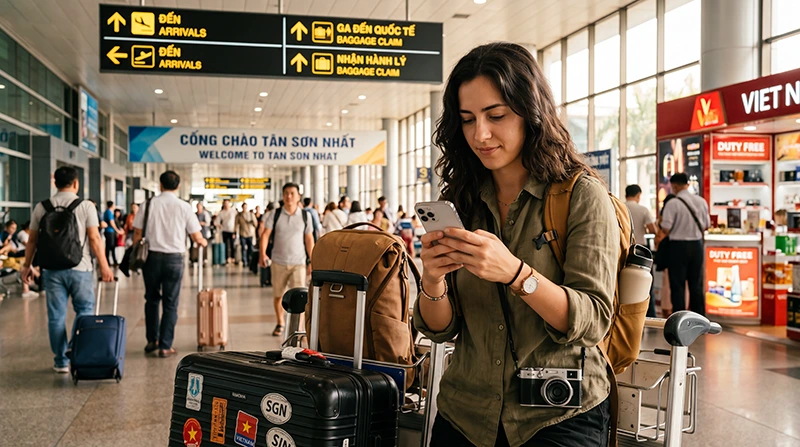

A Ho Chi Minh Airport eSIM can provide mobile data for pickup messages, maps and the journey into the city without making the arrival depend on a SIM counter. The profile should be installed before the flight while dependable Wi-Fi is available.
Tan Son Nhat International Airport uses code SGN and serves both domestic and international arrivals. The useful connection must continue beyond the terminal and through the first accommodation transfer.
NoveSIM travel eSIMs are data-only. They do not include a Vietnamese number, traditional calls or carrier SMS.
Quick answer: Install the Vietnam eSIM before departure, save the hotel address and transfer route offline, then enable the line after landing. Select it for mobile data, turn on Data Roaming when required and leave network selection on Automatic initially.
Top Vietnam eSIMs


Prepare the Ho Chi Minh Airport eSIM Before Flying
Confirm that Vietnam appears in the plan and that validity covers the departure day as well as arrival. Check the exact handset on the eSIM-compatible device list and make sure it is carrier-unlocked.
Install the profile over stable Wi-Fi and label it clearly. Keep the QR code or order details accessible, but do not delete the installed line. Save the accommodation address, booking reference and a map of the route from SGN.
Settings after Landing at SGN
- Turn off Airplane Mode when cellular use is permitted.
- Enable the Vietnam travel eSIM.
- Select it as the mobile-data line.
- Enable Data Roaming for that line if required.
- Keep home-SIM data roaming and mobile-data switching off.
Allow several minutes for registration. If a NoveSIM plan requires manual APN entry, use data.esim. Automatic network selection is the correct first attempt.
Airport Wi-Fi, SIM Counter or eSIM?
Airport Wi-Fi can serve as a temporary backup, but captive portals and busy networks may slow the first connection. A physical SIM may suit a traveller who needs a Vietnamese number and is willing to complete an airport purchase. A prepared eSIM is usually simpler for data-only access.
Compare physical purchase considerations in the Ho Chi Minh Airport SIM card guide. Do not buy a second service until the installed eSIM’s plan and settings have been checked.
Data for the Journey into Ho Chi Minh City
The first connection may be needed for driver coordination, transport research, navigation and accommodation messages. Save essential details offline because indoor reception and network congestion can vary. Keep enough battery for the transfer and avoid large photo uploads immediately after landing.
Visitors continuing around Vietnam should plan beyond the airport. The Vietnam mobile internet guide covers city and onward-travel choices.
If the eSIM Does Not Connect
Check plan status, the active data line, Data Roaming and APN. Toggle Airplane Mode briefly, restart the phone and let Automatic selection retry. Test near an exterior part of the terminal if reception appears weak.
Keep the profile installed. Record the phone model, location, error message and displayed network, then follow the Vietnam troubleshooting steps or contact Support.
Related Articles
- Best eSIM for Vietnam Travel
- Internet in Ho Chi Minh City for Tourists
- Vietnam Networks for Tourists
FAQ
Can I install the eSIM before arriving at SGN?
Yes. Installation before travel is recommended. Follow the plan instructions about when validity or data use begins.
Do I need airport Wi-Fi to activate it?
An installed eSIM can connect through mobile service when correctly configured. Keep airport Wi-Fi available for messages or troubleshooting.
Does the eSIM include a Vietnamese number?
No. NoveSIM travel plans are data-only, while internet calling and messaging apps can use the data connection.
Should I delete the profile if it shows no service?
No. Verify settings and contact Support while it remains installed, because the installation code may not be reusable.
Final Recommendation
Prepare the Ho Chi Minh Airport eSIM before departure, store the SGN transfer details offline and configure the travel line only for mobile data. Keep the home SIM protected from roaming and retain the profile if help is needed.