


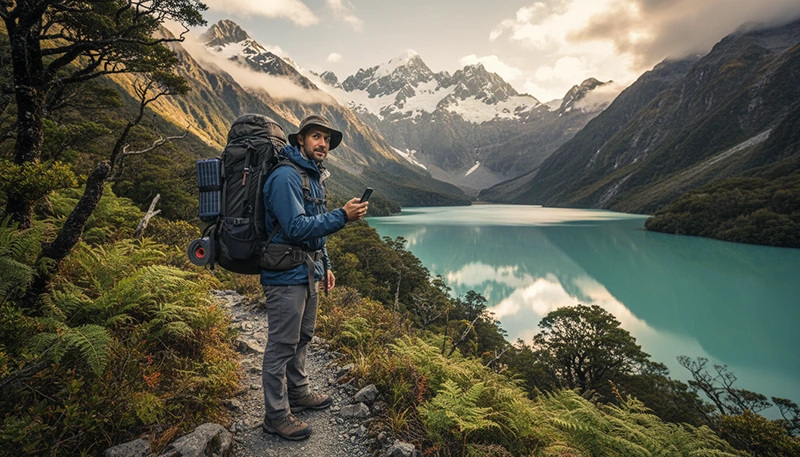

New Zealand Great Walks are among the most iconic hiking experiences in the world. From the famous Milford Track and Routeburn Track to Kepler Track and Tongariro Northern Circuit, these trails take travellers through some of the country’s most remote and beautiful landscapes.
For international hikers, staying connected before, during and after a Great Walk requires some preparation. A travel eSIM provides convenient mobile data access in New Zealand, while offline maps and preparation are essential for remote sections where mobile coverage may disappear.
Quick answer: An eSIM for New Zealand Great Walks is useful for checking weather, booking transport, using travel apps and staying connected in areas with coverage. However, no eSIM provides signal where there is no mobile network, so hikers should always prepare offline.
Top New Zealand eSIMs

New Zealand eSIM
Fixed
1 GB, 7 days€ 2.182 GB, 15 days€ 3.923 GB, 30 days€ 5.22Unlimited
Unlimited, 1 day€ 2.61Unlimited, 3 days€ 6.53Unlimited, 5 days€ 10.44
Asia eSIM
Fixed
1 GB, 7 days€ 4.352 GB, 15 days€ 7.833 GB, 30 days€ 10.44Unlimited
Unlimited, 1 day€ 5.66Unlimited, 3 days€ 15.23Unlimited, 5 days€ 24.80Why Use an eSIM for New Zealand Great Walks?
Most Great Walk hikers travel through towns and remote areas during the same trip. Having mobile data before and after the hike makes planning easier.
A New Zealand eSIM helps with:
- Checking weather conditions.
- Downloading hiking information.
- Booking accommodation.
- Confirming transport.
- Using navigation apps.
- Communicating with family and friends.
Unlike a physical SIM card, an eSIM can be installed before leaving home, so you are ready when you arrive in New Zealand.
Does an eSIM Work on New Zealand Great Walks?
Yes, but coverage depends on the location.
New Zealand Great Walks pass through remote areas where mobile infrastructure is limited.
| Location | eSIM Connectivity |
|---|---|
| Queenstown, Te Anau and nearby towns | Good connectivity |
| Trail entrances | Often available |
| Open mountain areas | Variable |
| Remote valleys | Often unavailable |
| Deep wilderness sections | No guaranteed signal |
The eSIM connects you to available partner networks, but it cannot create coverage where no mobile signal exists.
Best eSIM Setup Before a Great Walk
The best time to prepare your eSIM is before entering remote hiking areas.
Before your hike:
- Install your New Zealand eSIM.
- Test mobile data in a connected area.
- Download offline maps.
- Save trail information.
- Check weather forecasts.
- Charge your devices.
eSIM Coverage on Popular New Zealand Great Walks
eSIM for Milford Track
Milford Track crosses some of New Zealand’s most remote wilderness. Mobile coverage is limited, and hikers should expect long periods without internet access.
An eSIM is most useful before starting the track in areas such as Te Anau and for communication after completing the hike.
eSIM for Routeburn Track
Routeburn Track passes through alpine terrain between Fiordland and Mount Aspiring National Parks.
Coverage can change because of:
- Mountain passes.
- Valleys.
- Forest areas.
- Distance from towers.
eSIM for Kepler Track
Kepler Track near Te Anau combines forests, lakes and alpine sections. Connectivity is generally better near towns but becomes unpredictable deeper into the trail.
eSIM for Tongariro Northern Circuit
The volcanic landscape of Tongariro National Park creates areas where mobile reception can vary significantly.
Best Mobile Networks for New Zealand Hiking
New Zealand has three main mobile networks used by travellers:
| Network | Best For |
|---|---|
| Spark | Often preferred for regional and rural coverage |
| One NZ | Cities and popular tourist destinations |
| 2degrees | Good coverage in populated areas |
For Great Walks, terrain is usually the biggest factor affecting coverage.
eSIM vs Local SIM Card for New Zealand Hiking
| Feature | eSIM | Local SIM |
|---|---|---|
| Install before arrival | Yes | No |
| Keep your main SIM | Yes | Usually requires swapping |
| Useful before hiking | Yes | After purchase only |
| Easy for tourists | Very easy | Requires finding a store |
Offline Maps Are Still Essential
Even with the best eSIM, hikers should download offline maps before starting a Great Walk.
Recommended tools include:
- Google Maps offline.
- NZ Topo Maps.
- Outdoor navigation apps.
- Trail-specific hiking apps.
Offline maps help when:
- There is no mobile signal.
- The battery needs to be conserved.
- You are in remote wilderness.
How Much Data Do You Need for New Zealand Great Walks?
| Traveller Type | Recommended Data |
|---|---|
| Hiking only | 1–3GB |
| Hiking + road trip | 5–10GB |
| Long New Zealand adventure | 10GB+ |
Most hikers use little data during the trail itself because many sections have no connection.
Recommended eSIM Settings for Great Walks
| Setting | Recommended |
|---|---|
| Mobile Data | New Zealand eSIM |
| Data Roaming | Enabled on eSIM |
| Main SIM roaming | Disabled |
| Network Selection | Automatic |
| APN | data.esim |
Great Walk eSIM Preparation Checklist
- Install eSIM before travelling.
- Check phone compatibility.
- Download offline maps.
- Save bookings and transport details.
- Carry a power bank.
- Do not rely only on mobile signal.
Related New Zealand Hiking Connectivity Guides
- Mobile Coverage Great Walks New Zealand
- Internet on New Zealand Great Walks
- Mobile Coverage Milford Track
- Offline Maps New Zealand Travel
- New Zealand eSIM Guide
FAQ
Does an eSIM work on New Zealand Great Walks?
Yes, where mobile networks provide coverage. Remote sections may have no signal.
Which eSIM is best for hiking in New Zealand?
A New Zealand travel eSIM with access to reliable local networks is the most convenient option for international hikers.
Can I use internet during Milford Track?
Coverage is limited, so hikers should prepare for periods without internet.
Do I need offline maps if I have an eSIM?
Yes. An eSIM provides internet where available, while offline maps work without a connection.
How much data do I need for New Zealand hiking?
Most hikers need 1–5GB, depending on whether they are combining hiking with wider travel.
Final Recommendation
An eSIM is one of the easiest ways for international travellers to stay connected during a New Zealand Great Walk adventure.
Use your eSIM for planning, transport, weather and communication in connected areas, but always combine it with offline maps and proper hiking preparation.
For Milford Track, Routeburn Track, Kepler Track and other Great Walks, the smartest setup is simple: mobile data when available, offline preparation when it is not.