


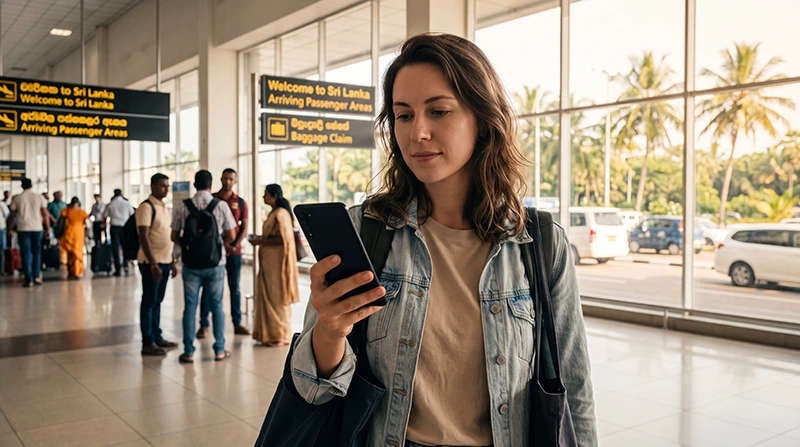

An eSIM at Colombo Airport can provide mobile data without waiting at a physical SIM counter, provided it was installed correctly and its plan includes Sri Lanka. Prepare the profile before flying, then activate the data settings after landing.
This page covers the eSIM arrival task at Bandaranaike International Airport (CMB). For a comparison with terminal Wi-Fi and local SIM counters, use the broader airport internet guide.
NoveSIM travel eSIMs are data-only. We do not provide conventional calls, SMS or a Sri Lankan number, but maps, ride apps and messaging work through mobile data.
Quick answer: Install before departure, then at CMB enable the travel line, select it for mobile data, turn on data roaming and switch automatic data switching off. Test a website with airport Wi-Fi disabled before leaving the terminal.
Top Sri Lanka eSIMs

Sri Lanka eSIM
Fixed
1 GB, 7 days€ 4.442 GB, 15 days€ 7.103 GB, 30 days€ 9.32Unlimited
Unlimited, 1 day€ 4.88Unlimited, 3 days€ 11.09Unlimited, 5 days€ 17.30
Prepare the eSIM Before Flying to Colombo
- Confirm the phone is unlocked and eSIM-compatible.
- Install the profile over stable Wi-Fi.
- Label it Sri Lanka or NoveSIM.
- Read when plan validity begins.
- Keep the profile installed.
Follow the Sri Lanka eSIM installation guide if the profile has not yet been added.
Activate the eSIM After Landing at CMB
- Wait until the aircraft has landed and mobile use is permitted.
- Switch on the Sri Lanka eSIM.
- Select it as the mobile-data line.
- Enable data roaming on the travel line.
- Disable automatic data switching.
- Keep network selection automatic.
Supported networks and 4G or 5G depend on the plan, device and local coverage. The activation guide explains the distinction between installation and first connection.
Test Data Before Leaving the Terminal
- Turn airport Wi-Fi off.
- Open a simple web page.
- Load the accommodation pin.
- Send a data-based message.
- Confirm that the home SIM is not selected for data.
A visible signal does not prove that mobile data works. Complete a real test before arranging transport.
If Signal Appears but No Page Loads
Check the selected data line, roaming and plan status. For a NoveSIM eSIM, the APN is data.esim. Use the Sri Lanka no-internet checks and do not delete the installed profile.
Airport Wi-Fi and Local SIM Alternatives
Airport Wi-Fi can help retrieve installation details, while a local SIM may suit travellers needing a local number. Compare the arrival choices in the Colombo Airport internet guide and Colombo Airport SIM guide.
Before Travelling Beyond Colombo
Download the next map area and save the accommodation address. Coverage can change on trains, mountain routes and remote coast roads.
Related Articles
- Install a Sri Lanka eSIM
- Activate a Sri Lanka eSIM
- Internet at Colombo Airport
- Fix Signal with No Internet
FAQ
Can I activate an eSIM at Colombo Airport?
Yes, when the profile is installed, the plan includes Sri Lanka and the phone can register on a supported network.
Do I need airport Wi-Fi?
It can help during installation, but turn it off when testing whether mobile data actually works.
Should data roaming be on?
Yes, for the travel eSIM line. Keep home-line data roaming off unless deliberately using it.
Should I delete the eSIM if it does not connect?
No. Check settings and contact support before deleting an installed profile.
Final Recommendation
Install the eSIM before the flight so Colombo Airport is an activation point rather than a setup deadline.
Test mobile data with Wi-Fi off and verify that the home SIM cannot take over the data connection.
Leave CMB only after maps, messages and a web page work through the travel line.