


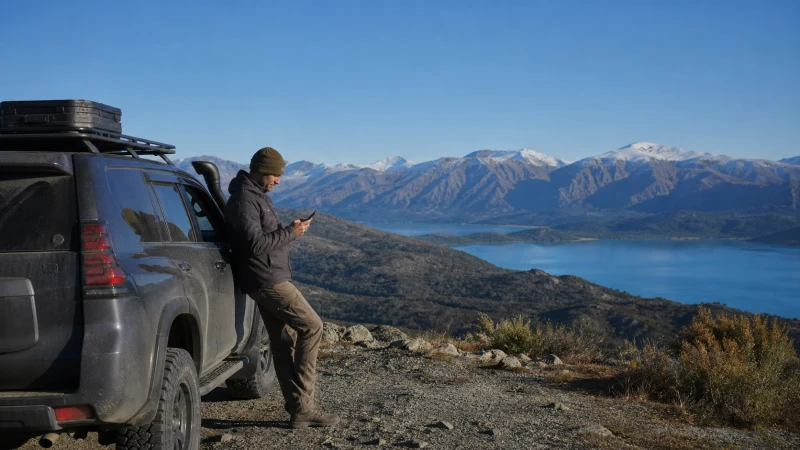

Mobile internet in East Kazakhstan is useful in populated areas but becomes less predictable on mountain roads, near lakes and across long rural distances. The region requires an offline-first approach even when an eSIM works well in town.
A travel plan connects through a partner network, so performance changes with the exact route, terrain, handset and local coverage. No data allowance can compensate for a missing signal.
NoveSIM Kazakhstan plans are data-only and do not provide a local number, calls or SMS.
Quick answer: Prepare the East Kazakhstan route on Wi-Fi, download a wide offline map, save accommodation and transport details, carry power and use the eSIM for data where partner coverage is available.
Top Kazakhstan eSIMs

Kazakhstan eSIM
Fixed
1 GB, 7 days9.50$2 GB, 15 days16.50$3 GB, 30 days23.00$Unlimited
Unlimited, 1 day10.50$Unlimited, 3 days28.50$Unlimited, 5 days47.00$
Commonwealth of Independent States eSIM
Fixed
1 GB, 7 days9.00$2 GB, 15 days15.00$3 GB, 30 days20.50$Unlimited
Unlimited, 1 day9.50$Unlimited, 3 days25.50$Unlimited, 5 days41.00$Why the Region Needs Different Planning
City streets and settled corridors can provide usable data, while valleys, mountain approaches and remote lake routes may lose reception. Weather and distance can also make a simple connectivity problem more consequential than it would be in a city.
Review Kazakhstan eSIM coverage before choosing the route, but treat any map as indicative rather than a promise at a campsite, trailhead or individual building.
Prepare before Leaving a Connected Area
- Download the full region in the navigation app.
- Save coordinates, accommodation details and return directions separately.
- Store tickets and identity-document copies needed for the journey offline.
- Charge the phone and power bank.
- Tell another person the route and expected arrival time.
- Complete large uploads and app updates before departure.
Choose Data for the Towns, Not the Coverage Gaps
Maps, messages and booking changes use modest data, while photo backup and video can consume the plan quickly. Set cloud backup to Wi-Fi only and keep the allowance available for navigation and coordination.
The Kazakhstan data guide helps estimate the plan. For a longer overland itinerary, also use the road-trip connectivity guide.
Reconnect after a Coverage Gap
Leave Network Selection on Automatic and give the phone time to register when returning to a populated area. A brief Airplane Mode cycle can restart registration. If bars return without data, verify the selected data line, Data Roaming and APN rather than deleting the profile.
Use Kazakhstan eSIM troubleshooting if the settings need attention.
Related Articles
FAQ
Does an eSIM work across East Kazakhstan?
It works where the plan’s partner network has usable coverage, but continuous service should not be expected on every remote road or mountain route.
Will a larger data plan improve rural reception?
No. Data quantity and radio coverage are separate. Offline maps remain necessary.
What should I download before remote travel?
Download maps, bookings, route coordinates, contact details and any tickets required for the next stage.
Should I select a network manually after a gap?
Use Automatic first. Manual selection is useful only when automatic registration fails and an authorised partner is known.
Final Recommendation
Use mobile internet in East Kazakhstan as a practical tool in covered areas, not as the only navigation or safety system.
Download the region, carry power and preserve data for maps and coordination.
Expect the phone to reconnect automatically after many gaps and troubleshoot settings without deleting the eSIM.