


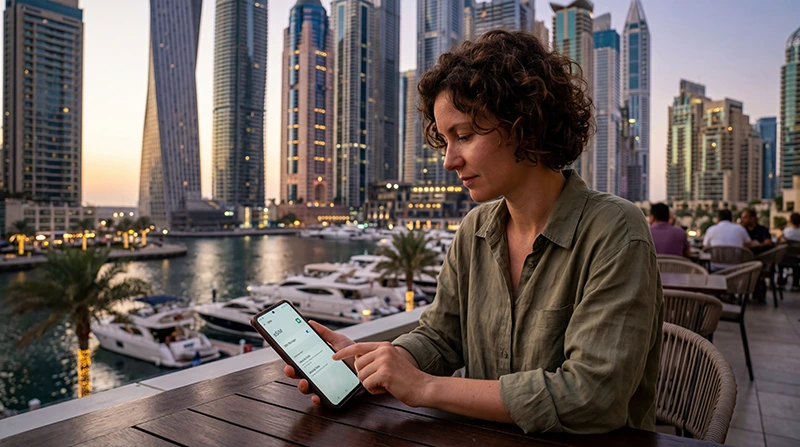

Using an eSIM on Android is one of the easiest ways to stay connected while traveling in Dubai and the UAE.
Whether you are visiting Dubai Marina, Burj Khalifa, Palm Jumeirah, shopping malls, beaches, airports, luxury hotels, or business districts, reliable mobile internet helps travelers use maps, WhatsApp, taxi apps, bookings, and travel services throughout Dubai.
Quick answer: many modern Android phones support eSIM technology and work well with UAE eSIM plans when configured correctly.
Top United Arab Emirates eSIMs

United Arab Emirates eSIM
Fixed
1 GB, 7 days4.00$2 GB, 15 days6.50$3 GB, 30 days8.50$Unlimited
Unlimited, 1 day5.00$Unlimited, 3 days12.50$Unlimited, 5 days20.00$
Which Android Phones Support eSIM?
Many modern Android smartphones support eSIM functionality.
Common compatible devices include selected models from:
- Samsung Galaxy series
- Google Pixel series
- Huawei devices
- Xiaomi devices
- Motorola smartphones
- OnePlus phones
- Sony Xperia devices
- Newer Android flagship models
Your Android phone should also be:
- Carrier unlocked
- Updated to recent Android versions
- Connected to WiFi during installation
Why Travelers Use Dubai eSIMs on Android
Many travelers prefer eSIM because it allows fast digital activation without replacing physical SIM cards.
Main advantages include:
- Install before departure
- No airport SIM queues
- Immediate connectivity after landing
- Keep your physical SIM active
- Reliable UAE mobile internet
- Fast setup process
Top United Arab Emirates eSIMs
United Arab Emirates eSIM
Fixed
1 GB, 7 days4.00$2 GB, 15 days6.50$3 GB, 30 days8.50$Unlimited
Unlimited, 1 day5.00$Unlimited, 3 days12.50$Unlimited, 5 days20.00$How to Install a Dubai eSIM on Android
- Purchase the UAE eSIM plan.
- Connect your Android phone to WiFi.
- Open Settings.
- Go to SIM Manager or Mobile Networks.
- Select Add eSIM.
- Scan the QR code.
- Follow the installation instructions.
- Select the eSIM for mobile data.
- Enable Data Roaming if required.
Most travelers install the eSIM before departure and activate mobile data after arriving in Dubai.
Enable Data Roaming on Android
Many UAE eSIMs require Data Roaming to be enabled.
- Open Settings
- Select Mobile Networks or SIM Manager
- Choose the UAE eSIM
- Enable Data Roaming
Select the eSIM for Mobile Data
Make sure the UAE eSIM is selected as the primary mobile data line.
This is one of the most common reasons why internet may not work after installation.
APN Settings for Dubai eSIM on Android
For NoveSIM UAE eSIMs, the APN is usually:
APN: data.esim
To configure APN settings:
- Open Settings
- Go to SIM Manager or Mobile Networks
- Select the UAE eSIM
- Open Access Point Names
- Create or edit the APN
- Enter:
data.esim
- Save the APN
- Select the new APN
- Restart the phone
How Good Is Mobile Internet in Dubai?
Dubai generally offers excellent 4G and 5G connectivity throughout tourist areas.
Coverage is usually excellent across:
- Dubai Marina
- Downtown Dubai
- Palm Jumeirah
- Luxury hotels
- Shopping malls
- Airports
- Metro routes
- Major highways
Main Mobile Networks in UAE
e& (Etisalat)
e& is often considered one of the strongest mobile networks in the UAE.
- Excellent nationwide coverage
- Reliable tourist connectivity
- Strong indoor performance
- Excellent 5G speeds
du
du is also very popular with tourists and urban travelers.
- Strong city coverage
- Reliable urban connectivity
- Good tourist-area performance
- Strong hotel and mall coverage
Can Travelers Keep Their Physical SIM Active?
Yes. Many Android phones support using a physical SIM together with an eSIM.
This allows travelers to:
- Keep their regular number active
- Receive SMS messages
- Use UAE mobile data
- Continue using banking apps
- Stay reachable while traveling
What If the eSIM Does Not Work on Android?
If internet does not work after installation:
- Restart the phone
- Enable Data Roaming
- Check APN settings
- Select the eSIM for mobile data
- Turn Airplane Mode ON for 30 seconds
- Disable VPN temporarily if needed
Can Travelers Use Hotspot on Android?
Many UAE eSIM plans support hotspot tethering.
This can help travelers connect:
- Laptops
- Tablets
- Travel companions
- Remote work devices
Tips for Using eSIM on Android in Dubai
- Install the eSIM before departure
- Save the QR code offline
- Carry a power bank
- Use hotel WiFi for installation if needed
- Download offline maps
- Restart the phone after setup
Related UAE Internet Guides
- APN Settings UAE eSIM
- No Internet Dubai eSIM
- Does My eSIM Work in UAE
- Internet for Tourists in UAE
- Dubai eSIM
- United Arab Emirates eSIM
FAQ: Dubai eSIM Android
Do Android phones support eSIM in Dubai?
Yes. Many modern Android phones support eSIM technology and work well with UAE eSIM plans.
Should Data Roaming be enabled?
Yes. Many UAE eSIMs require Data Roaming to connect properly.
What APN should I use for NoveSIM UAE eSIM?
For NoveSIM UAE eSIMs, the APN is usually: data.esim
Can travelers keep their physical SIM active?
Yes. Many Android phones support dual SIM functionality using a physical SIM together with an eSIM.
Can travelers use hotspot on Android?
Yes. Many UAE eSIM plans support hotspot tethering.
What if the eSIM does not work?
Restart the phone, enable Data Roaming, check the APN settings, and ensure the eSIM is selected for mobile data.
Final Recommendation
Using an eSIM on Android is one of the easiest and most convenient ways to access mobile internet in Dubai and the UAE.
For the smoothest experience, many travelers install the UAE eSIM before departure so they can access maps, WhatsApp, taxi apps, and travel services immediately after landing in Dubai.