


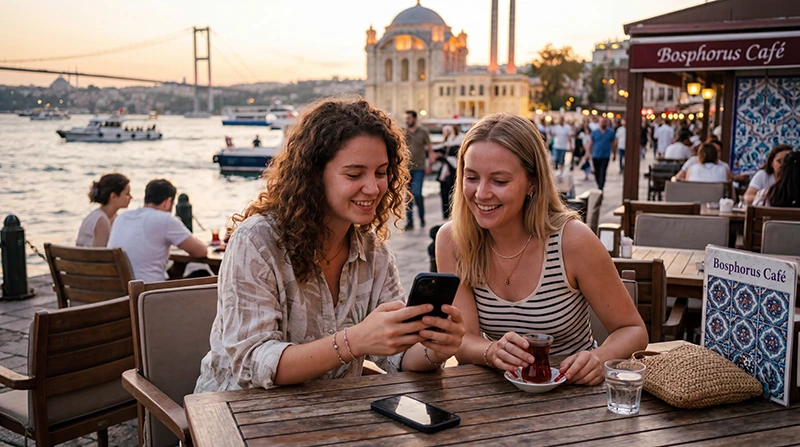

WhatsApp in Turkey normally works over mobile data or Wi-Fi, so travellers can message and call using their existing account. A data-only travel eSIM is sufficient; you do not need a Turkish phone number to continue using the number already registered with WhatsApp.
Keep your current account when the app asks whether to change numbers after a SIM change. Changing the phone’s data line does not require changing the WhatsApp number. Make sure you can access any verification method before travel in case the app requests it.
NoveSIM eSIMs supply data but not conventional calls, SMS or a Turkish number. WhatsApp text, voice and video features use the data allowance.
Quick answer: Yes, WhatsApp normally works in Turkey for messages and internet calls over mobile data or Wi-Fi. Keep the account linked to your existing number, select the travel eSIM for Mobile Data and do not choose “Change Number” merely because a new SIM is installed. Retain access to the original line for possible verification.
Top Turkey eSIMs

Turkey eSIM
Fixed
1 GB, 7 days€ 2.202 GB, 15 days€ 3.083 GB, 30 days€ 3.96Unlimited
Unlimited, 1 day€ 2.64Unlimited, 3 days€ 5.72Unlimited, 5 days€ 9.25
Europe Extra eSIM
Fixed
1 GB, 7 days€ 2.202 GB, 15 days€ 3.523 GB, 30 days€ 4.40Unlimited
Unlimited, 1 day€ 2.64Unlimited, 3 days€ 5.28Unlimited, 5 days€ 8.81Europe+ eSIM
Fixed
1 GB, 7 days€ 2.642 GB, 15 days€ 3.963 GB, 30 days€ 5.28Unlimited
Unlimited, 1 day€ 2.64Unlimited, 3 days€ 6.16Unlimited, 5 days€ 10.13Europe Lite eSIM
Fixed
1 GB, 7 days€ 2.202 GB, 15 days€ 3.523 GB, 30 days€ 4.40Unlimited
Unlimited, 1 day€ 2.64Unlimited, 3 days€ 5.28Unlimited, 5 days€ 8.81How does WhatsApp in Turkey work with a travel eSIM?
The eSIM becomes the internet connection while WhatsApp retains its registered number. After enabling the travel line for mobile data, open WhatsApp normally. Do not choose Change Number merely because a new SIM or eSIM has been added.
- Confirm that WhatsApp is updated and working before departure.
- Enable two-step verification and record the PIN securely.
- Install the travel eSIM on reliable Wi-Fi.
- Select the eSIM for mobile data after arrival.
- Keep WhatsApp registered to the existing number.
- Send a test message before leaving the airport or hotel.
The Turkey eSIM guide explains how to choose a suitable allowance and validity period.
Can you receive a WhatsApp verification code?
WhatsApp verification uses the registered number, not the number supplying mobile data. If re-verification is requested, you may need access to SMS or a voice call on the home line. A data-only eSIM cannot receive that code on its own.
A dual-SIM phone can often leave the home line enabled while the travel eSIM handles data. Disable data roaming on the home line and review the operator’s charges for receiving calls or messages in Turkey.
How much data does WhatsApp use?
Text messages consume little data. Photos, voice notes and voice calls use more, while video calls and automatic video downloads can drain an allowance quickly. Exact consumption depends on call duration, media quality and app behaviour.
- Set media auto-download to Wi-Fi only.
- Use the app’s reduced-data setting for calls when appropriate.
- Avoid restoring a large chat backup over mobile data.
- Check usage in both WhatsApp and the phone settings.
Use the Turkey data allowance guide to plan for maps, social apps and other services alongside WhatsApp.
What should you do if WhatsApp has no connection?
First open a normal webpage. If nothing loads, the problem is the mobile connection rather than WhatsApp. Confirm the eSIM is enabled, selected for data and allowed to use roaming when required. Restart the phone and test again.
For NoveSIM, the manual APN is data.esim. Do not delete the installed profile unless support instructs you to do so. Follow the Turkey eSIM troubleshooting guide for the correct order of checks.
Should you use public Wi-Fi for WhatsApp?
Airport, hotel and café Wi-Fi can be a useful backup, but open networks vary in security and stability. Confirm the network name with the venue, avoid unknown lookalike hotspots and keep the app and operating system updated. Mobile data is often simpler when moving between locations.
What should you prepare for a temporary disruption?
No single app or connection should hold all essential information. Save accommodation addresses, tickets and a key contact number offline. Agree on a meeting point when travelling with other people, especially before excursions or busy events.
For the wider choice of connections, read the mobile internet in Turkey guide. It compares eSIM, prepaid SIM, roaming and Wi-Fi.
Related Articles
- Mobile Internet in Turkey
- Best eSIM for Turkey
- How Much Data Do You Need for Turkey?
- Roaming Charges in Turkey
FAQ
Does WhatsApp work in Turkey with an eSIM?
Yes. WhatsApp uses the eSIM’s mobile data while remaining registered to your existing phone number.
Do I need to change my WhatsApp number in Turkey?
No. Adding a local SIM or travel eSIM does not require changing the number registered to your account.
Can a data-only eSIM receive a WhatsApp verification SMS?
No. A verification message must reach the registered number. Keep access to the home line or another approved verification method.
Do WhatsApp video calls use a lot of data?
They can. Video calls use substantially more data than text or voice messages, so use Wi-Fi or monitor the allowance during long calls.
Final Recommendation
Set up WhatsApp in Turkey by keeping the existing account and changing only the phone’s data source. Test the app before leaving a reliable connection.
Protect the allowance by controlling media downloads and backups. Keep the home line from using roaming data unless its charges are known.
Save essential contacts and travel documents outside WhatsApp so that a temporary app or network problem does not interrupt the journey.