
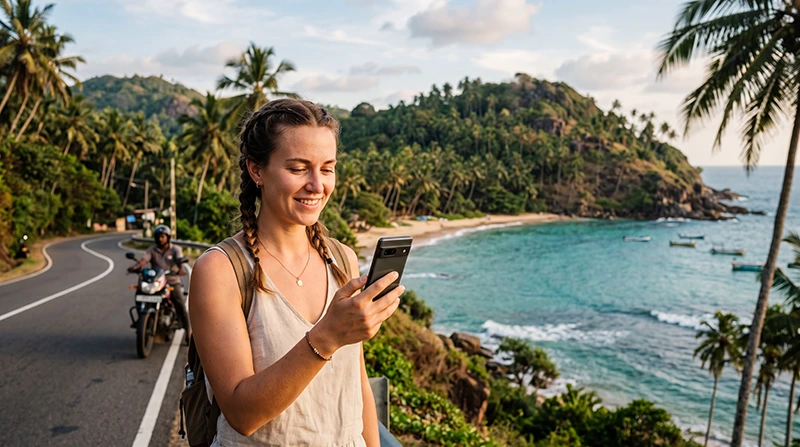

Yes, WhatsApp works in Sri Lanka and is one of the most useful communication apps for international tourists. You can use it for messages, voice calls, video calls, photographs, location sharing and communication with hotels, drivers, tour operators and other travellers.
WhatsApp needs an active internet connection, but it does not require a new Sri Lankan phone number. You can keep the number already registered with your WhatsApp account and use mobile data supplied by a Sri Lanka travel eSIM.
This means you can install an eSIM before departure, select it for Mobile Data after landing and continue using your existing WhatsApp account without changing your profile, contacts or group chats.
Quick answer: keep your current number registered with WhatsApp, use your Sri Lanka eSIM for Mobile Data, enable Data Roaming on the travel eSIM and do not select the option to change your WhatsApp number.
Top Sri Lanka eSIMs
Can Tourists Use WhatsApp in Sri Lanka?
Tourists can normally use WhatsApp throughout Sri Lanka whenever they have a working mobile data or WiFi connection.
The app can be useful before and during your trip for:
- Contacting hotels and guesthouses.
- Communicating with airport transfer drivers.
- Confirming tour and safari bookings.
- Calling friends and family.
- Sharing photographs and videos.
- Sending your live location.
- Coordinating with other travellers.
- Receiving transport or accommodation updates.
WhatsApp is particularly convenient because many tourism businesses prefer messaging apps for quick communication. You may be able to contact accommodation providers, surf schools, guides and drivers without making an international voice call.
Do You Need a Sri Lankan Phone Number for WhatsApp?
No. You do not need a Sri Lankan phone number to continue using your existing WhatsApp account.
WhatsApp remains connected to the telephone number used when the account was registered. Changing the SIM used for mobile data does not automatically change that number.
A typical travel setup is:
| Function | Recommended SIM |
|---|---|
| WhatsApp account number | Your existing number |
| Mobile Data | Sri Lanka eSIM |
| Calls and SMS | Primary SIM |
| Data Roaming | On for the travel eSIM |
| Data Roaming on primary SIM | Off |
| Automatic Data Switching | Off |
Your WhatsApp contacts will continue seeing the same telephone number and profile unless you intentionally use the Change Number feature.
Does WhatsApp Work with a Sri Lanka eSIM?
Yes. A Sri Lanka eSIM provides the mobile internet connection used by WhatsApp.
The eSIM does not need to include a local telephone number because WhatsApp can use mobile data from one SIM while keeping an account registered to another number.
After arriving in Sri Lanka:
- Enable the Sri Lanka eSIM.
- Select it as the preferred line for Mobile Data.
- Turn on Data Roaming for the eSIM.
- Disable automatic mobile data switching.
- Open WhatsApp and use it normally.
You do not need to log out, create another account or register the eSIM as a new WhatsApp number.
Should You Change Your WhatsApp Number?
No. Do not change your WhatsApp number simply because you installed a travel eSIM.
If the application asks whether you want to use a new number, keep your existing registered number unless you intentionally want to transfer the account.
Changing the number unnecessarily can create confusion for:
- Your contacts.
- Existing group chats.
- Business accounts.
- Two-step verification.
- Linked devices.
- Account recovery.
A data-only eSIM does not normally provide a telephone number that can receive a WhatsApp verification SMS, so it should not be used to create a new account.
Can You Keep Your Primary SIM Active?
Yes. Most modern Dual SIM smartphones allow your home SIM and Sri Lanka eSIM to remain active together.
Keeping your primary SIM active can be useful for:
- Receiving bank verification codes.
- Receiving account security messages.
- Keeping your normal telephone number reachable.
- Receiving important SMS updates.
- Maintaining iMessage or similar services.
To avoid unexpected roaming charges, make sure the Sri Lanka eSIM is selected for Mobile Data and disable Data Roaming on your primary SIM.
Your home operator may still charge for making or answering traditional calls while abroad. Check its roaming conditions before travelling.
Can You Make WhatsApp Voice Calls in Sri Lanka?
Yes. WhatsApp voice calls use mobile data or WiFi rather than traditional voice minutes.
You can use them to call:
- Friends and family abroad.
- Hotels and guesthouses.
- Local guides and drivers.
- Other members of your travel group.
- Business contacts.
Call quality depends on the strength and stability of your internet connection. A stable 4G connection is usually sufficient for a normal voice call.
If the connection is weak, use text messages or move to an area with a stronger signal before calling.
Can You Make WhatsApp Video Calls?
Yes. WhatsApp video calls can work through a Sri Lanka eSIM or WiFi.
Video calls consume significantly more data than text messages or voice calls. The exact amount depends on the call quality, duration, device and network conditions.
For longer video calls:
- Use reliable hotel or coworking WiFi when available.
- Check your remaining mobile data allowance.
- Avoid calling from a moving train or vehicle.
- Use 4G when the local 5G signal is unstable.
- Reduce other background data activity.
How Much Data Does WhatsApp Use?
Text messages use very little mobile data. Photographs, videos and calls use more.
| WhatsApp Activity | Typical Data Impact |
|---|---|
| Text messages | Very low |
| Sharing photographs | Low to moderate |
| Voice messages | Low |
| Voice calls | Moderate |
| Video calls | Moderate to high |
| Sending long videos | High |
| Automatic media downloads | Can become high |
Travellers who mainly use text messages and occasional voice calls normally consume much less data than users who make daily video calls or share many videos.
Read our guide to how much data you need for Sri Lanka.
How to Reduce WhatsApp Data Usage
You can reduce mobile data consumption from inside the WhatsApp settings.
- Disable automatic video downloads on mobile data.
- Download large files only when connected to WiFi.
- Use voice calls instead of video calls.
- Reduce call data usage when the option is available.
- Avoid uploading long videos through mobile data.
- Disable automatic chat backups over mobile data.
- Use WiFi for restoring large chat histories.
Change Media Download Settings
- Open WhatsApp.
- Open Settings.
- Select Storage and Data.
- Find Media Auto-Download.
- Limit photographs, audio, videos and documents on mobile data.
Reduce Call Data Usage
- Open WhatsApp Settings.
- Select Storage and Data.
- Enable the option to use less data for calls when available.
Can You Use WhatsApp on WiFi?
Yes. WhatsApp works through hotel, airport, café and coworking WiFi as well as through mobile data.
Public WiFi can be useful for:
- Downloading large photographs and videos.
- Restoring a chat backup.
- Making a long video call.
- Updating the application.
- Downloading documents.
Public WiFi may be slower or less secure than your personal mobile connection. Avoid entering sensitive information on an unknown network and disconnect from public WiFi when it performs poorly.
Will WhatsApp Work at Colombo Airport?
WhatsApp can work at Bandaranaike International Airport through airport WiFi or a connected Sri Lanka eSIM.
A pre-installed travel eSIM can be useful immediately after landing because you may need to:
- Contact your airport transfer.
- Send your arrival status to your hotel.
- Share your location.
- Check transport information.
- Contact family members.
After landing, enable the eSIM, select it for Mobile Data and turn on Data Roaming. Wait several minutes for network registration.
See our guides to using an eSIM at Colombo Airport and WiFi at Colombo Airport.
Will WhatsApp Work Around Sri Lanka?
WhatsApp works wherever your phone has a usable mobile data or WiFi connection.
| Destination | Expected WhatsApp Experience |
|---|---|
| Colombo | Generally reliable |
| Kandy | Generally reliable in populated areas |
| Galle | Generally reliable |
| Mirissa and Weligama | Generally good in populated coastal areas |
| Sigiriya | Usually usable near towns and hotels |
| Ella | Usable, with possible variations around mountains |
| Nuwara Eliya | Usable, with local signal variations |
| Arugam Bay | Generally usable in the main tourist area |
| National parks | Variable or unavailable in remote areas |
| Mountain train routes | May be interrupted in tunnels and valleys |
Download important messages, addresses and booking confirmations before entering remote areas.
Does WhatsApp Work on Sri Lanka Trains?
WhatsApp may work during many parts of a train journey, but the connection can be interrupted when the train passes through tunnels, valleys and rural areas.
The route between Kandy, Nanu Oya and Ella is particularly mountainous. Text messages may send when signal returns, while voice and video calls may disconnect.
Before boarding:
- Send urgent messages in advance.
- Save hotel contact information.
- Download tickets and addresses.
- Avoid scheduling important video calls.
- Download entertainment for the journey.
Read our guide to internet on Sri Lanka trains.
Does WhatsApp Work in National Parks?
WhatsApp may work near entrances, visitor centres and towns around national parks, but signal can become weak or unavailable during a safari.
This can happen in locations such as:
- Yala National Park.
- Udawalawe National Park.
- Wilpattu National Park.
- Remote wildlife and forest areas.
Before entering a park, save your driver’s number, booking details and meeting location. Send important messages while you still have coverage.
Can Hotels and Drivers Contact You on Your Existing Number?
Yes. Give them the number already registered with your WhatsApp account, including the correct international country code.
Your WhatsApp number does not change when you switch the mobile data connection to an eSIM.
For example, if your normal telephone number is from a European country, continue providing that number rather than the number associated with a local or travel data plan.
Can You Use WhatsApp Business in Sri Lanka?
Yes. WhatsApp Business can use a Sri Lanka eSIM for mobile data while remaining registered to its existing business number.
This can be useful for:
- Business travellers.
- Freelancers and remote workers.
- Customer support communication.
- Booking confirmations.
- Communication with colleagues.
Do not re-register the business account unless you intend to change its telephone number.
Can You Use WhatsApp Web or Linked Devices?
Yes. WhatsApp Web and linked devices can continue working while your phone uses mobile data from a Sri Lanka eSIM.
Your laptop or tablet needs its own internet connection. You can use hotel WiFi or, when the eSIM plan supports it, Personal Hotspot from your phone.
Hotspot use can consume data quickly, especially when the connected device downloads files, application updates or cloud backups.
Will WhatsApp Verification Codes Work Abroad?
If WhatsApp asks you to verify the account again, the code is normally sent to the telephone number registered with the account.
A data-only travel eSIM cannot receive that SMS because it does not include a traditional telephone number.
To receive the verification code:
- Keep your primary SIM active.
- Make sure it can receive international SMS.
- Check your home operator’s roaming service.
- Confirm that the number is entered with the correct country code.
- Avoid requesting repeated codes too quickly.
Verification while travelling can be more difficult when the primary SIM cannot receive SMS or calls, so avoid logging out or reinstalling WhatsApp unnecessarily.
What If You Lose Access to Your Primary SIM?
Your existing WhatsApp account may continue working while the application remains installed and registered on the phone.
However, you may need access to the registered number if WhatsApp requires verification after:
- Reinstalling the application.
- Changing phones.
- Resetting the device.
- Logging out from the account.
- Recovering the account.
Keep the primary SIM secure and avoid removing WhatsApp during the trip.
Can You Use WhatsApp with a Data-Only eSIM?
Yes. A data-only eSIM is sufficient for an existing WhatsApp account.
The application needs two separate elements:
| WhatsApp Requirement | How It Is Provided |
|---|---|
| Registered telephone number | Your existing primary number |
| Internet connection | Sri Lanka eSIM or WiFi |
The number and the source of mobile data do not need to come from the same SIM.
Recommended Phone Settings for WhatsApp
| Setting | Recommended Value |
|---|---|
| Sri Lanka eSIM | Enabled |
| Mobile Data | Sri Lanka eSIM |
| Data Roaming on eSIM | On |
| Data Roaming on primary SIM | Off |
| Automatic Data Switching | Off |
| Network Selection | Automatic |
| WhatsApp registered number | Keep existing number |
| APN | data.esim if required |
Why Is WhatsApp Not Working with the Sri Lanka eSIM?
If other apps are also offline, the problem is probably the eSIM connection rather than WhatsApp itself.
Check the following:
- Confirm that the Sri Lanka eSIM is enabled.
- Select it for Mobile Data.
- Turn on Data Roaming for the eSIM.
- Disable automatic data switching.
- Keep Network Selection on Automatic.
- Enter data.esim as the APN if required.
- Turn Airplane Mode on for 30 seconds.
- Turn Airplane Mode off.
- Restart the phone.
Do not delete the eSIM while troubleshooting because many QR codes can only be installed once.
What If Only WhatsApp Is Not Working?
If websites and other applications work normally, check the WhatsApp application itself.
- Confirm that WhatsApp has permission to use mobile data.
- Disable Data Saver restrictions for the app.
- Update WhatsApp through the official application store.
- Restart the application.
- Check that the phone date and time are automatic.
- Disable a VPN temporarily.
- Check available phone storage.
Do not uninstall WhatsApp unless you can receive a new verification code and have a current chat backup.
WhatsApp Messages Are Delayed
Delayed messages can be caused by a weak signal, battery optimisation or restricted background data.
Try the following:
- Allow WhatsApp to use background mobile data.
- Disable strict battery optimisation for WhatsApp.
- Move to an area with stronger reception.
- Switch from unstable 5G to 4G.
- Restart the phone.
- Check whether Data Saver is delaying notifications.
WhatsApp Calls Keep Disconnecting
Voice and video calls require a stable connection. Calls may disconnect when travelling through tunnels, mountain areas or locations with network congestion.
To improve call quality:
- Move to a location with stronger signal.
- Use stable WiFi when available.
- Switch from weak 5G to 4G.
- Close background streaming applications.
- Pause cloud backups and updates.
- Avoid calling from a moving train or vehicle.
What APN Should You Use?
If the Sri Lanka eSIM has signal but does not provide internet, use the following APN:
| APN Field | Value |
|---|---|
| Name | NoveSIM |
| APN | data.esim |
| Username | Leave blank |
| Password | Leave blank |
Save the APN, make sure it is selected and use Airplane Mode for approximately 30 seconds.
Read our full guide to Sri Lanka eSIM APN settings.
Common WhatsApp Mistakes While Travelling
- Changing the registered WhatsApp number unnecessarily.
- Trying to register the account with a data-only eSIM.
- Deleting WhatsApp without access to the original number.
- Turning on Data Roaming for the primary SIM instead of the eSIM.
- Leaving the primary SIM selected for Mobile Data.
- Downloading large videos automatically.
- Making long video calls without checking data usage.
- Using public WiFi without considering security.
Related Sri Lanka Guides
- Sri Lanka eSIM Guide
- How to Use an eSIM in Sri Lanka
- Mobile Data in Sri Lanka
- Internet in Sri Lanka for Tourists
- Sri Lanka eSIM Not Working
- No Internet on a Sri Lanka eSIM
- Sri Lanka eSIM APN Settings
- How Much Data Do You Need for Sri Lanka?
FAQ
Does WhatsApp work in Sri Lanka?
Yes. WhatsApp works through mobile data or WiFi and can be used for messages, voice calls, video calls and location sharing.
Does WhatsApp work with a Sri Lanka eSIM?
Yes. Keep your existing WhatsApp number and use the Sri Lanka eSIM to provide mobile data.
Do I need a Sri Lankan number?
No. You can continue using the number already registered with your WhatsApp account.
Should I change my WhatsApp number after installing an eSIM?
No. Keep your existing number unless you intentionally want to transfer the account to another telephone number.
Can I make WhatsApp voice calls in Sri Lanka?
Yes. Voice calls work through a mobile data or WiFi connection.
Can I make WhatsApp video calls?
Yes. Video calls work, but they consume more data and require a stable connection.
Can I keep my normal SIM active?
Yes. Keep it active for calls and SMS while using the Sri Lanka eSIM for Mobile Data.
Can a data-only eSIM be used with WhatsApp?
Yes. The eSIM supplies internet access while WhatsApp remains registered to your existing number.
Will WhatsApp work on the train to Ella?
It may work during parts of the journey, but the signal can disappear in tunnels, mountains and valleys.
Will WhatsApp work in national parks?
It may work near entrances and towns, but mobile coverage can be weak or unavailable in remote safari areas.
Why is WhatsApp not working with my eSIM?
Check that the eSIM is selected for Mobile Data, Data Roaming is enabled and the APN is set to data.esim.
Can I receive a WhatsApp verification code on a data-only eSIM?
No. A data-only eSIM does not normally include a telephone number for receiving SMS. Verification is sent to your registered primary number.
Final Recommendation
WhatsApp works in Sri Lanka and can be used with a travel eSIM without changing your existing telephone number.
Install your Sri Lanka eSIM before departure. After landing, enable the travel line, select it for Mobile Data, turn on Data Roaming and disable automatic data switching.
Keep your current number registered with WhatsApp. Do not attempt to register the application with a data-only eSIM and avoid uninstalling WhatsApp while travelling unless you can receive a new verification code.
If WhatsApp and other apps have no internet access, confirm that the APN is data.esim, use Airplane Mode for 30 seconds and restart the phone.


