


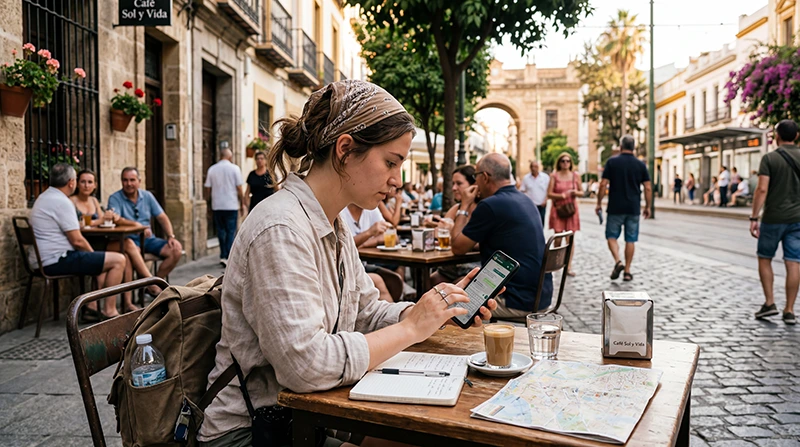

Yes, WhatsApp does work in Spain through Wi-Fi or a mobile-data connection. Your account normally keeps its existing number when you add a travel eSIM.
Messages, voice calls and video calls use internet data; the quality depends on coverage and congestion.
NoveSIM is data-only and does not supply a Spanish number, traditional calls or SMS.
Quick answer: Keep WhatsApp registered to your current number, select the Spain eSIM for mobile data and avoid choosing “Change Number” unless you genuinely want to move the account.
Top Spain eSIMs

Spain eSIM
Fixed
1 GB, 7 days€ 1.822 GB, 15 days€ 3.643 GB, 30 days€ 4.55Unlimited
Unlimited, 1 day€ 2.27Unlimited, 3 days€ 5.00Unlimited, 5 days€ 8.19
Europe Extra eSIM
Fixed
1 GB, 7 days€ 2.272 GB, 15 days€ 3.643 GB, 30 days€ 4.55Unlimited
Unlimited, 1 day€ 2.73Unlimited, 3 days€ 5.46Unlimited, 5 days€ 9.10Europe+ eSIM
Fixed
1 GB, 7 days€ 2.732 GB, 15 days€ 4.093 GB, 30 days€ 5.46Unlimited
Unlimited, 1 day€ 2.73Unlimited, 3 days€ 6.37Unlimited, 5 days€ 10.46Keep Your Existing WhatsApp Number
Installing an eSIM does not automatically alter the WhatsApp account. Keep the home SIM available if you might need an SMS verification code, but disable its data roaming. Read how WhatsApp works with eSIM.
Everyday messaging on an already registered account is different from registering again after changing phones or reinstalling the app. NoveSIM data can carry WhatsApp messages and app-based calls, but cannot receive a standard SMS or telephone verification call sent to your account number.
Before leaving for Spain, check that WhatsApp opens normally and that you still control its registered number. WhatsApp’s guidance for verification while travelling says email may be offered when re-registering if it was previously added to the account. It is not a universal replacement for number verification. Check your home carrier’s roaming terms for calls and SMS; disabling data roaming does not disable those services or guarantee they are free.
Prepare Mobile Data for WhatsApp in Spain
Choose a Spain eSIM, install it on Wi-Fi and select it for mobile data after arrival. Video calls use much more data than text; plan with the Spain data guide.
Use a compatible, unlocked phone and follow the purchased plan’s installation and validity-start instructions. A working data connection supports a WhatsApp call, not a conventional call to any Spanish telephone number. Call quality still depends on the device, coverage and network conditions.
If WhatsApp Works on Wi-Fi but Not on the eSIM
- While stationary, turn Wi-Fi off and open a fresh webpage to test mobile data independently.
- Confirm that the NoveSIM line is enabled and selected for mobile data, with data roaming enabled when the plan instructions require it.
- Keep primary-line data roaming and automatic data switching off if you do not want home-carrier data to be used.
- If webpages load but WhatsApp does not, check the app’s mobile-data permission and restart the app.
- If neither works, check the plan’s allowance and validity, then contact NoveSIM Support. Use data.esim only if manual APN entry is required.
Do not delete the installed eSIM or reinstall WhatsApp as a first response to a connection problem. Reinstallation may lead to a new verification request; remove the eSIM only if NoveSIM Support instructs you to do so.
Keep Photos and Video from Using the Travel Allowance
In WhatsApp’s Settings → Storage and data, review media auto-download options for mobile data and roaming. Leave large videos for suitable Wi-Fi and check Network usage to see what the app has transferred. Menu wording can vary by phone and app version. Your overall allowance must also cover maps, bookings and other apps, not just WhatsApp.
Related Articles
FAQ
Is WhatsApp blocked in Spain?
No. It works over an internet connection.
Will an eSIM change my number?
No, not unless you use WhatsApp’s Change Number feature.
Are WhatsApp calls free?
WhatsApp does not charge per app-based call, but it consumes your internet allowance. Standard calls through the phone’s dialler are separate and are not included with a NoveSIM data-only eSIM.
Do I need my old SIM?
Not to carry everyday WhatsApp traffic over NoveSIM data, but keep access to the registered number for verification if requested. Previously configured email verification may be offered for re-registration; do not assume it will always be available.
Final Recommendation
For WhatsApp to work away from Wi-Fi in Spain, select NoveSIM travel data while keeping your existing account number. Retain access to the primary line for account recovery without enabling its roaming data, test mobile internet separately and leave large media downloads for Wi-Fi.