
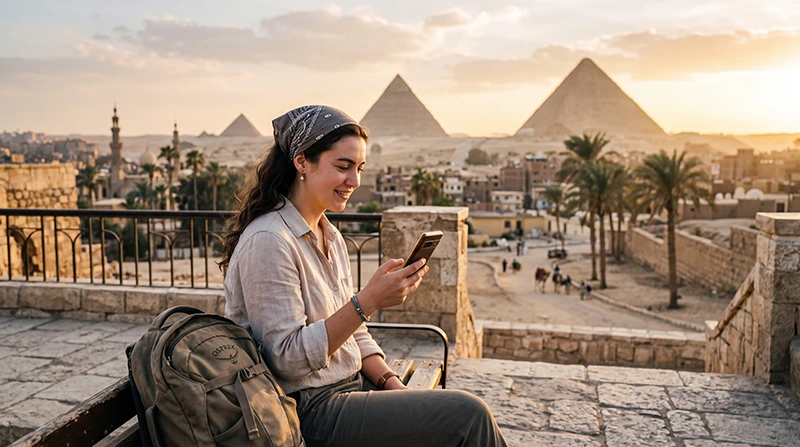

If you are traveling to Egypt, WhatsApp is one of the most useful apps for staying connected with family, hotels, drivers, guides, tour operators and travel companions.
WhatsApp can work in Egypt using mobile data or WiFi where internet access is available. An Egypt eSIM can help you use WhatsApp outside hotel WiFi zones, including airports, transfers, city sightseeing, Red Sea resorts and many tourist areas.
Quick answer: yes, WhatsApp messages and internet-based communication can work in Egypt with mobile data or WiFi. Your WhatsApp account stays linked to your existing phone number, even if your Egypt eSIM is data-only and does not include a local phone number.
Top Egypt eSIMs
Does WhatsApp Work with an Egypt eSIM?
Yes. WhatsApp works with an Egypt eSIM as long as your phone has mobile internet. Most travel eSIM plans are mobile data only, but that is enough for WhatsApp messages, media sharing and internet-based calls where supported by the app and network conditions.
Your WhatsApp number does not change when you use an eSIM for mobile data. You can continue using your existing WhatsApp account with your normal phone number.
WhatsApp Features in Egypt
| WhatsApp Feature | Works with Egypt eSIM? |
|---|---|
| Text messages | Yes, with mobile data or WiFi |
| Photo sharing | Yes, with mobile data or WiFi |
| Voice messages | Yes, with mobile data or WiFi |
| Group chats | Yes, with mobile data or WiFi |
| Location sharing | Yes, with mobile data or WiFi |
| WhatsApp voice calls | Usually works where internet quality is good |
| WhatsApp video calls | Usually works where internet quality is good |
Do You Need a Local Number for WhatsApp in Egypt?
No. You do not need a local Egyptian phone number to use WhatsApp while traveling. WhatsApp remains connected to your existing phone number after you install an Egypt eSIM.
If WhatsApp asks whether you want to change your number, do not change it unless you intentionally want to move your WhatsApp account to another phone number.
Can You Keep Your Home SIM Active?
Yes. Most modern Dual SIM phones allow you to keep your home SIM active while using your Egypt eSIM for mobile data.
- Use the Egypt eSIM for internet.
- Keep your home SIM for calls and SMS.
- Receive verification codes if supported by your home carrier.
- Keep WhatsApp linked to your existing number.
- Avoid roaming data charges on your primary SIM.
Best Internet Setup for WhatsApp in Egypt
| Setting | Recommended Value |
|---|---|
| Mobile Data | Egypt eSIM |
| Calls | Primary SIM |
| SMS | Primary SIM |
| Data Roaming | ON for Egypt eSIM |
| Primary SIM Data Roaming | OFF |
| Automatic Data Switching | OFF |
| Network Selection | Automatic |
| APN | data.esim if required |
Why Use an eSIM for WhatsApp in Egypt?
- Use WhatsApp outside hotel WiFi.
- Message drivers and airport transfer contacts.
- Share live location with travel companions.
- Contact hotels, guides and tour operators.
- Send photos and voice messages while sightseeing.
- Keep your normal WhatsApp number.
- Avoid buying a physical SIM card after arrival.
- Reduce roaming data costs from your home carrier.
WhatsApp at Airports in Egypt
WhatsApp is useful immediately after arrival for airport transfers, hotel messages, driver coordination and family updates. If your Egypt eSIM is already installed, select it for Mobile Data after landing and enable Data Roaming.
If mobile data does not connect immediately, use airport WiFi temporarily and then check your eSIM settings.
WhatsApp in Cairo and Giza
Cairo and Giza usually have strong mobile coverage. WhatsApp is helpful for ride-hailing, hotel communication, maps, restaurant bookings, guide coordination and visiting the Pyramids of Giza.
Because Cairo is large and traffic can be heavy, mobile data is especially useful for sending live location and coordinating pickup points.
WhatsApp in Red Sea Resorts
Hurghada, Sharm El Sheikh, El Gouna, Makadi Bay, Soma Bay, Sahl Hasheesh and Marsa Alam are popular resort areas where WhatsApp is useful for diving centers, boat trips, airport transfers, excursions and family communication.
Hotel WiFi can be useful inside the resort, but an Egypt eSIM helps you use WhatsApp outside WiFi zones where mobile coverage is available.
WhatsApp on Nile Cruises and Boat Trips
WhatsApp can work on Nile cruises and boat trips where mobile internet or WiFi is available. However, mobile signal can vary while sailing, especially between towns, offshore or in remote river sections.
Before cruise days or boat trips, save important contacts, meeting points and pickup details offline.
WhatsApp in Remote Areas
In remote deserts, oases, mountain areas and long-distance roads, WhatsApp may become slow or temporarily unavailable if mobile signal is weak.
This does not always mean something is wrong with your eSIM. Messages usually send again once your phone reconnects to stronger mobile data or WiFi.
How Much Data Does WhatsApp Use?
| WhatsApp Activity | Approximate Data Usage |
|---|---|
| Text messages | Very low |
| Voice messages | Low |
| Photo sharing | Depends on photo size |
| Location sharing | Low to moderate |
| WhatsApp voice calls | 30–50 MB per hour |
| WhatsApp video calls | 250–500 MB per hour |
| Sending many videos | Can use data quickly |
How Much Data Do You Need for WhatsApp in Egypt?
| Travel Style | Recommended Data |
|---|---|
| Mostly WhatsApp messages and maps | 3–5 GB |
| One-week Egypt trip | 5–10 GB |
| WhatsApp plus social media | 10–20 GB |
| Frequent voice and video calls | 10–20 GB |
| Heavy media sharing and hotspot | 20 GB+ or unlimited |
Does WhatsApp Work If the eSIM Is Data-Only?
Yes. A data-only eSIM can support WhatsApp because WhatsApp uses internet access, not a local SIM phone number for normal app use.
You only need mobile data or WiFi. Your WhatsApp account remains linked to your existing phone number unless you manually change it inside WhatsApp.
Can You Receive SMS Verification Codes?
An Egypt eSIM is usually mobile data only, so it does not provide SMS service. If you need SMS verification codes from banks or apps, keep your primary SIM active for calls and SMS if your home carrier supports receiving messages abroad.
To avoid data roaming charges, keep mobile data roaming OFF on your primary SIM and use the Egypt eSIM for internet.
What If WhatsApp Does Not Work?
If WhatsApp does not send messages, first check whether your phone has working mobile data or WiFi.
- Open a website or maps app to test internet.
- Make sure the Egypt eSIM is selected for Mobile Data.
- Enable Data Roaming on the Egypt eSIM.
- Turn off Automatic Data Switching.
- Keep Network Selection on Automatic.
- Set APN to data.esim if required.
- Restart your phone.
- Try WhatsApp again on mobile data or WiFi.
APN Settings for WhatsApp with Egypt eSIM
Most phones configure APN settings automatically. If mobile data does not work and WhatsApp cannot connect, enter the APN manually.
| Field | Value |
|---|---|
| APN | data.esim |
| Username | Leave blank |
| Password | Leave blank |
| Authentication | None |
Tips for Using WhatsApp in Egypt
- Install and test WhatsApp before travel.
- Do not change your WhatsApp number unless necessary.
- Save hotel, guide and driver contacts before arrival.
- Use mobile data for live location and transfers.
- Use WiFi for long video calls when available.
- Download offline maps before remote trips.
- Carry a power bank for long sightseeing days.
- Keep your primary SIM active if you need SMS codes.
Common WhatsApp and eSIM Problems
- Mobile data is not working.
- Data Roaming is OFF on the eSIM.
- The primary SIM is selected for Mobile Data.
- Automatic Data Switching is ON.
- APN settings are missing.
- Hotel WiFi is weak or unstable.
- Signal is weak in remote areas.
- WhatsApp media download is disabled on mobile data.
Related Egypt eSIM and Internet Guides
- Egypt eSIM
- How to Use eSIM in Egypt
- Egypt eSIM Not Working
- No Internet with Egypt eSIM
- Egypt eSIM APN Settings
- Mobile Internet in Egypt
- Internet for Egypt Vacation
- Internet at the Red Sea Egypt
- Internet for Egypt Cruise
- Best Network in Egypt
FAQ
Does WhatsApp work in Egypt?
Yes. WhatsApp can work in Egypt with mobile data or WiFi where internet access is available.
Does WhatsApp work with an Egypt eSIM?
Yes. WhatsApp works with an Egypt eSIM as long as the eSIM has working mobile data. Your WhatsApp account stays linked to your existing phone number.
Do I need an Egyptian number for WhatsApp?
No. You can keep using WhatsApp with your existing phone number while using an Egypt eSIM for mobile data.
Can I make WhatsApp calls in Egypt?
WhatsApp voice and video calls usually work where internet quality is good. Performance may vary depending on mobile signal, WiFi quality and network conditions.
Does a data-only eSIM work with WhatsApp?
Yes. A data-only eSIM is enough for WhatsApp messages, media and internet-based calling where coverage and app conditions allow it.
What APN should I use for WhatsApp with Egypt eSIM?
If manual APN setup is required, use data.esim.
Final Recommendation
WhatsApp can work in Egypt with mobile data or WiFi, and an Egypt travel eSIM is one of the easiest ways to stay connected outside hotel WiFi zones. You can keep your normal WhatsApp number, use the Egypt eSIM for internet and keep your primary SIM active for calls or SMS if needed.
For the best experience, select the Egypt eSIM for Mobile Data, enable Data Roaming on the eSIM, keep Network Selection on Automatic and use data.esim as the APN if manual setup is required.


