
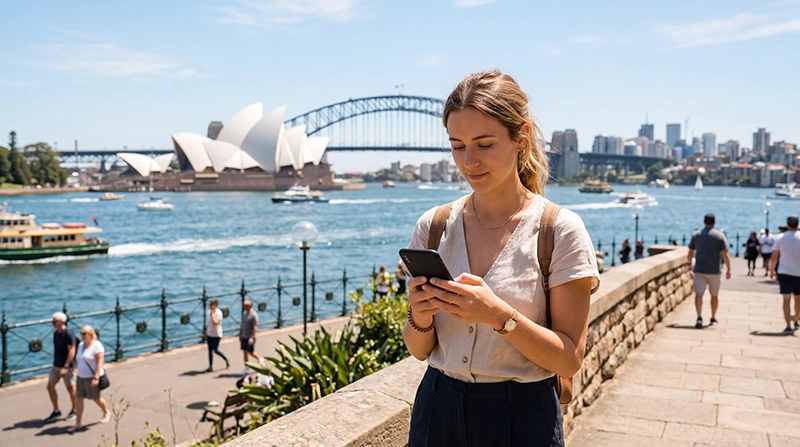

Traveler using WhatsApp in Australia with an eSIM mobile data connection

Does WhatsApp Work in Australia? Complete Guide for Travelers

Yes, WhatsApp works in Australia. Travelers can use WhatsApp for messages, voice calls, video calls, photo sharing, location sharing, and group chats when connected to mobile data or WiFi.

If you are visiting Sydney, Melbourne, Brisbane, Perth, Gold Coast, Cairns, Tasmania, the Whitsundays, Byron Bay, or the Great Barrier Reef, WhatsApp is one of the easiest ways to stay connected with family, friends, hotels, tour operators, and travel partners.

Quick answer: WhatsApp works normally in Australia with an Australia eSIM. Your WhatsApp account stays connected to your existing phone number, even if you use the eSIM only for mobile data.

Top Australia eSIMs

Can You Use WhatsApp in Australia?

Yes. WhatsApp is available in Australia and works normally when your phone has an internet connection.

You can use WhatsApp through:

  • Australia eSIM mobile data
  • Hotel WiFi
  • Airport WiFi
  • Café or restaurant WiFi
  • Home or accommodation internet
  • Mobile hotspot connection

Does WhatsApp Work With an Australia eSIM?

Yes. WhatsApp works with an Australia eSIM because WhatsApp uses internet data, not a traditional mobile phone number from the eSIM.

This means you can:

  • Keep your WhatsApp account linked to your normal number.
  • Use your Australia eSIM for mobile data.
  • Send and receive WhatsApp messages.
  • Make WhatsApp voice and video calls.
  • Share photos, videos, documents, and locations.

Do You Need a New WhatsApp Number in Australia?

No. You do not need a new WhatsApp number when traveling to Australia.

If your WhatsApp is already registered on your home number, it will continue working with that same number as long as your phone has internet access.

Do not change your WhatsApp number unless you specifically want to move your account to a different number.

Can You Keep Your Primary SIM Active?

Yes. Most modern smartphones support dual-SIM functionality.

A good travel setup is:

  • Primary SIM: calls and SMS
  • Australia eSIM: mobile data
  • Primary SIM Data Roaming: OFF
  • Australia eSIM Data Roaming: ON

This setup allows you to receive SMS verification codes on your normal number while using the Australia eSIM for internet.

Recommended Australia eSIM Settings for WhatsApp

Setting Recommended Value
Mobile Data Australia eSIM
Data Roaming ON for the eSIM
APN data.esim
Primary SIM Calls and SMS
Primary SIM Data Roaming OFF
Automatic Data Switching OFF

Can You Make WhatsApp Calls in Australia?

Yes. WhatsApp voice calls work in Australia when you have mobile data or WiFi.

WhatsApp calls are useful for:

  • Calling family and friends
  • Contacting travel partners
  • Speaking with hotels or hosts
  • Calling tour operators
  • Avoiding traditional international call charges

Can You Make WhatsApp Video Calls in Australia?

Yes. WhatsApp video calls work in Australia, but they use more data than text messages or voice calls.

If you plan to make frequent video calls, choose a larger data plan or use WiFi when available.

How Much Data Does WhatsApp Use in Australia?

WhatsApp Activity Typical Data Use
Text messages Very low
Photo sharing Low to moderate
Voice calls Moderate
Video calls High
Sending videos High

WhatsApp Not Working in Australia: What to Check

If WhatsApp does not work, the issue is usually related to internet connectivity rather than WhatsApp itself.

  • Make sure mobile data is turned on.
  • Select the Australia eSIM for mobile data.
  • Enable Data Roaming for the eSIM.
  • Check APN: data.esim
  • Turn Airplane Mode on for 30 seconds, then off.
  • Restart your phone.
  • Try opening a website to confirm internet works.

Can You Receive WhatsApp Verification Codes in Australia?

If WhatsApp is already active on your phone, you usually do not need a new verification code.

If WhatsApp asks you to verify your account again, you may need access to SMS or calls on the phone number linked to WhatsApp.

That is why many travelers keep their primary SIM active for calls and SMS while using the Australia eSIM for mobile data.

Can You Use WhatsApp Without Roaming on Your Primary SIM?

Yes. WhatsApp only needs internet access.

You can keep Data Roaming turned off on your primary SIM and still use WhatsApp through your Australia eSIM mobile data.

Where WhatsApp Is Useful in Australia

  • Airport arrivals and hotel transfers
  • City travel in Sydney and Melbourne
  • Road trips across Australia
  • Tour bookings in Cairns and the Great Barrier Reef
  • Beach trips on the Gold Coast and Bondi Beach
  • Backpacking and working holiday travel
  • Remote work and digital nomad stays

Common WhatsApp Travel Mistakes

  • Changing your WhatsApp number unnecessarily.
  • Forgetting to enable Data Roaming on the eSIM.
  • Leaving mobile data assigned to the primary SIM.
  • Using video calls without enough data.
  • Depending only on hotel WiFi.
  • Deleting the eSIM before the trip ends.

Related Australia eSIM Guides

FAQ: Does WhatsApp Work in Australia?

Does WhatsApp work in Australia?

Yes. WhatsApp works normally in Australia with mobile data or WiFi.

Does WhatsApp work with an Australia eSIM?

Yes. WhatsApp works with an Australia eSIM because it uses internet data, not a separate phone number from the eSIM.

Will my WhatsApp number change?

No. Your WhatsApp stays linked to your existing phone number unless you manually change it.

Can I make WhatsApp calls in Australia?

Yes. WhatsApp voice and video calls work when your phone has a mobile data or WiFi connection.

Do I need to keep my primary SIM active?

You can keep it active for calls and SMS, especially if you need verification codes, while using the Australia eSIM for mobile data.

Final Recommendation

WhatsApp works normally in Australia with an Australia eSIM, hotel WiFi, or any reliable internet connection. For most travelers, the best setup is to keep the primary SIM active for calls and SMS while using the Australia eSIM for mobile data.

This allows you to keep your existing WhatsApp number, avoid physical SIM swaps, and stay connected throughout your trip.

Browse Australia eSIM plans here.

Scroll to Top