


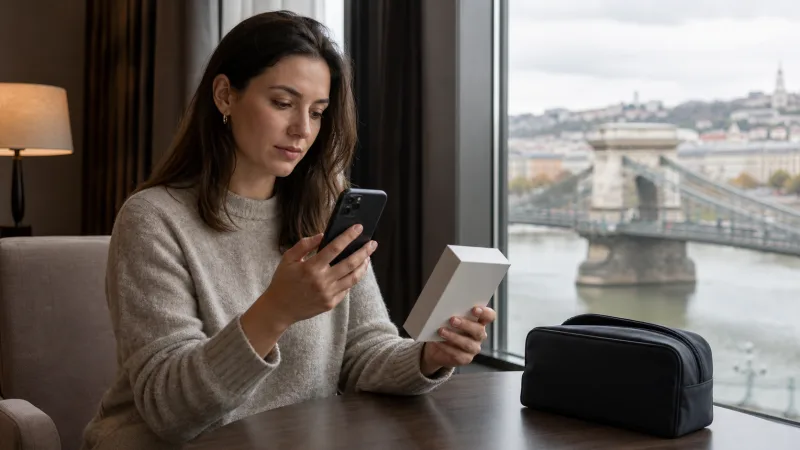

Your phone supports a Hungary travel eSIM when its exact model and regional variant include eSIM, the device is carrier-unlocked and its software permits adding a plan from the provider. Hungary itself does not require special eSIM hardware; compatibility is determined mainly by the device and plan.
Do not rely only on a family name such as iPhone, Galaxy or Pixel. Manufacturers sometimes sell different versions in different markets, and carrier-issued phones can have restrictions that an identical unlocked model does not.
NoveSIM Hungary plans are data-only. A compatible Dual SIM phone can normally retain the home line for its existing number while the Hungary eSIM supplies internet for maps, messaging and bookings. Traditional calls and SMS remain associated with a voice-capable line.
Quick answer: Open your SIM settings and look for Add eSIM, Add Cellular Plan or Download a SIM; dial *#06# and look for an EID; then confirm with the manufacturer and original carrier that the exact model is eSIM-capable and unlocked.
Top Hungary eSIMs

Hungary eSIM
Fixed
1 GB, 7 days€ 1.772 GB, 15 days€ 3.553 GB, 30 days€ 4.44Unlimited
Unlimited, 1 day€ 2.22Unlimited, 3 days€ 4.88Unlimited, 5 days€ 7.99
Europe Extra eSIM
Fixed
1 GB, 7 days€ 2.222 GB, 15 days€ 3.553 GB, 30 days€ 4.44Unlimited
Unlimited, 1 day€ 2.66Unlimited, 3 days€ 5.32Unlimited, 5 days€ 8.87Europe+ eSIM
Fixed
1 GB, 7 days€ 2.662 GB, 15 days€ 3.993 GB, 30 days€ 5.32Unlimited
Unlimited, 1 day€ 2.66Unlimited, 3 days€ 6.21Unlimited, 5 days€ 10.20What Must Be Compatible?
Four separate checks need to pass. A phone can contain eSIM hardware but still fail because it is locked, its market variant disables the feature or it has reached the limit for stored or active profiles.
| Requirement | What to verify |
|---|---|
| Hardware | The exact device variant supports eSIM |
| Software | The operating system exposes an option to add an eSIM |
| Carrier status | The phone is unlocked for plans from another provider |
| Plan coverage | The purchased eSIM includes Hungary and is valid for the trip |
A device does not need to be purchased in Hungary. It needs the necessary eSIM capability, supported mobile bands and freedom to accept the travel profile. The guide explaining whether eSIM works in Hungary covers the destination and network side of the equation.
Fastest Way to Check eSIM Support
- Open the phone application and dial *#06#.
- Look for a field labelled EID, which identifies embedded-SIM hardware.
- Open cellular, mobile network or SIM manager settings.
- Look for Add eSIM, Add Cellular Plan, Add Mobile Plan or Download a SIM Instead.
- Find the complete model number in Settings > About.
- Compare that exact number with the manufacturer’s official specifications for the country where the device was sold.
- Ask the original carrier whether the phone is SIM-unlocked.
An EID plus a visible Add eSIM option is strong evidence, but it does not by itself prove unlock status. Conversely, a missing menu can sometimes result from old software, a carrier configuration or a regional restriction rather than missing hardware.
How to Check a Hungary eSIM on iPhone
- Open Settings.
- Tap General, then About.
- Find the EID entry and note the model number.
- Return to Settings and open Cellular or Mobile Data.
- Look for Add eSIM.
- In the About screen, find Carrier Lock. A message such as “No SIM restrictions” indicates the phone is reported as unlocked.
Modern eSIM-capable iPhones generally begin with the iPhone XS, XS Max and XR generations, but exceptions and regional differences matter. Some models sold for particular markets use different SIM configurations. Always validate the exact part or model number with Apple rather than assuming every version of a named iPhone is identical.
An unlocked compatible iPhone can often use a home SIM and a travel eSIM together. The number of stored profiles can be greater than the number of simultaneously active lines. Review the dedicated Hungary eSIM for iPhone guide for installation, line labels and data settings.
How to Check a Google Pixel
- Open Settings.
- Tap Network & internet.
- Select SIMs.
- Look for an option to add or download a SIM.
- Open About phone and record the exact model.
- Dial *#06# and check for an EID.
- Confirm unlock status with the seller or carrier.
Many Pixel phones support eSIM, but availability can depend on generation, sales region and carrier configuration. A Pixel that is physically capable of eSIM can still be unsuitable for a third-party travel plan when locked to a carrier.
How to Check a Samsung Galaxy
- Open Settings.
- Tap Connections.
- Open SIM manager.
- Look for Add eSIM.
- Open About phone and record the full model code, not only the retail family name.
- Dial *#06# and check whether an EID appears.
- Verify the model code on Samsung’s official specification or support page for the sales region.
Galaxy compatibility varies significantly by model, country and firmware. Two phones marketed under the same Galaxy series can have different eSIM support. This makes the model-code check especially important for Samsung devices. The Hungary eSIM for Android guide explains practical setup once compatibility is confirmed.
What Does Carrier-Unlocked Mean?
A carrier lock restricts a phone to SIMs issued or authorised by the original mobile operator. eSIM hardware does not remove that restriction. A locked phone may recognise the QR code but refuse to add or activate a NoveSIM profile.
Only the carrier that imposed the lock can reliably confirm its status and explain the unlocking policy. Paying off a device contract does not always remove the restriction automatically. Arrange unlocking before departure because the process can require account verification or processing time.
- Ask whether the device accepts both physical SIMs and eSIMs from other providers.
- Provide the IMEI only through the carrier’s official support channel.
- Restart the phone after the carrier confirms an unlock if instructed.
- Test the Add eSIM menu on stable Wi-Fi before travelling.
Does Dual SIM Support Matter?
Dual SIM is not essential if you only need the Hungary eSIM, but it is useful when retaining your normal number. A common configuration uses the travel eSIM for mobile data and the home line for incoming SMS or selected calls.
Simultaneous behaviour varies. Some phones can keep two lines active but use only one for cellular data at a time. Others may support a physical SIM plus eSIM, two eSIMs, or a different combination. Verify the precise model and operating-system version.
Keeping the home SIM active can still generate roaming charges for conventional calls, voicemail or other services. Select the Hungary eSIM for data, disable roaming on the home line and turn off automatic data switching. The detailed guide to using an eSIM in Hungary provides a safe everyday configuration.
Will a Tablet, Laptop or Smartwatch Work?
Some cellular tablets and laptops include eSIM, but support must be checked against both the device and the plan. A data plan intended for a smartphone is not automatically compatible with every tablet or computer. Confirm this before purchase.
Smartwatch eSIMs commonly rely on a carrier-specific companion plan linked to a phone number. A standard travel data eSIM should not be assumed to work on a watch. The presence of an eSIM menu alone does not mean the device accepts ordinary QR-based travel plans.
Regional Variants and Imported Phones
An imported phone may differ in eSIM support, supported frequency bands, warranty and carrier services. Check the regulatory or model code printed in Settings, on the original box or on the manufacturer’s device page.
Band support affects whether the phone can use all available Hungarian 4G or 5G layers. A compatible eSIM profile may connect but receive less complete coverage when the imported hardware lacks a local band. Network access also depends on the selected NoveSIM plan and its Hungarian partners.
For realistic connectivity expectations, read the Hungary eSIM coverage guide and the overview of 5G in Hungary for tourists.
What If the Add eSIM Option Is Missing?
- Confirm the full model number and sales region.
- Install any pending official operating-system update.
- Restart the phone and check the SIM settings again.
- Look for alternative wording such as Add Mobile Plan or Download a SIM.
- Check whether an EID appears when dialling *#06#.
- Ask the manufacturer whether the exact regional variant includes eSIM.
- Ask the original carrier whether firmware or account restrictions apply.
Do not scan the QR code repeatedly while compatibility is uncertain. Activation codes can be single-use, and repeated attempts do not add missing hardware. Do not delete an installed profile as a diagnostic step unless NoveSIM support instructs you to do so.
Can a Compatible Phone Still Reject the eSIM?
Yes. Common causes include a carrier lock, a QR code already used on another installation, a limit on stored profiles, weak Wi-Fi during download, an incorrect device clock or a plan that is not intended for that device type.
Remove only old profiles that you clearly recognise and no longer need. Never delete the new Hungary eSIM while troubleshooting unless support confirms that doing so is safe. If the code fails, provide support with the exact error, phone model and operating-system version rather than repeatedly trying random settings.
How to Prepare Before Buying
- Record the exact model number and sales region.
- Confirm an EID and Add eSIM option.
- Verify that the phone is carrier-unlocked.
- Update the operating system.
- Check that Hungary appears in the plan coverage.
- Choose data and validity suitable for the trip.
- Keep enough free profile capacity.
- Install on reliable Wi-Fi before departure.
After compatibility is proven, compare plan sizes in the best eSIM for Hungary guide. A compatible phone does not require an unlimited plan; the right allowance depends on maps, messaging, streaming, work and hotspot use.
Related Articles
- Does eSIM Work in Hungary?
- How to Install a Hungary eSIM
- How to Activate a Hungary eSIM
- Best eSIM for Hungary
- Hungary eSIM Coverage
- Local SIM vs eSIM in Hungary
FAQ
Does every modern phone support a Hungary eSIM?
No. Support depends on the exact model, regional variant, software and carrier restrictions. Check for an EID and Add eSIM menu, then verify the model with the manufacturer.
Does seeing an EID guarantee that NoveSIM will work?
An EID strongly indicates eSIM hardware, but the phone must also be unlocked, permit adding the profile and support the plan. Confirm all four requirements.
Can I use my home SIM and Hungary eSIM together?
Usually on a compatible Dual SIM phone. Use the Hungary eSIM for data and configure the home line carefully for calls or SMS, keeping its data roaming disabled unless deliberately needed.
Will a carrier-locked phone accept a travel eSIM?
Usually not when the eSIM comes from another provider. Contact the original carrier and complete its official unlocking process before travel.
Can I use the Hungary eSIM on a smartwatch?
Do not assume so. Many watches require a carrier-specific companion plan rather than a standard QR travel eSIM. Confirm device and plan compatibility explicitly.
Should I buy the plan before checking my phone?
No. Verify the exact model, EID, Add eSIM option and unlock status first. This avoids buying a plan that the device cannot install.
Final Recommendation
Check the exact phone variant, not merely its family name. An EID and Add eSIM menu are useful evidence, but manufacturer confirmation and carrier unlock status complete the compatibility check.
Verify Dual SIM behaviour if you want to preserve the home number, and review roaming settings before arrival. Compatibility does not guarantee identical 5G or coverage performance across all imported devices.
Once every check passes, install the Hungary eSIM on stable Wi-Fi before departure and keep the profile intact. This gives you the best chance of connecting quickly after arrival without searching for a physical SIM.