


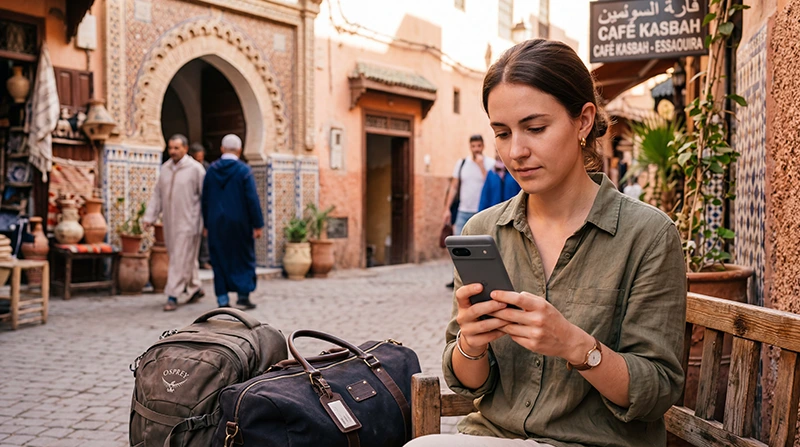

If you are traveling to Morocco, your eSIM can work if your phone is eSIM-compatible, unlocked and your plan includes Morocco coverage.
A Morocco travel eSIM uses local mobile networks to provide mobile data where coverage is available. It can be useful for Google Maps, WhatsApp, hotel messages, airport transfers, translation, road trips and everyday travel internet.
Quick answer: your eSIM should work in Morocco if your phone supports eSIM, is unlocked, the eSIM plan includes Morocco and Data Roaming is enabled on the eSIM after arrival.
Top Morocco eSIMs

Morocco eSIM
Fixed
1 GB, 7 days4.00$2 GB, 15 days6.50$3 GB, 30 days9.00$Unlimited
Unlimited, 1 day5.00$Unlimited, 3 days13.00$Unlimited, 5 days21.00$
Africa eSIM
Fixed
1 GB, 7 days11.50$2 GB, 15 days21.50$3 GB, 30 days30.00$Unlimited
Unlimited, 1 day15.50$Unlimited, 3 days44.50$Unlimited, 5 days73.50$Morocco eSIM Compatibility Checklist
| Requirement | Needed? |
|---|---|
| eSIM-compatible phone | Yes |
| Unlocked device | Yes |
| Morocco included in plan coverage | Yes |
| WiFi for installation | Yes |
| Data Roaming on eSIM | Yes |
| Correct APN if manual setup is required | data.esim |
How to Check If Your Phone Supports eSIM
iPhone
- Open Settings.
- Tap Cellular or Mobile Data.
- Look for Add eSIM.
- If you see this option, your iPhone likely supports eSIM.
Android
- Open Settings.
- Go to Network & Internet, Connections or SIM Manager.
- Look for Add eSIM, Add SIM, Add Mobile Plan or Download a SIM.
- If this option appears, your Android phone may support eSIM.
Recommended Morocco eSIM Settings
| Setting | Recommended Value |
|---|---|
| Mobile Data | Morocco eSIM |
| Calls | Primary SIM |
| SMS | Primary SIM |
| Data Roaming on Morocco eSIM | ON |
| Data Roaming on Primary SIM | OFF |
| Automatic Data Switching | OFF |
| Network Selection | Automatic |
| APN | data.esim if required |
APN Settings for Morocco eSIM
| Field | Value |
|---|---|
| APN | data.esim |
| Username | Leave blank |
| Password | Leave blank |
| Authentication | None |
Where Does eSIM Work in Morocco?
A Morocco eSIM can work where supported local mobile coverage is available. Coverage is usually better in major cities, airports, resorts, tourist towns and main roads.
| Area | Expected eSIM Performance |
|---|---|
| Marrakech | Good to Excellent |
| Casablanca | Good to Excellent |
| Rabat | Good to Excellent |
| Agadir | Good to Very Good |
| Fes | Good, with indoor variation |
| Tangier | Good to Very Good |
| Essaouira | Good to Very Good |
| Atlas Mountains | Variable to Limited |
| Sahara Desert | Variable, Limited or Unavailable |
Important: eSIM Needs Mobile Signal
An eSIM does not provide satellite internet. It cannot create coverage in areas with no mobile signal.
If you are visiting the Atlas Mountains, Sahara Desert, remote beaches, desert camps or rural roads, download offline maps and save important contacts before departure.
How to Make Your eSIM Work After Landing in Morocco
- Turn off Airplane Mode after landing.
- Turn ON the Morocco eSIM line.
- Select the Morocco eSIM for Mobile Data.
- Enable Data Roaming on the Morocco eSIM.
- Turn off Data Roaming on your primary SIM.
- Turn off Automatic Data Switching.
- Keep Network Selection on Automatic.
- Restart your phone if mobile data does not start.
- Turn Airplane Mode ON for 30 seconds, then OFF.
- Use APN data.esim if manual setup is required.
Why Your eSIM May Not Work in Morocco
- Your phone does not support eSIM.
- Your phone is locked to a carrier.
- Your eSIM plan does not include Morocco.
- The eSIM is installed but not turned ON.
- The wrong SIM is selected for Mobile Data.
- Data Roaming is OFF on the eSIM.
- Automatic Data Switching is ON.
- APN settings are missing.
- You are in an area with weak or unavailable mobile signal.
- The eSIM was deleted after installation.
Can You Keep Your Main SIM Active?
Yes. Most Dual SIM phones allow you to keep your main SIM active for calls and SMS while using your Morocco eSIM for mobile data.
- Use the Morocco eSIM for internet.
- Keep your primary SIM for calls and SMS.
- Use WhatsApp with your existing number.
- Receive verification codes if supported by your home carrier.
- Turn off roaming data on your primary SIM.
Does WhatsApp Work with Morocco eSIM?
Yes. WhatsApp works with mobile data from a Morocco eSIM. Your WhatsApp account stays linked to your existing phone number, even if your eSIM is data-only.
If WhatsApp asks whether you want to change your number, do not change it unless you intentionally want to move your WhatsApp account to another number.
Can You Use Hotspot with Morocco eSIM?
Yes. Most smartphones allow hotspot sharing with an eSIM where mobile coverage is available. This can be useful for another phone, tablet or laptop.
Hotspot can use data quickly, especially with streaming, video calls, cloud sync and multiple connected devices.
What to Do If Your eSIM Does Not Work
- Check that your phone supports eSIM.
- Confirm that your phone is unlocked.
- Check that your plan includes Morocco.
- Make sure the Morocco eSIM is turned ON.
- Select the Morocco eSIM for Mobile Data.
- Enable Data Roaming on the eSIM.
- Turn off Automatic Data Switching.
- Restart your phone.
- Toggle Airplane Mode for 30 seconds.
- Set APN to data.esim if needed.
- Move to a more open area if signal is weak.
Related Morocco eSIM Guides
- Morocco eSIM
- Does My Phone Support eSIM in Morocco?
- Install Morocco eSIM
- How to Activate Morocco eSIM
- How to Use eSIM in Morocco
- eSIM Not Working in Morocco
- No Internet on Morocco eSIM
- Morocco eSIM APN Settings
FAQ
Does my eSIM work in Morocco?
Your eSIM can work in Morocco if your phone supports eSIM, is unlocked and your eSIM plan includes Morocco coverage.
Do I need Data Roaming for Morocco eSIM?
Yes. Data Roaming should be enabled on the Morocco eSIM. Keep roaming off on your primary SIM to avoid unwanted charges.
Why is my eSIM installed but not working in Morocco?
The most common reasons are wrong Mobile Data selection, Data Roaming turned off, missing APN settings, locked phone or weak signal.
Can I use WhatsApp with Morocco eSIM?
Yes. WhatsApp works with mobile data from a Morocco eSIM and can stay linked to your existing number.
Does eSIM work in the Sahara Desert?
An eSIM can work only where mobile coverage is available. In remote Sahara areas, coverage may be weak, slow or unavailable.
What APN should I use for Morocco eSIM?
If manual APN setup is required for a NoveSIM Morocco eSIM, use data.esim.
Final Recommendation
Your eSIM should work in Morocco if your phone is unlocked, eSIM-compatible and your plan includes Morocco coverage. Install it before departure on WiFi, then activate mobile data after arrival.
For the best setup, select the Morocco eSIM for Mobile Data, enable Data Roaming on the eSIM, turn off roaming on your primary SIM, keep Network Selection on Automatic and use data.esim as the APN if manual setup is required.