


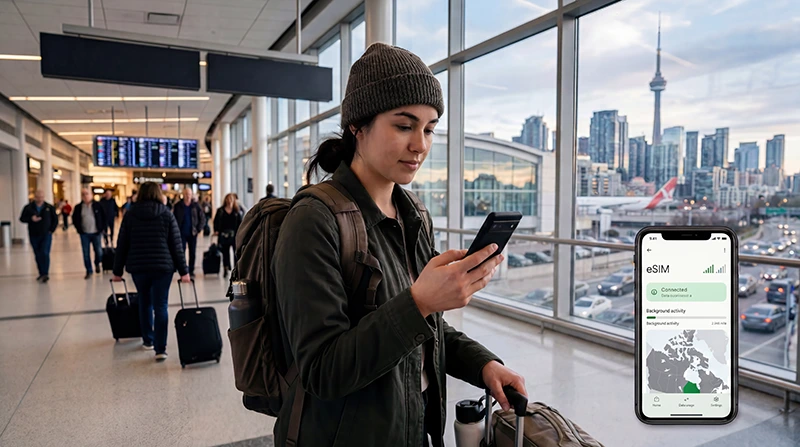

Before relying on an eSIM in Canada, check compatibility on two sides: your phone and the plan. The phone must support eSIM and accept a plan from another provider; the plan must include Canada and be valid for your travel dates. Check both before paying.
This is a pre-travel decision, not a promise of signal at every stop. A phone can install an eSIM successfully and still have no service on a remote part of your route. Equally, a plan that covers Canada will not help if the handset is locked to your home carrier.
NoveSIM’s Canada travel eSIM is for mobile data. Maps, messaging and internet calls can use that data on an eligible phone, but we do not provide a Canadian number, conventional calls or SMS with this plan. If those are essential, compare a local mobile plan that explicitly includes them.
Quick answer: Your eSIM can work in Canada if the phone supports eSIM, is carrier-unlocked, and the purchased plan explicitly covers Canada. Confirm when the plan starts, install it according to its instructions, then select it for mobile data after arrival. If it is already installed but cannot connect, use troubleshooting guidance rather than buying another plan immediately.
Top Canada eSIMs


Check the Phone Before You Check the Price
Look up the exact model and regional version of your phone, not just its brand. eSIM availability can differ by device variant and market. NoveSIM’s compatible devices list is a useful starting point, but the manufacturer’s specifications and the eSIM controls actually present on your handset are the final checks for that handset.
On an iPhone, Apple says you can inspect Settings → General → About → Carrier Lock. If it shows No SIM Restrictions, the iPhone is unlocked for another provider. Apple’s travel eSIM instructions explain this check. On Android, menus and eSIM support vary by manufacturer and model; check the device specification and ask the carrier that sold the phone if you are unsure whether it is unlocked.
Do this before purchasing. A QR code cannot remove a carrier lock, and seeing a Canada plan advertised does not establish that your particular phone can install it.
Confirm That the Plan Actually Includes Canada
Some eSIMs are domestic plans, some cover a region, and some are global. The word “eSIM” describes the SIM format, not the countries included. Open the specific plan details and check for Canada in its destination list, its validity period and any conditions for starting service. If you are crossing into the United States, check that country separately; Canada coverage does not imply cross-border coverage.
For NoveSIM, review the current Canada eSIM plan options before choosing an allowance. Check the plan’s listed networks and hotspot terms rather than assuming every Canada plan behaves alike. Actual 4G or 5G availability depends on the selected plan, phone, location and local coverage.
Decide When to Install and When to Use It
You can prepare a NoveSIM Canada eSIM on a reliable Wi-Fi connection before departure using the instructions supplied with the plan. Installing the profile and starting mobile-data use are not the same question: check the plan’s activation and validity terms so you know when its period begins. Keep the installation email or account details accessible in case you need to review the instructions later.
After arrival, enable the Canada eSIM and choose it as the phone’s mobile-data line. NoveSIM’s current Canada instructions say to enable data roaming on the travel eSIM line so it can connect to a supported local network. Review the home line separately to avoid unintended charges. Once you have confirmed that the phone and plan are suitable, follow the Canada installation steps to prepare the line before you need it.
What If Your Main SIM Must Stay Active?
Many dual-SIM phones can keep a home line available while another line carries data, but the exact combinations depend on the device. Decide which line will use mobile data before landing. Keeping your home number active may still allow incoming calls or SMS through that line, and those services can be subject to your home carrier’s roaming terms.
A data-only NoveSIM eSIM does not replace a Canadian number. Apps such as WhatsApp can use its data connection, while conventional calls and SMS remain tied to a voice-capable line or plan. If a hotel, bank or employer must reach you by ordinary text, check how that message will be delivered before you leave.
If the eSIM Installs but Has No Internet
That is a different problem from compatibility before purchase. First check whether the plan has started, the eSIM is enabled, it is selected for mobile data and the plan’s roaming instructions have been followed. If the phone shows a signal but websites still fail, follow the provider’s settings and support instructions. Do not delete the installed eSIM as an initial fix.
The Canada eSIM troubleshooting guide is the right next step once you have arrived and can describe the actual symptom. It avoids confusing an activation or data-setting problem with a phone that never supported the plan.
Related Articles
- Check NoveSIM-compatible devices
- Review Canada eSIM plans
- Install a Canada travel eSIM
- Troubleshoot an eSIM after arrival in Canada
FAQ
Will any eSIM work in Canada?
No. The plan must include Canada, and your phone must support eSIM and be unlocked for another provider. Check the exact plan and handset before purchase.
How can I tell whether my iPhone is unlocked?
Apple advises checking Settings, General, About and Carrier Lock. “No SIM Restrictions” means the iPhone is unlocked for use with another provider. Also confirm that your model supports eSIM.
Can I install a Canada travel eSIM before flying?
Follow the instructions for the exact plan. NoveSIM allows you to prepare its Canada eSIM on Wi-Fi before departure; check the plan’s activation and validity terms so you know when to begin using mobile data.
Does a working Canada eSIM give me a Canadian phone number?
Not with NoveSIM’s data-only travel eSIM. It supports internet-based apps, but not a Canadian number or conventional calls and SMS. Keep a suitable voice line or choose a local plan that explicitly includes those services if you need them.
Final Recommendation
To decide whether an eSIM will work in Canada, verify the exact phone variant, carrier-unlock status and Canada coverage of the plan before buying. A compatible phone is only half the answer; the selected plan and its terms matter just as much.
Install on Wi-Fi according to the plan instructions, check when validity starts, and select the travel eSIM for mobile data after arrival. Keep the home line’s roaming settings under review if it remains active.
If those checks pass, you have a sensible basis for using mobile data in Canada. If an installed eSIM fails after landing, diagnose that specific connection problem rather than treating every failure as proof of incompatibility.