
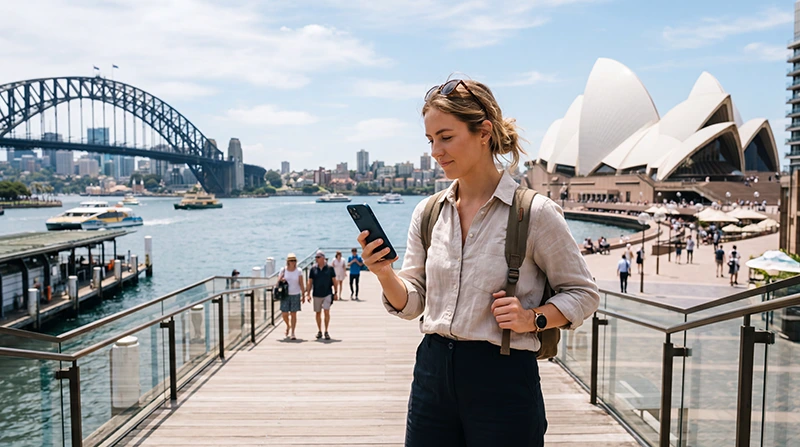

Traveler checking if their eSIM works in Australia while using mobile data

Does My eSIM Work in Australia? Complete Traveler Guide

If you are traveling to Australia and wondering whether your eSIM will work, the answer depends on three main things: your phone compatibility, whether your device is unlocked, and whether the eSIM plan includes Australia coverage.

For most travelers with a compatible unlocked phone, an Australia eSIM is one of the easiest ways to get mobile data after arrival without buying a physical SIM card.

Quick answer: your eSIM should work in Australia if your phone supports eSIM, your device is unlocked, your eSIM plan includes Australia, the eSIM is installed correctly, Data Roaming is enabled for the eSIM, and the eSIM is selected for mobile data.

Top Australia eSIMs

How to Check If Your eSIM Works in Australia

Before traveling, check the following:

  • Your phone supports eSIM technology.
  • Your phone is carrier unlocked.
  • Your eSIM plan includes Australia coverage.
  • Your eSIM has been installed successfully.
  • You have not deleted the eSIM profile.
  • Your phone allows Data Roaming for the eSIM.

Does Your Phone Support eSIM?

Your phone must support eSIM technology to use an Australia travel eSIM.

On iPhone, go to:

Settings → Cellular → Add eSIM

On Android, go to:

Settings → Network & Internet → SIMs → Add SIM

On Samsung Galaxy, go to:

Settings → Connections → SIM Manager → Add eSIM

You can also dial *#06#. If your phone shows an EID number, it usually supports eSIM.

Is Your Phone Unlocked?

Your phone should be carrier unlocked to use a travel eSIM.

If your phone is locked to your home mobile operator, it may not accept an international travel eSIM.

Before buying or installing an eSIM, contact your mobile provider and confirm that your device is unlocked.

Does Your eSIM Plan Include Australia?

Not every travel eSIM works in every country.

Before your trip, check that your eSIM plan clearly includes Australia coverage.

If you purchased a regional or global eSIM, confirm that Australia is listed in the supported countries.

When Does an Australia eSIM Start Working?

Most Australia travel eSIMs start working after they connect to a supported mobile network in Australia.

This means you can usually install the eSIM before departure, but mobile data will begin working after arrival.

How to Make Your eSIM Work in Australia

  1. Install the eSIM before departure using WiFi.
  2. Arrive in Australia.
  3. Enable the Australia eSIM.
  4. Select the Australia eSIM as your mobile data line.
  5. Turn on Data Roaming for the eSIM.
  6. Check APN settings if needed.
  7. Restart your phone if the connection does not begin automatically.

Recommended Australia eSIM Settings

Setting Recommended Value
Mobile Data Australia eSIM
Data Roaming ON for the eSIM
APN data.esim
Primary SIM Calls and SMS
Primary SIM Data Roaming OFF
Automatic Data Switching OFF

Will Your eSIM Work on iPhone in Australia?

Yes, if your iPhone supports eSIM and is unlocked.

Most iPhones from iPhone XS, iPhone XS Max, and iPhone XR onward support eSIM, although some region-specific models may have restrictions.

Useful guides:

Will Your eSIM Work on Android in Australia?

Yes, if your Android phone supports eSIM, is unlocked, and allows travel eSIM installation.

Many Samsung Galaxy, Google Pixel, Motorola, Xiaomi, Oppo, Sony, and other Android devices support eSIM depending on the exact model and region.

Useful guides:

Can You Install the eSIM Before Traveling?

Yes. Installing your eSIM before departure is usually recommended because installation requires a stable WiFi connection.

After installation, the eSIM profile stays on your phone until you enable and use it in Australia.

Can You Keep Your Regular SIM Active?

Yes.

Most dual-SIM phones allow you to keep your regular SIM active for calls and SMS while using your Australia eSIM for mobile data.

This setup is useful for:

  • Receiving verification SMS codes
  • Receiving calls on your regular number
  • Keeping WhatsApp linked to your existing number
  • Avoiding physical SIM card swaps

Will WhatsApp Work With an Australia eSIM?

Yes. WhatsApp stays linked to your existing number and works normally using mobile data from your Australia eSIM.

  • Messages
  • Voice calls
  • Video calls
  • Photo sharing
  • Location sharing
  • Group chats

What If Your eSIM Does Not Work in Australia?

If your eSIM is installed but not working, check the most common settings first.

  • Make sure the eSIM is enabled.
  • Set the eSIM as your mobile data line.
  • Turn on Data Roaming for the eSIM.
  • Set APN to data.esim if required.
  • Turn Airplane Mode on for 30 seconds, then off.
  • Restart your phone.
  • Disable automatic data switching.

Common Reasons an eSIM Does Not Work in Australia

Problem Likely Cause Fix
No signal eSIM disabled or not registered yet Enable eSIM, wait a few minutes, restart phone
Signal but no internet Data Roaming off or wrong APN Enable Data Roaming and use APN data.esim
Primary SIM using data Wrong SIM selected for mobile data Select Australia eSIM for mobile data
Roaming charges Primary SIM Data Roaming left on Turn off Data Roaming on primary SIM
Cannot install eSIM Phone locked or not eSIM compatible Check compatibility and carrier lock status

Where Can You Use an Australia eSIM?

An Australia eSIM is useful across major cities, airports, tourist areas, road trips, and many regional destinations.

  • Sydney
  • Melbourne
  • Brisbane
  • Perth
  • Adelaide
  • Gold Coast
  • Cairns
  • Hobart
  • Tasmania
  • Whitsundays
  • Great Barrier Reef
  • Byron Bay

Related Australia eSIM Guides

FAQ: Does My eSIM Work in Australia?

Will my eSIM work in Australia?

Your eSIM should work in Australia if your phone supports eSIM, is carrier unlocked, and your eSIM plan includes Australia coverage.

Do I need Data Roaming on?

Yes. Data Roaming should be turned on for the Australia eSIM. Keep Data Roaming off on your primary SIM if you want to avoid roaming charges.

Can I install the eSIM before flying?

Yes. Installing before departure is recommended because you need WiFi for installation.

Can I keep my regular phone number?

Yes. Most dual-SIM phones allow you to keep your primary SIM active for calls and SMS while using the eSIM for mobile data.

What APN should I use?

Use APN data.esim if your device requires manual APN configuration.

Final Recommendation

Your eSIM should work in Australia if your phone is compatible, unlocked, and your plan includes Australia. For best results, install the eSIM before departure, enable it after arrival, turn on Data Roaming for the eSIM, select it for mobile data, and use APN data.esim if needed.

For most travelers, an Australia eSIM is one of the simplest ways to stay connected without buying a physical SIM card after arrival.

Browse Australia eSIM plans here.

Scroll to Top