


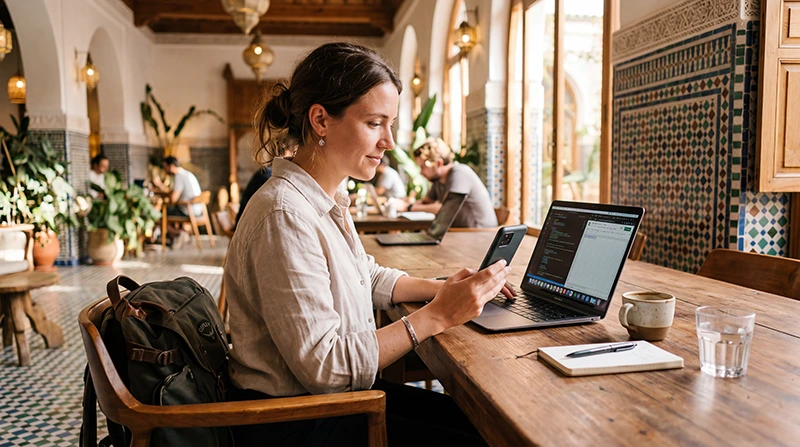

If you are working remotely from Morocco, coworking spaces can be one of the best ways to get stable internet, a productive work environment and a backup option when apartment, riad or café WiFi is not reliable enough.
Morocco has several strong remote work locations, including Marrakech, Casablanca, Rabat, Agadir, Taghazout, Essaouira and Fes. However, internet quality can vary by city, building, accommodation and café, so it is smart to combine coworking WiFi with a Morocco travel eSIM for mobile data backup.
Quick answer: coworking spaces are usually the best option for important video calls and focused work in Morocco, while a Morocco eSIM is useful for hotspot backup, travel days and internet on the move.
Top Morocco eSIMs

Morocco eSIM
Fixed
1 GB, 7 days€ 3.522 GB, 15 days€ 5.723 GB, 30 days€ 7.93Unlimited
Unlimited, 1 day€ 4.40Unlimited, 3 days€ 11.45Unlimited, 5 days€ 18.49
Africa eSIM
Fixed
1 GB, 7 days€ 10.132 GB, 15 days€ 18.933 GB, 30 days€ 26.42Unlimited
Unlimited, 1 day€ 13.65Unlimited, 3 days€ 39.19Unlimited, 5 days€ 64.73Best Internet Options for Coworking in Morocco
| Option | Best For |
|---|---|
| Coworking WiFi | Important calls and focused work sessions |
| Morocco eSIM | Mobile data, hotspot backup and travel days |
| Apartment or riad WiFi | Daily work base if reliable |
| Café WiFi | Light work, emails and browsing |
| Local SIM card | Longer stays or local number needs |
Why Use Coworking Spaces in Morocco?
- More reliable WiFi than many cafés.
- Better environment for video calls.
- Quiet areas for focused work.
- Useful for remote teams and freelancers.
- Backup if accommodation WiFi is slow.
- Networking with other travelers and professionals.
- Better setup for long workdays.
- Useful if you need power outlets and desk space.
Best Cities for Coworking in Morocco
| Location | Best For |
|---|---|
| Marrakech | Coworking, cafés, culture and short remote work stays |
| Casablanca | Business travel, meetings and city infrastructure |
| Rabat | Quieter city base and stable urban services |
| Taghazout | Surf, beach lifestyle and nomad community |
| Agadir | Beach access, apartments and relaxed work base |
| Essaouira | Creative remote work, cafés and coastal lifestyle |
| Fes | Culture, slower travel and budget stays |
| Atlas Mountains or Sahara | Short trips, not ideal for critical work calls |
Morocco eSIM vs Coworking WiFi
| Feature | Morocco eSIM | Coworking WiFi |
|---|---|---|
| Works on the move | Yes, where coverage is available | No |
| Best for video calls | Good as backup | Usually better |
| Hotspot for laptop | Yes | No need if WiFi is strong |
| Useful during travel days | Yes | No |
| Best role | Backup and mobile internet | Main work connection |
Morocco eSIM vs Local SIM Card for Coworking
| Feature | Morocco eSIM | Local SIM Card |
|---|---|---|
| Buy before arrival | Yes | No |
| Physical SIM needed | No | Yes |
| Good for short stays | Yes | Yes |
| Good for long stays | Yes, depending on data needs | Yes |
| Keep home SIM active | Yes | Depends on phone |
| Local phone number | Usually no | Usually yes |
Internet Setup by Work Type
| Work Activity | Recommended Setup |
|---|---|
| Email and browsing | Coworking WiFi or eSIM |
| Slack, Teams and WhatsApp | WiFi plus eSIM backup |
| Zoom and Google Meet | Coworking WiFi plus eSIM backup |
| Cloud tools and file uploads | Stable coworking WiFi |
| Hotspot laptop work | Larger eSIM data plan |
| Remote work from desert or mountains | Not recommended for critical calls |
How Much Data Do You Need with Coworking?
| Use Case | Recommended Data |
|---|---|
| Coworking WiFi with eSIM backup only | 3–5 GB |
| Light remote work outside coworking | 5–10 GB |
| One-week remote work trip | 10–20 GB |
| Two-week remote work trip | 20 GB+ |
| Frequent hotspot use | 20 GB+ or unlimited where available |
| Video calls on hotspot | 20 GB+ with WiFi backup |
Typical Data Usage for Remote Work
| Activity | Approximate Usage |
|---|---|
| Email and browsing | 50–150 MB per hour |
| Slack or Teams chat | Low to Moderate |
| WhatsApp voice calls | 30–50 MB per hour |
| Zoom or Google Meet video call | 500 MB–1.5 GB per hour |
| Cloud file syncing | Depends on file size |
| YouTube HD | 1–3 GB per hour |
| Hotspot laptop browsing | Moderate to High |
| Automatic photo or video backup | High |
Recommended Phone Settings for Coworking Backup
| Setting | Recommended Value |
|---|---|
| Mobile Data | Morocco eSIM |
| Calls | Primary SIM |
| SMS | Primary SIM |
| Data Roaming on eSIM | ON |
| Data Roaming on Primary SIM | OFF |
| Automatic Data Switching | OFF |
| Network Selection | Automatic |
| APN | data.esim if required |
APN Settings for Morocco Coworking eSIM
Most phones configure APN settings automatically. If mobile data does not work after arrival in Morocco, enter the APN manually.
| Field | Value |
|---|---|
| APN | data.esim |
| Username | Leave blank |
| Password | Leave blank |
| Authentication | None |
Coworking Internet Checklist for Morocco
- Install your Morocco eSIM before departure.
- Test coworking WiFi before important calls.
- Keep mobile data as backup.
- Carry a power bank and laptop charger.
- Disable automatic cloud backups on mobile data.
- Download offline maps before travel days.
- Save coworking address and opening hours offline.
- Join important calls early to test audio and connection.
Can You Use Hotspot in Coworking Spaces?
Yes. Most smartphones allow hotspot sharing with an eSIM where mobile coverage is available. Hotspot is useful if coworking WiFi becomes unstable or if you need a private backup connection.
Hotspot can use data quickly, especially with video calls, cloud sync, large files and streaming. Choose a larger data plan if you plan to work from hotspot often.
Does WhatsApp Work in Morocco Coworking Spaces?
Yes. WhatsApp works with coworking WiFi or mobile data where internet access is available. Your WhatsApp account remains linked to your existing phone number, even if your Morocco eSIM is data-only.
Best Backup Setup for Important Calls
- Use coworking WiFi as your main connection.
- Keep your Morocco eSIM active as backup.
- Charge your phone before the call.
- Turn off automatic cloud sync during the call.
- Keep your phone hotspot ready.
- Use headphones and join early to test connection.
Common Coworking Internet Problems in Morocco
- Coworking WiFi is crowded during busy hours.
- Video calls freeze on weak WiFi.
- Mobile data roaming is not enabled on the eSIM.
- The wrong SIM is selected for Mobile Data.
- APN settings are missing.
- Hotspot uses data quickly.
- Power outlets may be limited in busy spaces.
- Remote areas have weak or unavailable signal.
What to Do If Internet Does Not Work
- Switch from WiFi to Morocco eSIM mobile data.
- Check that the Morocco eSIM is turned ON.
- Select the Morocco eSIM for Mobile Data.
- Enable Data Roaming on the eSIM.
- Turn off Data Roaming on your primary SIM.
- Restart your phone.
- Turn Airplane Mode ON for 30 seconds, then OFF.
- Keep Network Selection on Automatic.
- Set APN to data.esim if required.
- Move closer to a window or open area if signal is weak.
Related Morocco Remote Work Internet Guides
- Morocco eSIM
- Internet for Digital Nomads in Morocco
- Remote Work in Morocco
- Mobile Internet in Morocco
- Internet in Morocco for Tourists
- Best Way to Get Internet in Morocco
- Best eSIM for Morocco
- Local SIM vs eSIM Morocco
- Morocco eSIM APN Settings
FAQ
Are there coworking spaces in Morocco?
Yes. Morocco has coworking options in major cities and popular remote work areas such as Marrakech, Casablanca, Rabat, Agadir, Taghazout, Essaouira and Fes.
Is coworking WiFi reliable in Morocco?
Coworking WiFi is usually better than café WiFi, but quality can still vary by space, time of day and number of users. Keep mobile data as backup for important calls.
Do I need an eSIM if I use coworking spaces?
Yes, an eSIM is useful as backup internet, for hotspot, travel days and navigation outside the coworking space.
Can I use hotspot for coworking in Morocco?
Yes. You can use hotspot with a Morocco eSIM where mobile coverage is available. For frequent laptop hotspot use, choose a larger data plan.
How much data do I need if I work from coworking spaces?
If coworking WiFi is your main connection, 3–5 GB may be enough as backup. If you also work from hotspot often, 10–20 GB or more is better.
What APN should I use for Morocco coworking eSIM?
If manual APN setup is required for a NoveSIM Morocco eSIM, use data.esim.
Final Recommendation
For most remote workers, coworking spaces are the best choice for important calls and focused work in Morocco. Use coworking WiFi as your main connection and keep a Morocco travel eSIM as backup for hotspot, travel days, cafés and internet on the move.
Install your eSIM before departure, enable Data Roaming after arrival, select the Morocco eSIM for Mobile Data, keep Network Selection on Automatic and use data.esim as the APN if manual setup is required.