


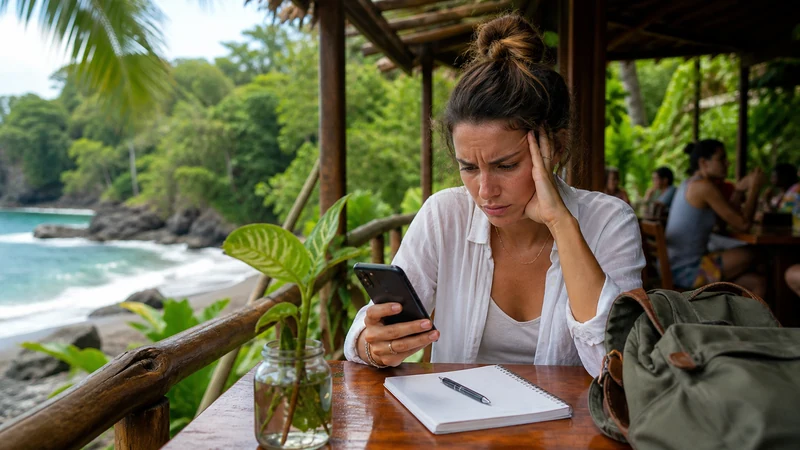

The question “how much data Costa Rica travellers need” depends more on daily habits than on the number of nights. Maps and messages use little; video, cloud backup and laptop tethering can consume an allowance quickly.
Quick answer: Allow roughly 0.3–0.5 GB per day for maps, messaging and light browsing; 0.7–1 GB per day when social media and occasional short video are included; and 1.5 GB or more per day for frequent streaming, video calls or hotspot work. Add a margin, but remember that days in remote parks may use less data because coverage is limited.
Top Costa Rica eSIMs

Costa Rica eSIM
Fixed
1 GB, 7 days€ 3.082 GB, 15 days€ 4.843 GB, 30 days€ 6.16Unlimited
Unlimited, 1 day€ 3.52Unlimited, 3 days€ 7.49Unlimited, 5 days€ 11.45
Central America eSIM
Fixed
1 GB, 7 days€ 7.052 GB, 15 days€ 11.453 GB, 30 days€ 15.41Unlimited
Unlimited, 1 day€ 6.61Unlimited, 3 days€ 16.29Unlimited, 5 days€ 25.98How much data Costa Rica travellers need by usage profile
| Profile | Typical activities | Planning range |
|---|---|---|
| Light | Maps, WhatsApp text, email, bookings | 0.3–0.5 GB per day |
| Regular | Maps, messaging, browsing, social feeds, a few uploads | 0.7–1 GB per day |
| Heavy | Video calls, frequent reels, streaming, cloud photos | 1.5–3 GB per day |
| Hotspot work | Laptop browsing, shared files, meetings and updates | 2 GB or more per active workday |
These are planning ranges, not billing measurements. Video quality, app settings and background services can change consumption dramatically. Check the phone’s data history for a recent normal week; your own usage is stronger evidence than a generic calculator.
Example allowances by trip length
- Five days: 2–3 GB for light use, 5 GB for regular use, or 10 GB and above for heavy use.
- Seven days: 3–5 GB for light use, 7–10 GB for regular use, or 15 GB and above for heavy use.
- Two weeks: 5–7 GB for disciplined light use, 10–15 GB for regular use, or 25 GB and above for video-heavy travel.
Do not multiply blindly when an itinerary includes disconnected days. A visit to Corcovado, Tortuguero or an isolated Osa lodge may consume very little mobile data because there is no usable signal. Download what you need beforehand; extra gigabytes cannot fill a coverage gap.
What consumes data during travel?
Navigation usually downloads small map updates, but satellite imagery, repeated route changes and live traffic increase usage. Text messages are tiny, while photos and voice notes are larger. Social apps frequently preload video even when you do not press play.
Streaming is the biggest discretionary expense. Lowering video quality can reduce consumption substantially. Video calls vary with resolution and platform, while audio-only calls are usually much lighter. Cloud photo backup can quietly upload several gigabytes after a beach or wildlife excursion.
Operating-system updates, laptop sync and app downloads should wait for trusted Wi-Fi. If hotspot use is essential, confirm that the selected plan permits tethering and review any fair-use threshold. “Unlimited” does not necessarily mean unlimited full-speed hotspot data.
Costa Rica-specific planning
A route through San José, Tamarindo and Manuel Antonio may offer more opportunities to use mobile data than an itinerary centred on remote rainforest. La Fortuna can be connected in town but less reliable around trails and the lake. Monteverde’s town, approach roads and forest reserves should be treated separately.
Save offline areas in your map app before each transfer. Download the accommodation pin, gate instructions, tour meeting point and return transport information. This improves safety and reduces usage at the same time. The Costa Rica coverage guide explains where an offline-first approach matters most.
How to calculate from your own phone
- Open the mobile-data or cellular-usage screen.
- Find a recent period with normal use and note the number of days.
- Remove large tasks that will remain on hotel Wi-Fi.
- Add navigation, translation, booking and travel-message use.
- Add a 20–30% margin for delays and changed plans.
- Choose validity that covers the complete trip, not just enough gigabytes.
Reset the statistics when the trip begins if the phone supports it. Monitoring by app will reveal whether video, photos or background sync is consuming more than expected.
Reduce mobile-data use without losing convenience
- Download map areas, playlists and entertainment on Wi-Fi.
- Pause automatic photo and video backup.
- Disable app and system updates over mobile data.
- Set social apps to reduce video quality or autoplay.
- Send compressed photos when full resolution is unnecessary.
- Turn off automatic mobile-data switching to the home SIM.
Data-saving mode can help, but check that it does not delay a time-sensitive travel app. A balanced setup restricts entertainment and backups while allowing maps, messaging and transport tools to work normally.
Sharing data with another device
Hotspot use turns the phone into a router, and connected laptops may treat it like ordinary Wi-Fi. They can start cloud sync, software updates or high-resolution meetings. Mark the connection as metered where possible and pause background processes before connecting.
Test ordinary mobile data on the phone before troubleshooting a laptop. Weak coverage, plan restrictions and device settings are separate causes. Hotspot also increases battery consumption, so carry a power bank on work or transfer days.
What happens when the allowance runs low?
Check the selected product’s top-up, expiry and fair-use rules before purchase. Some plans stop data at the allowance; others reduce speed; an unlimited plan may enforce a daily high-speed limit. Do not assume the behaviour from the product name.
If data disappears unexpectedly, first check allowance and validity before changing network settings. A depleted package can look like a technical fault. If the allowance remains available, follow the Costa Rica eSIM troubleshooting sequence and avoid deleting the profile.
FAQ
Is 5 GB enough for one week in Costa Rica?
It is usually enough for maps, messaging, email and restrained browsing. It may not cover frequent video, cloud photo uploads or laptop tethering.
How much data do Google Maps and WhatsApp use?
Basic maps and text messaging are relatively light, but satellite maps, photo sharing, voice notes and calls use more. Downloading map areas in advance makes usage more predictable.
Do I need more data for a Costa Rica road trip?
Add a margin for navigation and changed bookings, but download routes offline. Remote stretches may have limited coverage, and a larger package cannot improve the signal.
Does unlimited eSIM data mean unlimited full-speed data?
Not necessarily. Review the exact plan’s fair-use, speed-reduction and hotspot conditions before purchase.
Final Recommendation
To answer how much data Costa Rica travellers should buy, start with recent phone usage and adjust for the itinerary. For most travellers, 0.5–1 GB per connected day provides a practical planning range; heavy video or hotspot work requires substantially more.
Choose enough validity, control background use and prepare offline maps for remote areas. A correctly sized plan supports essential travel tasks without pretending extra data can replace missing coverage. If the installed eSIM stops passing data, keep the profile, check allowance and validity, and use data.esim only when NoveSIM manual APN entry is required. Compare plan selection in the Costa Rica eSIM guide.