


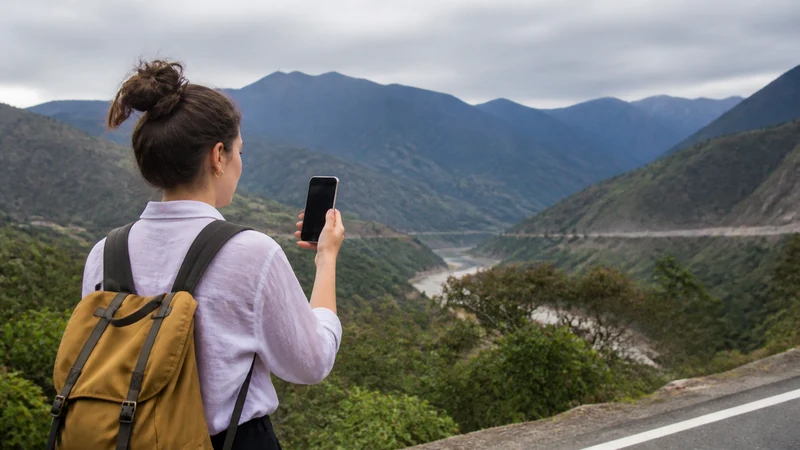

Mobile internet on a Colombia road trip is useful for live traffic, bookings and communication in covered areas, but it cannot replace downloaded maps. Mountains, valleys, tunnels and rural distance can interrupt a route even when both endpoints have service.
Download every driving area before departure and save accommodation pins, written access instructions, planned fuel stops and roadside-assistance details. Make changes to the phone only after parking safely.
NoveSIM Colombia eSIM plans are data-only and provide no local number, regular calls or SMS. Navigation and messaging apps can use the data allowance where the network is available.
Quick answer: For mobile internet on a Colombia road trip, test the eSIM before setting out, mount and charge the phone safely, download the complete route and never make arrival or safety plans depend on continuous reception.
Top Colombia eSIMs

Colombia eSIM
Fixed
1 GB, 7 days€ 3.992 GB, 15 days€ 7.103 GB, 30 days€ 10.20Unlimited
Unlimited, 1 day€ 5.32Unlimited, 3 days€ 17.75Unlimited, 5 days€ 24.40
Prepare mobile internet on a Colombia road trip before departure
Save alternate roads and the area around each destination, not just a thin line between them. Offline access should include the final property entrance and enough surrounding detail to recover from a missed turn.
For mountain destinations, the Coffee Region mobile internet guide explains why city and finca connectivity need separate planning. Review Colombia coverage expectations without treating a map as a guarantee.
Keep navigation powered and distraction-free
Use a stable mount and a charger suitable for the vehicle. Continuous navigation, bright screens and weak-signal searching can drain a phone quickly, so carry a charged power bank as a backup.
A passenger should handle troubleshooting when possible. If alone, park legally before changing data lines, APNs or navigation settings. Never interact with the phone while the vehicle is moving.
Prevent accidental home-SIM and border roaming
Select the travel eSIM for cellular data and disable automatic data switching. Near an international border, a foreign network name may appear; this does not mean the Colombia plan includes the neighbouring country.
Check the product’s country list before crossing any border. For the choice between travel and local service, see local SIM vs eSIM in Colombia.
Restore data after reaching a safe stop
First determine whether the location could simply be a coverage gap. Where service is expected, confirm the active data line, toggle airplane mode and restart. Use data.esim only when manual APN entry is required. Keep the installed profile and seek support if reversible checks fail.
Related Articles
FAQ
Will mobile data work on every Colombian highway?
No. Terrain, tunnels and rural distance can cause gaps, so use downloaded maps even between well-connected cities.
How do I stop my home SIM using data in the car?
Select the travel eSIM as the cellular-data line and turn off automatic data switching. Check both settings before departure.
Does a Colombia eSIM cover neighbouring countries?
Only if those countries are explicitly listed in the particular plan. A visible cross-border network does not prove that roaming is included.
What if navigation loses data while driving?
Continue with the downloaded route and wait for a safe parking place before checking the phone. Do not delete the eSIM profile.
Final Recommendation
Build mobile internet on a Colombia road trip around safe offline navigation rather than an expectation of unbroken signal.
Test the eSIM, secure power and disable automatic home-SIM data before the vehicle moves.
With alternate routes and destination details downloaded, a temporary coverage gap stays an inconvenience instead of becoming a navigation problem.