


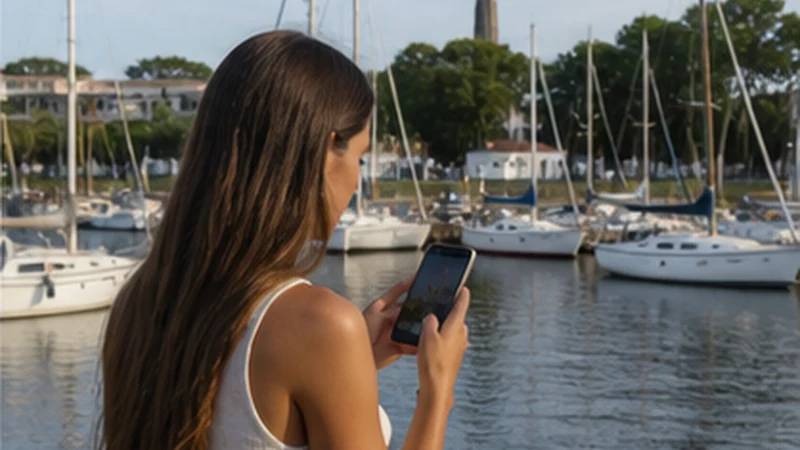

Carmelo mobile internet is most useful when a visit moves beyond the town centre to wineries, rural accommodation, the yacht harbour or Route 21. Those locations should not be expected to share one uniform signal or Wi-Fi connection.
Data helps with reservation messages, driving directions, transport coordination and internet calls. The practical risk is not simply losing bars; it is arriving at the wrong estate entrance or being unable to retrieve a booking when the road becomes quieter.
NoveSIM Uruguay plans are data-only. They do not include a local telephone number, ordinary calls or SMS, although apps such as WhatsApp can use the mobile-data allowance where coverage is available.
Quick answer: Install the eSIM before travel, download Carmelo and the surrounding Route 21 area, and pin every winery or rural property by its exact entrance. Verify accommodation Wi-Fi separately and keep reservations available offline.
Top Uruguay eSIMs

Uruguay eSIM
Fixed
1 GB, 7 days€ 4.882 GB, 15 days€ 8.873 GB, 30 days€ 12.42Unlimited
Unlimited, 1 day€ 6.66Unlimited, 3 days€ 18.19Unlimited, 5 days€ 29.28
Carmelo Mobile Internet by Type of Stop
Uruguay’s Ministry of Tourism describes Carmelo as a Route 21 destination west of Colonia del Sacramento, with a yacht berth, beaches and tourist wineries in its surroundings. This mix makes a location-based plan more useful than a generic city checklist.
| Stop | Main connectivity need | Offline item to keep |
|---|---|---|
| Town centre | Accommodation, restaurants and local navigation | Hotel address and check-in details |
| Winery | Reservation messages and route changes | Booking, entrance pin and return transport |
| Rural estancia | Host contact and property directions | Last-turn instructions and gate information |
| Yacht harbour | Crew coordination and onward plans | Berth information and town route |
| Route 21 | Navigation between Carmelo and Colonia | Full road map, fuel and next booking |
Use the official Carmelo tourism page to understand the destination’s layout. Confirm opening times, tours and transfers directly with the operator because these are changeable details rather than permanent connectivity facts.
Pin the Winery Entrance, Not Just Its Name
A search result may place a marker near an estate without identifying the visitor entrance. Ask the winery to send its preferred map pin and any final road instructions, then take a screenshot. Save the reservation time, contact and return-transfer details in the same offline note.
If wine tasting is part of the visit, arrange a driver, taxi or transfer in advance rather than planning to request one after arrival. Mobile data can confirm a booking but should not be the only way home. A group should agree which person holds the offline address and transport confirmation.
Large photo uploads can wait until the accommodation connection is tested. Keep cloud backup paused while travelling between estates so navigation and messages receive priority from the allowance.
Check Rural Accommodation Wi-Fi Properly
Wi-Fi at an estancia or winery hotel may be strongest near reception and weaker in a detached room. Ask whether the exact room has coverage, whether the service is fixed or mobile-based and whether recent guests have completed video calls there.
For work, request a current speed test from the intended desk, including upload performance. On arrival, test the tools actually needed. An eSIM can provide a second path where mobile reception is usable, but hotspot availability and speed still depend on the plan, device, partner network and local conditions.
Review the Uruguay business internet guide if a meeting cannot be moved. Neither an amenity label nor a coverage map is a service-level guarantee.
Prepare Route 21 Before Leaving Carmelo
Download the western Colonia Department map before driving toward Colonia del Sacramento or another rural stop. Save the next accommodation, a fuel point and any appointment address. The Colonia–Carmelo mobile internet guide covers the route as a separate travel task.
Set the destination before the car moves, use a secure phone mount and let a passenger handle changes. Do not keep forcing network selection while driving. The broader Uruguay road-trip guide explains offline navigation, battery use and recovery after a coverage gap.
Recommended eSIM Settings in Carmelo
| Setting | Recommended choice |
|---|---|
| Mobile Data | Uruguay travel eSIM |
| Travel eSIM Data Roaming | On |
| Home SIM Data Roaming | Off |
| Automatic Data Switching | Off |
| Network Selection | Automatic initially |
| Manual APN | data.esim only if required |
Before departure, confirm that the exact handset is carrier-unlocked and appears on the NoveSIM device list. Install the profile using reliable private Wi-Fi, label it clearly and keep it installed. After arrival, select it for mobile data and enable roaming on the travel line.
Turn automatic data switching off to prevent a dual-SIM phone from falling back to the home plan. The home number can remain available for calls or messages if its roaming charges are understood, but home-line mobile-data roaming should remain disabled.
Arriving by Boat or Continuing to Argentina
The Carmelo harbour is connected by road to the city, but boat schedules, entry arrangements and onward transport can change. Store the vessel information and local destination before disembarking rather than relying on a live message at the dock.
A Uruguay-only eSIM should not be assumed to work in Argentina. Near the Río de la Plata, check which network name the phone displays and verify plan coverage before an international crossing. The Uruguay–Argentina border connectivity guide covers country-plan changes and accidental roaming.
If Data Stops Outside the Town Centre
- Confirm that the Uruguay profile is on and selected for mobile data.
- Check that roaming is enabled on the travel line and disabled on the home line.
- Turn off automatic data switching.
- Use Airplane Mode for about 30 seconds, then let the phone register again.
- Restart the phone and test outdoors before changing advanced settings.
- If signal appears without data, check the allowance and enter data.esim only if manual APN entry is required.
Do not delete the installed eSIM during early troubleshooting because its activation code may not support a second installation. Keep the profile and follow the Uruguay eSIM troubleshooting guide before contacting support.
Related Articles
- Colonia del Sacramento Mobile Internet
- Mobile Internet Across Uruguay’s Interior
- Mobile Coverage in Uruguay for Travellers
FAQ
Can I use an eSIM at wineries around Carmelo?
A Uruguay eSIM can connect where its included partner network has local service. Reception may differ between the road, vineyard, visitor centre and accommodation, so keep the reservation and route offline.
Is winery Wi-Fi suitable for remote work?
Only an on-site test can answer that. Ask the property about the exact room, request a current speed test and use mobile data as a backup rather than a guaranteed replacement.
Will the Carmelo connection continue to Colonia del Sacramento?
The same Uruguay plan can be used along the route where partner coverage is available, but reception can change. Download Route 21 and the destination address first.
Should I delete the eSIM after losing signal on a rural road?
No. Keep it installed, wait for a better service area and check reversible settings. Delete the profile only when NoveSIM Support explicitly instructs you.
Final Recommendation
Use Carmelo mobile internet to connect bookings and navigation between the town, marina, wineries and rural properties, while keeping every exact entrance and return plan offline.
Install before travel, enable roaming on the eSIM, disable home-line roaming and automatic switching, and use data.esim only when manual APN setup is necessary.
Confirm winery transport and accommodation Wi-Fi before the visit. In Carmelo, precise location preparation is more valuable than assuming the town signal will follow you through the countryside.