


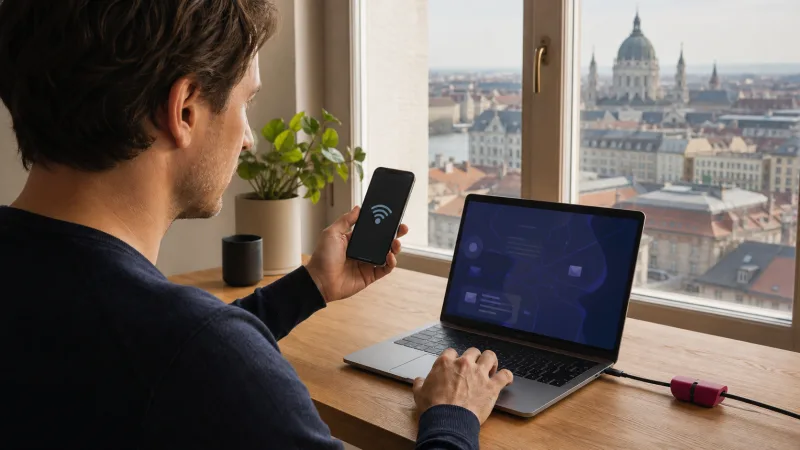

You can use a hotspot with a Hungary eSIM when both the selected plan and phone permit tethering. The eSIM format itself does not prevent sharing, but providers may set a separate hotspot allowance or fair-use restriction.
Hotspot use can consume data much faster than phone-only browsing because laptops run cloud sync, updates and higher-quality video. Confirm the terms before relying on it for work.
NoveSIM travel eSIMs are data-only. We do not provide a Hungarian number, calls or SMS; hotspot shares the plan’s mobile-data connection.
Quick answer: Check that tethering is allowed, select the Hungary eSIM as the phone’s data line, create a password-protected hotspot and connect only the devices you need. Monitor usage and battery, especially during video meetings or large downloads.
Top Hungary eSIMs

Hungary eSIM
Fixed
1 GB, 7 days2.00$2 GB, 15 days4.00$3 GB, 30 days5.00$Unlimited
Unlimited, 1 day2.50$Unlimited, 3 days5.50$Unlimited, 5 days9.00$
Europe Extra eSIM
Fixed
1 GB, 7 days2.50$2 GB, 15 days4.00$3 GB, 30 days5.00$Unlimited
Unlimited, 1 day3.00$Unlimited, 3 days6.00$Unlimited, 5 days10.00$Europe+ eSIM
Fixed
1 GB, 7 days3.00$2 GB, 15 days4.50$3 GB, 30 days6.00$Unlimited
Unlimited, 1 day3.00$Unlimited, 3 days7.00$Unlimited, 5 days11.50$Europe Lite eSIM
Fixed
1 GB, 7 days2.50$2 GB, 15 days4.00$3 GB, 30 days5.00$Unlimited
Unlimited, 1 day3.00$Unlimited, 3 days6.00$Unlimited, 5 days10.00$Check the plan before turning on hotspot
Look for explicit tethering permission, any separate allowance, the speed after fair use and the maximum number of devices. “Unlimited” phone data does not necessarily mean unlimited laptop use.
Read Hungary unlimited-data conditions and estimate total needs with the Hungary data guide.
Set up Personal Hotspot on iPhone
- Select the Hungary eSIM for cellular data.
- Open Settings and Personal Hotspot.
- Enable sharing and set a strong WiFi password.
- Choose the hotspot name on the other device.
- Disconnect it when the task is finished.
Set up hotspot on Android
- Select the Hungary eSIM as the mobile-data SIM.
- Open Network & internet or Connections.
- Choose Hotspot & tethering or Mobile Hotspot.
- Set a name and strong password, then turn it on.
- Connect the laptop or tablet through its WiFi menu.
Menu labels vary. Google notes that carriers can limit or charge separately for tethering, so device capability is not proof that the plan permits it.
Control data and battery use
- Pause operating-system and cloud updates.
- Use standard rather than high-definition video.
- Mark the hotspot as a metered connection when supported.
- Plug the phone into power and keep it ventilated.
- Remove devices that are not actively using data.
If the hotspot has no internet
First confirm mobile data works on the phone with WiFi off. Then verify the correct data SIM, plan allowance and tethering permission. Restart the hotspot and connected device; do not delete the eSIM.
If phone data also fails, use Hungary eSIM troubleshooting. If manual APN is required for NoveSIM, check the APN instructions for data.esim.
Related Articles
FAQ
Does every Hungary eSIM allow hotspot?
No. Check the exact product terms because tethering can be allowed, capped or restricted.
Can I connect a laptop?
Yes when the plan permits tethering and the phone supports hotspot. Control background updates because laptops can use data rapidly.
Does hotspot work on 5G?
It can, but 5G depends on the plan, phone and local coverage. Hotspot also works over supported 4G.
Why can devices connect but not browse?
The phone may lack working mobile data, the plan may restrict tethering or the allowance may have ended. Test phone data first.
Final Recommendation
Use a Hungary eSIM hotspot only after confirming the plan’s tethering and fair-use rules.
Secure it with a password, limit connected devices and monitor laptop background traffic.
Keep offline files and a backup connection for work that cannot tolerate weak coverage or depleted data.