
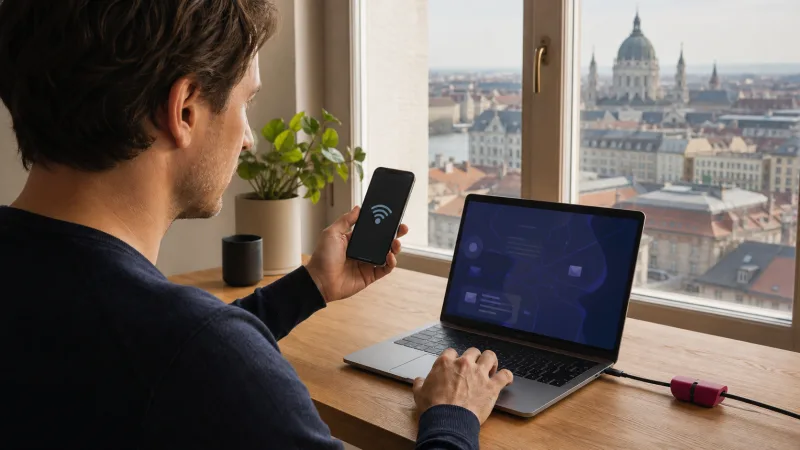

You can usually use a personal hotspot with a Hungary eSIM when tethering is permitted by the purchased plan and supported by your phone. The laptop, tablet or second phone then uses data from the Hungary eSIM through Wi-Fi, USB or Bluetooth.
Hotspot use can consume data much faster than ordinary phone use because connected computers may download updates, sync cloud files and stream high-resolution media in the background. Check the plan terms and remaining allowance before relying on tethering.
NoveSIM Hungary plans are normally data-only, which suits hotspot use, but plan-specific fair-use or tethering conditions still apply.
Quick answer: Select the Hungary eSIM for mobile data, enable its required data-roaming setting, confirm that mobile internet works on the phone, then turn on Personal Hotspot or Mobile Hotspot. Connect one device first and pause updates, backups and cloud syncing.
Top Hungary eSIMs
How a Hungary eSIM Hotspot Works
The phone acts as a small router:
- The Hungary eSIM connects to a supported mobile network.
- The phone creates a local Wi-Fi, USB or Bluetooth connection.
- The connected device sends internet traffic through the phone.
- Usage is deducted from the eSIM plan.
A hotspot does not create extra data. Every connected device shares the same mobile connection, allowance and available speed.
Check These Requirements First
- The phone supports eSIM and hotspot functionality.
- The Hungary eSIM is installed and enabled.
- It is selected as the preferred mobile-data line.
- Data roaming is enabled on the travel line when required.
- The APN is correct.
- The plan is active with data remaining.
- Tethering is allowed by the plan terms.
- The phone has a stable 4G or 5G connection.
Test mobile data directly on the phone before enabling the hotspot. If the phone itself has no internet, tethering cannot work. Use No Internet on a Hungary eSIM first.
How to Use a Hungary eSIM Hotspot on iPhone
- Open Settings.
- Tap Cellular or Mobile Data.
- Select the Hungary eSIM for Cellular Data.
- Disable Allow Cellular Data Switching.
- Open the Hungary line and enable Data Roaming when required.
- Return to Settings and tap Personal Hotspot.
- Enable Allow Others to Join.
- Review or change the Wi-Fi password.
- On the laptop or tablet, choose the iPhone’s network and enter the password.
If the Personal Hotspot menu is missing, verify that the Hungary eSIM is the active data line and restart the phone once. A carrier profile or plan restriction can also hide the feature.
Use Hungary eSIM for iPhone for the complete dual-SIM setup.
How to Use a Hungary eSIM Hotspot on Android
- Open Settings.
- Choose Network & internet or Connections.
- Open SIMs or SIM manager.
- Select the Hungary eSIM for Mobile Data.
- Enable roaming for that line when required.
- Open Hotspot & tethering or Mobile Hotspot and Tethering.
- Open Wi-Fi Hotspot or Mobile Hotspot.
- Set a strong network password.
- Turn the hotspot on and connect the other device.
Google Pixel
Open Settings, Network & internet, Hotspot & tethering, then Wi-Fi hotspot. Set the network name, password and preferred band before switching it on.
Samsung Galaxy
Open Settings, Connections, Mobile Hotspot and Tethering, then Mobile Hotspot. Confirm in SIM manager that the Hungary eSIM remains selected for data.
See Hungary eSIM for Android for additional menu variations.
Wi-Fi, USB or Bluetooth Tethering?
| Method | Best for | Trade-off |
|---|---|---|
| Wi-Fi hotspot | Easy connection for several devices | Higher battery use |
| USB tethering | Stable laptop connection and charging | Requires a compatible cable |
| Bluetooth tethering | Light tasks with lower power use | Usually slower |
For a long work session, USB tethering can be more stable and keeps the phone powered. Wi-Fi is more convenient for a tablet or several travelers, but it increases heat and battery drain.
How Much Data Does Hotspot Use?
Usage depends on what the connected device does, not on the hotspot switch itself.
| Activity | Typical impact |
|---|---|
| Email and messaging | Low, unless attachments are large |
| Web browsing and documents | Low to moderate |
| Video meetings | High and continuous |
| Streaming video | High to very high |
| Cloud backup and file sync | Potentially very high |
| Operating-system or game updates | Potentially several gigabytes |
A laptop can use more data in an hour than a phone uses in a day. Mark the hotspot connection as metered on Windows or use Low Data Mode on Apple devices where appropriate.
How to Reduce Hotspot Data Use
- Pause cloud-drive and photo synchronization.
- Disable automatic operating-system and app updates.
- Lower video-call resolution.
- Avoid HD or 4K streaming.
- Close unused browser tabs and background applications.
- Disconnect devices when they are not needed.
- Download maps and documents over trusted Wi-Fi.
- Monitor data use on both phone and laptop.
Choose a plan based on the actual trip. A city-break traveler checking email needs far less than a remote worker attending daily video meetings. The next article in the cluster, How Much Data for a Hungary Trip, will compare common usage patterns.
Does Unlimited Hungary eSIM Data Include Hotspot?
“Unlimited” does not automatically mean unrestricted high-speed tethering. A plan may have a daily high-speed allowance, fair-use policy, reduced speed after a threshold or separate tethering limits.
Read the exact plan details before purchase and before connecting a laptop. The Unlimited Data Hungary guide explains why the marketing label alone is not enough.
Why the Hotspot Option Is Missing
The menu can be unavailable when:
- The Hungary eSIM is not selected for mobile data.
- Cellular data is disabled.
- The APN or carrier profile is incomplete.
- The plan or carrier configuration restricts tethering.
- The phone is managed by an employer.
- A software restart is required after changing SIMs.
Confirm the data line, restart once and check the plan terms. Do not install an unrelated configuration profile or change advanced APN fields without instructions.
Hotspot Is On but the Laptop Has No Internet
Test Data on the Phone
Disconnect Wi-Fi from the phone and load a webpage. If it fails, solve the eSIM connection before the hotspot.
Reconnect the Client Device
Forget the hotspot network on the laptop or tablet, then reconnect with the current password. Verify that airplane mode is not enabled on the client.
Check the Hungary APN
For NoveSIM Hungary plans, the APN is normally data.esim. Use Hungary eSIM APN Settings for the correct fields.
Disable VPN Temporarily
A VPN on either the phone or laptop can interfere with tethering. Turn it off for one controlled test, then choose a different configuration if it is the cause.
Change the Hotspot Band
Some older devices cannot see or reliably use a 5 GHz hotspot. Choose 2.4 GHz or enable a compatibility mode, then reconnect. The mobile network can remain 4G or 5G; this setting controls only the local Wi-Fi link.
Limit Connected Devices
Disconnect every device except one. Another device may be consuming the connection through updates or backups.
Hotspot Is Slow
A hotspot cannot be faster than the phone’s cellular connection. It also adds local Wi-Fi overhead and shares capacity between clients.
Improve performance by:
- Moving the phone near a window.
- Keeping it close to the laptop.
- Disconnecting unused clients.
- Pausing background transfers.
- Testing LTE if 5G is unstable.
- Using USB tethering for a long session.
- Allowing an overheated phone to cool.
Use Why Is My Hungary eSIM Slow? to diagnose signal, congestion, allowance and routing.
Battery and Heat Management
Hotspot use keeps the cellular modem and Wi-Fi radio active, so battery drain and heat are normal. Excessive temperature can reduce performance and battery health.
- Place the phone in a ventilated area.
- Remove a thick case if the device becomes hot.
- Avoid direct sunlight or a closed car.
- Use a quality charger and cable.
- Prefer USB tethering when practical.
- Turn the hotspot off after the session.
Hotspot Security
Use WPA2 or WPA3 security and a strong password. Do not leave the network open in a hotel, train or coworking space. Review the connected-device list and remove anything unfamiliar.
Avoid using a personal name, room number or obvious travel detail as the hotspot name. Turn off automatic joining and sharing features when they are not needed.
Using a Hotspot on Trains and Road Trips
Expect brief interruptions while the phone changes cell sites, passes through tunnels or enters rural terrain. A manual network selection that works in Budapest may be unsuitable elsewhere, so keep Network Selection automatic.
Save work frequently and download essential documents before departure. For planned remote work, do not rely on a single mobile connection for a critical meeting without a backup.
Coverage context is available in Hungary eSIM Coverage and the Hungary network-selection guide.
Can You Share Data with Several People?
Technically yes, subject to the phone and plan limits. Every extra user reduces available capacity and can consume the allowance quickly.
For navigation and messaging, sharing with one companion may be practical. For several laptops, video calls or constant streaming, separate plans provide better independence and battery life.
When to Contact Support
Contact NoveSIM support if mobile data works on the phone but the hotspot remains unavailable after checking plan terms and restarting. Include:
- Order number and exact phone model
- Operating-system version
- Whether the hotspot menu appears
- Whether the client connects without internet
- APN and data-line screenshots
- The plan name and remaining data
- Steps already completed
Do not share the activation QR code publicly.
Frequently Asked Questions
Can I tether my laptop to a Hungary eSIM?
Usually yes when tethering is allowed by the plan and supported by the phone.
Does hotspot use extra roaming charges?
Usage comes from the selected Hungary eSIM plan. Keep the home SIM’s data roaming off and automatic switching disabled.
Why can my laptop connect but not load pages?
The phone may have no working cellular data, the APN may be wrong, a VPN may interfere or the plan may restrict tethering.
Does a hotspot use more data?
The hotspot itself uses little, but laptops and tablets often run heavy updates, backups and video services.
Can I use hotspot with unlimited data?
Check the exact fair-use and tethering terms. Unlimited plans can still have high-speed or hotspot limits.
Should I use 2.4 GHz or 5 GHz hotspot Wi-Fi?
2.4 GHz offers wider compatibility and range; 5 GHz can be faster at short range. This is separate from the phone’s mobile 5G connection.
Final Hotspot Checklist
- Tethering permitted by the plan
- Hungary eSIM selected for mobile data
- Travel-line roaming enabled when required
- Mobile data tested on the phone first
- Strong hotspot password configured
- Updates and backups paused
- Connected devices monitored
- Data allowance and phone temperature checked
A Hungary eSIM hotspot is practical for occasional laptop or tablet access. Control background traffic, secure the connection and treat the phone’s mobile data, allowance and battery as shared resources.


