


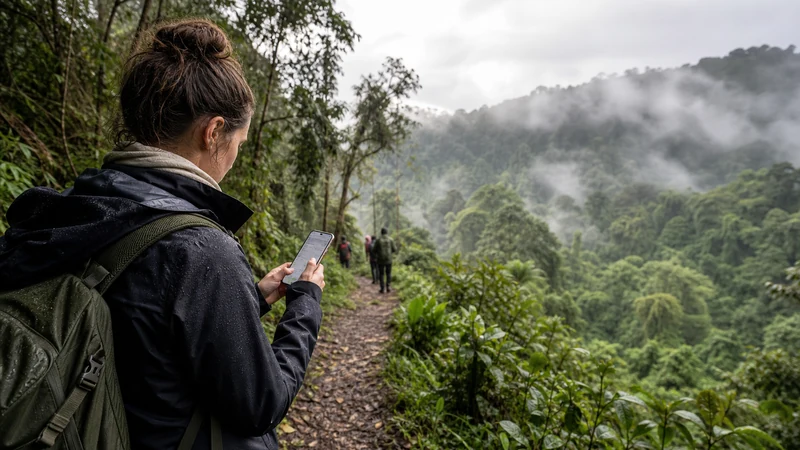

Bwindi is remote by design — it’s a dense, mountainous forest in Uganda’s southwest, and that terrain shapes connectivity as much as anything else. Expect reasonable signal in the towns around the park, and none at all once you’re inside trekking toward the gorillas.
Top Uganda eSIMs

Uganda eSIM
Fixed
1 GB, 7 days€ 11.112 GB, 15 days€ 21.333 GB, 30 days€ 29.33Unlimited
Unlimited, 1 day€ 10.22Unlimited, 3 days€ 29.33Unlimited, 5 days€ 47.99
Getting there
The drive to Bwindi is long from most starting points, often via Kabale or through Fort Portal if you’re combining it with a longer western circuit. Coverage on the way is inconsistent — reasonable near towns, patchy on the mountain roads in between. If you’re driving the route yourself, the Uganda road-trip connectivity guide covers preparing each leg while you still have signal, which matters more here than on flatter routes given how long some stretches run without a town in between.
Coverage around the park’s entry points
Bwindi has several trailheads — Buhoma, Ruhija, Rushaga and Nkuringo — and coverage differs noticeably between them. Buhoma, being the most established and closest to a real town, tends to have the most reliable signal of the four. The others are more remote, and it’s worth checking with your lodge or tour operator ahead of time about what to expect at your specific starting point rather than assuming they’re all similar.
Inside the forest
Once trekking begins, assume no signal at all — this isn’t a coverage gap, it’s the baseline for the entire activity, which can run anywhere from two to eight hours depending on where the gorilla group is that day. Guides and trackers navigate the forest using radio communication with rangers, not GPS or phone signal, so this is standard practice rather than something to prepare a backup plan around. The general pattern for Uganda’s forests is covered in the rural Uganda coverage guide, though Bwindi’s density puts it toward the more extreme end.
What to settle before you head into the forest
- Confirm your exact briefing time and trailhead location with your lodge the evening before — trekking groups are assigned in the morning, but logistics and pickup are worth locking in ahead of time.
- Download the surrounding area’s map while you still have signal at your lodge or in town, using the approach in the Google Maps in Uganda guide.
- Let your lodge know about any physical limitations or concerns in advance, since trek difficulty and length vary and this affects planning, not just connectivity.
- Charge your phone and bring a power bank — treks run long, and photography drains batteries fast even with no signal to search for.
Lodge WiFi around Bwindi
Most lodges here are remote enough that WiFi, where it exists, tends to run on a slow shared connection or satellite link rather than anything approaching town-level speed. It’s usually fine for messaging in the evening, less so for calls or uploads. The Uganda lodge internet guide covers what to check at check-in and why evenings — when everyone’s back and trying to use the connection at once — tend to be the least reliable time here specifically.
If something needs to reach you during the trek
It generally can’t, for the length of the activity. Rangers carry radios for genuine emergencies, separate from anything guests have access to. If you have a specific safety concern or medical consideration, raise it with your lodge or tour operator before the trek rather than assuming your phone will help once you’re in the forest.
If you’re combining Bwindi with other parks
Some itineraries pair Bwindi with Queen Elizabeth National Park as part of a wider southwestern circuit. Treat each leg separately rather than assuming coverage carries over — the road-trip guide linked above applies here too, especially given how much the terrain varies between stops.
Setting up before you go
Install and activate your eSIM before leaving Kampala, Entebbe or Kabale rather than trying to sort it out closer to Bwindi — the installation guide and activation guide cover the setup in order. If a connection isn’t working once you’ve arrived, the troubleshooting guide is the better next step for problems near town — it’s unlikely to help once you’re actually in the forest, where there’s no network to register with in the first place.
Frequently asked questions
Will I have signal during gorilla trekking?
No — treat the entire trek as offline, regardless of how long it runs. Guides and rangers use radio, not phone signal, to navigate and communicate.
Which Bwindi trailhead has the best mobile coverage?
Buhoma generally has the most reliable signal of the four main trailheads, being closest to an established town. Ruhija, Rushaga and Nkuringo are more remote — check with your lodge ahead of time.
Can I rely on lodge WiFi near Bwindi?
Treat it as a bonus for evening messaging rather than something to depend on — many properties run on slow shared or satellite connections.
What if I need to reach someone during the trek?
You generally can’t. Raise any specific concerns with your lodge or tour operator before the trek, since rangers carry radios for emergencies but this isn’t something guests can access directly.
Final Recommendation
Bwindi’s connectivity gap is total for the length of gorilla trekking, regardless of which trailhead you start from. Settle logistics and anything time-sensitive with your lodge the evening before, download what you need while you still have signal, and treat the hours in the forest as fully offline — that’s the normal way this activity works, not a problem to plan around.