


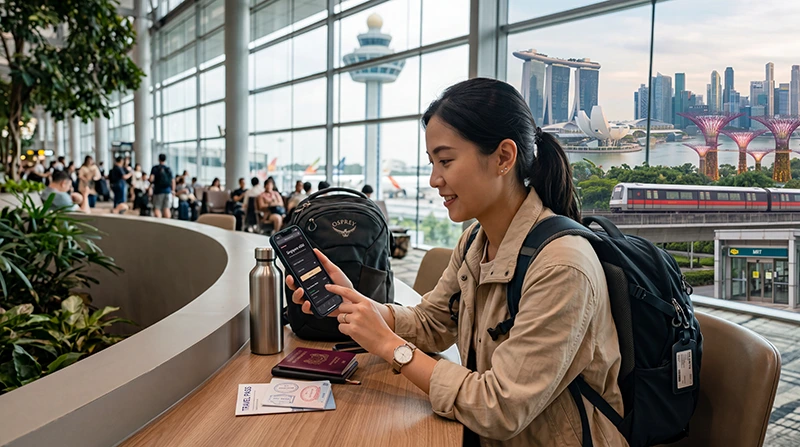

If you are traveling to Singapore, buying an eSIM before your trip is one of the easiest ways to prepare mobile internet before arrival.
With a Singapore eSIM, you can use mobile data for Changi Airport arrivals, Google Maps, Grab, MRT routes, WhatsApp, hotel directions, restaurant bookings, digital tickets, business meetings, shopping, and travel apps without buying a physical SIM card after landing.
Quick answer: You can buy a Singapore eSIM online before travel, install it while connected to WiFi, then activate it after arrival by selecting it for mobile data and enabling data roaming on the eSIM line.
Top Singapore eSIMs

Singapore eSIM
Fixed
1 GB, 7 days€ 3.032 GB, 15 days€ 4.333 GB, 30 days€ 5.19Unlimited
Unlimited, 1 day€ 3.46Unlimited, 3 days€ 6.06Unlimited, 5 days€ 8.65
Why Buy Singapore eSIM Before Travel?
- No need to search for a SIM card after landing
- No airport SIM card queue
- No physical SIM card required
- No need to remove your regular SIM
- Can be installed before departure
- Useful immediately after arrival
- Works for Google Maps, Grab, MRT, WhatsApp, hotels, restaurants, and travel apps
Who Should Buy a Singapore eSIM?
- Tourists visiting Singapore for a city break
- Travelers arriving at Changi Airport
- Business travelers attending meetings or conferences
- Stopover travelers spending a day or two in Singapore
- Couples and families who want easy mobile data
- Remote workers who need backup internet
- Travelers who use Google Maps, Grab, WhatsApp, and transport apps
What to Check Before Buying Singapore eSIM
Before buying an eSIM for Singapore, check these important points:
- Your phone supports eSIM
- Your phone is carrier unlocked
- The eSIM plan includes Singapore coverage
- The data amount matches your trip length
- You understand the plan validity period
- You know whether hotspot is allowed if you need it
- You can install the eSIM while connected to WiFi
How to Buy Singapore eSIM Online
- Choose a Singapore eSIM plan.
- Check that your phone is eSIM-compatible and unlocked.
- Complete the purchase online.
- Receive the eSIM QR code and installation instructions by email.
- Install the eSIM while connected to WiFi.
- Arrive in Singapore.
- Select the Singapore eSIM for mobile data.
- Enable data roaming on the eSIM line.
When Should You Buy Singapore eSIM?
It is best to buy your Singapore eSIM before your trip.
This gives you time to install the eSIM while connected to stable WiFi and avoid setup stress after landing.
Many travel eSIMs begin working after your phone connects to a supported local network in Singapore.
Buying eSIM Before Changi Airport Arrival
Many travelers need mobile internet immediately after landing at Singapore Changi Airport.
Buying and installing your eSIM before travel helps you use mobile data for:
- Grab booking
- Airport pickup messages
- Hotel directions
- Opening booking confirmations
- Checking MRT routes
- Messaging family or colleagues
- Travel apps after arrival
Singapore eSIM vs Airport SIM Card
| Feature | Singapore eSIM | Airport SIM Card |
|---|---|---|
| Buy before travel | Yes | No |
| Needs physical card | No | Yes |
| Requires airport counter | No | Usually yes |
| Works after arrival | Yes, if installed correctly | After purchase and activation |
| Can keep regular SIM active | Often yes | Depends on device |
Singapore eSIM vs Roaming
International roaming may work in Singapore if your home provider includes it.
However, roaming costs, daily fees, speed limits, and data allowances depend on your provider.
A Singapore eSIM gives you a separate travel data option with clearer control over your mobile internet usage.
Singapore eSIM vs Public WiFi
Public WiFi can help at hotels, malls, cafes, airports, and some attractions.
However, it is not enough for most travelers because you often need internet while walking, using MRT, booking Grab, shopping, finding restaurants, or moving between attractions.
Mobile data is more practical for daily travel.
Best Singapore eSIM for Changi Airport
The best eSIM for Changi Airport is one that is already installed before you land and can connect after arrival.
After landing, select the Singapore eSIM for mobile data, enable data roaming, and wait for network registration.
Best Singapore eSIM for MRT and Public Transport
Singapore’s MRT is efficient, but mobile data is still useful for route planning, station exits, walking directions, bus routes, and last-mile navigation.
A Singapore eSIM helps you move around the city without relying only on public WiFi.
Best Singapore eSIM for Google Maps
Google Maps is useful for Marina Bay, Orchard Road, Chinatown, Little India, Kampong Glam, Sentosa, Gardens by the Bay, hawker centres, hotels, malls, and MRT stations.
A Singapore eSIM gives mobile data for live directions, searches, and route changes.
Best Singapore eSIM for Grab
Grab is widely used by travelers in Singapore for rides, airport transfers, and local transport.
Mobile data is useful for booking rides, messaging drivers, sharing pickup points, and checking routes.
Best Singapore eSIM for WhatsApp
WhatsApp works in Singapore with mobile data or WiFi.
Most travelers can keep using WhatsApp with their existing number while using a Singapore eSIM for mobile internet.
Best Singapore eSIM for Business Travel
Business travelers in Singapore often need mobile data for email, meetings, hotel communication, Grab, conference apps, calendar updates, messaging, and backup hotspot.
Buying an eSIM before travel helps avoid delays after arrival.
How Much Data Should You Buy for Singapore?
| Trip Type | Recommended Data |
|---|---|
| Short stopover | 1GB – 3GB |
| Weekend Singapore trip | 5GB – 10GB |
| One-week Singapore trip | 10GB – 20GB |
| Business trip or social media | 15GB – 30GB |
| Hotspot, video calls, remote work | 30GB+ or unlimited recommended |
What Uses the Most Data in Singapore?
- Video streaming
- TikTok and Instagram Reels
- YouTube
- Video calls
- Cloud photo backups
- Hotspot sharing
- Large downloads
- Uploading travel videos
Google Maps, WhatsApp messages, MRT searches, email, restaurant searches, and hotel communication usually use much less data.
Can You Keep Your Home SIM Active?
Yes. Most modern smartphones support dual SIM functionality.
You can use a Singapore eSIM for mobile data while keeping your regular SIM active for calls, SMS verification codes, banking messages, work authentication codes, and WhatsApp on your existing number.
Do You Need Data Roaming Enabled?
Yes. Most travel eSIM plans require data roaming to be enabled on the eSIM line.
If data roaming is disabled, mobile internet may not work correctly even if the eSIM is installed.
APN Settings for NoveSIM eSIM
| Setting | Value |
|---|---|
| APN | data.esim |
| Username | Leave blank |
| Password | Leave blank |
How to Activate Singapore eSIM After Buying
- Install the eSIM while connected to WiFi.
- Arrive in Singapore.
- Turn on the Singapore eSIM line.
- Select the Singapore eSIM for mobile data.
- Enable data roaming on the eSIM line.
- Turn airplane mode on for 30 seconds and then off.
- Wait for network connection.
- Open Google Maps, WhatsApp, Grab, Safari, Chrome, or another app to test internet.
What If Your Singapore eSIM Does Not Work?
- Make sure the Singapore eSIM is selected for mobile data.
- Enable data roaming on the eSIM line.
- Restart your phone.
- Turn airplane mode on for 30 seconds and then off.
- Check APN settings if needed.
- Disable VPN temporarily.
- Move to a more open area if signal is weak.
- Try manual network selection if available.
Where to Find Your NoveSIM eSIM Details
Your NoveSIM QR code, installation instructions, and eSIM details are available:
- In your confirmation email
- Under My Account → Orders → View → eSIM details
More Singapore eSIM Guides
- Singapore eSIM
- Best eSIM for Singapore
- Internet Singapore Tourists
- Mobile Internet Singapore
- eSIM vs SIM Card Singapore
- How to Activate Singapore eSIM
- Install Singapore eSIM
- APN Settings Singapore eSIM
FAQ: Buy eSIM for Singapore
Can I buy eSIM for Singapore before travel?
Yes. Buying before travel is recommended because you can install the eSIM on WiFi and prepare mobile internet before arrival.
When should I buy Singapore eSIM?
It is best to buy your Singapore eSIM before departure so you have time to install it and check your setup.
Do I need an unlocked phone?
Yes. Your phone must be carrier unlocked to use a Singapore travel eSIM.
Can I use WhatsApp with Singapore eSIM?
Yes. WhatsApp usually continues working with your existing number while using a Singapore eSIM for mobile data.
Can I use Grab with Singapore eSIM?
Yes. Grab works with mobile data and is useful for airport transfers and local transport in Singapore.
Do I need data roaming enabled?
Yes. Most travel eSIM plans require data roaming to be enabled on the eSIM line.
What APN should I use?
If manual APN editing is available, use data.esim and leave username and password blank.
Is eSIM better than buying a SIM card at Changi Airport?
For many travelers with compatible phones, eSIM is more convenient because it avoids airport queues and physical SIM replacement.
Final Recommendation
Buying a Singapore eSIM before travel is one of the easiest ways to stay connected after arrival.
It helps with Changi Airport transfers, Google Maps, Grab, MRT routes, WhatsApp, hotels, restaurants, shopping, attractions, and business travel without buying a physical SIM card after landing.