


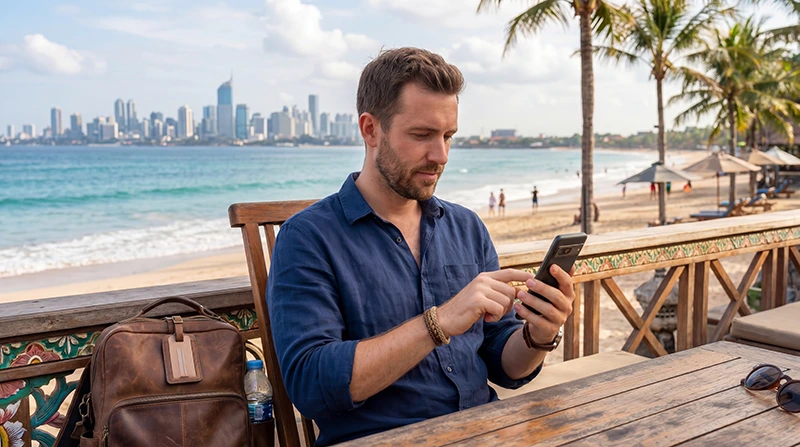

If you are traveling to Indonesia, buying an eSIM before departure is one of the easiest ways to prepare mobile internet before you arrive.
Indonesia is a large island country, and travelers often rely on mobile data for Google Maps, WhatsApp, Grab, hotel communication, villa check-ins, ferry schedules, airport transfers, tour bookings, restaurant searches, social media, remote work, and daily travel planning.
Quick answer: You can buy an Indonesia eSIM online before your trip, install it while connected to WiFi, and use it after arriving in Indonesia by selecting the eSIM for mobile data and enabling data roaming on the eSIM line.
Top Indonesia eSIMs

Indonesia eSIM
Fixed
1 GB, 7 days€ 3.462 GB, 15 days€ 6.063 GB, 30 days€ 8.22Unlimited
Unlimited, 1 day€ 3.89Unlimited, 3 days€ 9.95Unlimited, 5 days€ 16.01
Why Buy an Indonesia eSIM Before Travel?
Buying an Indonesia eSIM before travel helps you avoid searching for a SIM card shop after landing.
This is especially useful if you arrive late, have an airport transfer waiting, need to contact your hotel, or want to use Google Maps immediately after arrival.
- No physical SIM card required
- No airport SIM card queue
- Install before departure
- Useful after landing
- Keep your primary SIM active on many phones
- Works for maps, messaging, transport, hotels, and travel apps
Where Can You Use an Indonesia eSIM?
An Indonesia eSIM can be useful in popular destinations such as:
- Bali
- Jakarta
- Lombok
- Yogyakarta
- Surabaya
- Batam
- Bintan
- Gili Islands
- Komodo
- Flores
- Labuan Bajo
Coverage and speed can vary by location, especially in remote islands, beaches, mountains, and rural areas.
Who Should Buy an Indonesia eSIM?
- Tourists visiting Bali
- Business travelers visiting Jakarta
- Digital nomads working from Bali or Lombok
- Families traveling around Indonesia
- Backpackers and island-hopping travelers
- Travelers arriving late at night
- Visitors who want internet immediately after landing
- Travelers combining Indonesia with Singapore, Malaysia, or Thailand
Indonesia eSIM vs Buying a Local SIM Card
| Feature | Indonesia eSIM | Local SIM Card |
|---|---|---|
| Buy before travel | Yes | No |
| Physical SIM required | No | Yes |
| Airport queue | No | Often yes |
| Keep home SIM active | Often yes | Depends on device |
| Good for arrival internet | Yes | Only after purchase and setup |
| Works on older phones | No, if no eSIM support | Yes |
Indonesia eSIM vs International Roaming
International roaming may work in Indonesia, but roaming costs, included data, speed limits, hotspot rules, and fair usage policies depend on your home provider.
An Indonesia eSIM gives you a separate travel data option that can be easier to manage during your trip.
| Feature | Indonesia eSIM | International Roaming |
|---|---|---|
| Separate travel data plan | Yes | No |
| Buy before travel | Yes | No extra purchase if roaming is enabled |
| Cost control | Usually clearer | Depends on provider |
| Keep primary SIM active | Often yes | Yes |
| Good for travel apps | Yes | Yes, if roaming works properly |
Buy eSIM for Bali
Bali is one of the main reasons travelers buy an Indonesia eSIM.
Mobile internet is useful in Bali for:
- Denpasar Airport arrival
- Villa check-in
- WhatsApp with drivers and hosts
- Google Maps
- Grab and transport apps
- Beach clubs
- Restaurant bookings
- Scooter rental coordination
- Tour bookings
- Coworking spaces
Popular areas such as Canggu, Seminyak, Ubud, Uluwatu, Sanur, Kuta, Nusa Dua, and Denpasar are common places where tourists rely heavily on mobile data.
Buy eSIM for Jakarta
Jakarta is important for business travel, airport transit, conferences, and city stays.
Travelers use mobile data in Jakarta for:
- Airport transfers
- Hotel directions
- Business meetings
- Email and calendar updates
- Google Maps
- Grab
- Conference apps
- Restaurant searches
Buy eSIM for Lombok and Gili Islands
Lombok and the Gili Islands are popular for beaches, diving, surfing, hiking, and island travel.
Mobile data helps with ferry information, accommodation communication, maps, restaurant searches, tour bookings, and WhatsApp messages.
If you plan to visit more remote areas, download important documents and offline maps before departure.
Buy eSIM for Yogyakarta
Yogyakarta is popular for culture, temples, food, and history.
Mobile internet helps with:
- Borobudur trips
- Prambanan visits
- Hotel directions
- Tour coordination
- Train schedules
- Restaurant searches
- Google Maps
Buy eSIM for Komodo and Flores
Komodo, Labuan Bajo, and Flores are popular with adventure travelers.
Mobile data is useful for tour communication, boat schedules, hotel coordination, maps, travel updates, and airport transfers.
Coverage may vary in remote areas, so keep offline backups of bookings, maps, and travel documents.
Buy Indonesia eSIM or Asia eSIM?
If you are only visiting Indonesia, an Indonesia eSIM may be enough.
If your trip includes Singapore, Malaysia, Thailand, or other Asian destinations, an Asia eSIM may be more convenient because it can support multi-country travel with one installation.
What to Check Before Buying an Indonesia eSIM
- Your phone supports eSIM
- Your phone is carrier unlocked
- The plan includes Indonesia
- The data allowance fits your trip
- The validity period matches your travel dates
- Hotspot is supported if you need it
- You understand installation and activation steps
- You know that data roaming must usually be enabled on the eSIM line
How Much Data Should You Buy for Indonesia?
| Travel Style | Recommended Data |
|---|---|
| Short stopover | 1GB – 3GB |
| Weekend trip | 3GB – 5GB |
| One-week vacation | 5GB – 15GB |
| Two-week trip | 15GB – 30GB |
| Island hopping | 15GB – 30GB |
| Business travel | 10GB – 30GB |
| Digital nomad or hotspot use | 30GB+ or unlimited recommended |
What Uses the Most Data in Indonesia?
- YouTube
- TikTok
- Instagram Reels
- Netflix
- Video calls
- Cloud photo backup
- Hotspot sharing
- Large uploads
- Remote work tools
- Software updates
What Uses Less Data?
- Google Maps
- WhatsApp text messages
- Grab ride booking
- Email without large attachments
- Hotel communication
- Restaurant searches
- Ferry and flight checks
- Basic web browsing
Can You Use WhatsApp with an Indonesia eSIM?
Yes. WhatsApp usually continues working with your existing number while using the Indonesia eSIM for mobile data.
You normally do not need a new WhatsApp account or Indonesian phone number.
Can You Use Google Maps with an Indonesia eSIM?
Yes. Google Maps works with mobile data and is one of the most useful apps for travel in Indonesia.
It helps with hotels, villas, restaurants, attractions, airport transfers, ferry terminals, walking routes, and business meetings.
Can You Use Grab with an Indonesia eSIM?
Yes. Grab and other transport apps can work with mobile data where the service is available.
Mobile internet helps with ride booking, pickup points, driver communication, route tracking, and payments.
Can You Use Hotspot with an Indonesia eSIM?
Hotspot may be available depending on your eSIM plan and device settings.
If supported, hotspot can be useful for urgent laptop work, hotel WiFi backup, emails, cloud documents, and short remote work sessions.
Hotspot can consume data quickly, especially if your laptop starts syncing files or downloading updates.
How to Buy an Indonesia eSIM
- Choose your Indonesia eSIM plan.
- Check that your phone supports eSIM.
- Make sure your phone is carrier unlocked.
- Complete your order online.
- Receive your QR code and installation details.
- Install the eSIM while connected to WiFi.
- Activate it after arrival by selecting it for mobile data and enabling data roaming.
How to Install an Indonesia eSIM
- Connect your phone to WiFi.
- Open mobile data or SIM settings.
- Select Add eSIM.
- Scan your QR code or enter activation details manually.
- Follow the installation steps.
- Label the eSIM as Indonesia, Travel, or NoveSIM.
How to Activate an Indonesia eSIM After Arrival
- Arrive in Indonesia.
- Turn off airplane mode.
- Make sure the Indonesia eSIM line is turned on.
- Select the Indonesia eSIM for mobile data.
- Enable data roaming on the eSIM line.
- Wait for network connection.
- Test internet with Google Maps, WhatsApp, Grab, Safari, or Chrome.
Do You Need Data Roaming Enabled?
Yes. Most travel eSIM plans require data roaming to be enabled on the eSIM line.
This does not mean you need to enable data roaming on your primary SIM card.
Enable data roaming only on the Indonesia eSIM if you use it for mobile data.
Can You Keep Your Home SIM Active?
Yes. Many modern smartphones support dual SIM functionality.
You can use your Indonesia eSIM for mobile data while keeping your home SIM active for calls, SMS verification codes, banking messages, authentication apps, and your existing WhatsApp number.
To avoid unwanted roaming charges, keep data roaming disabled on your primary SIM and enable data roaming only on the Indonesia eSIM line.
APN Settings for NoveSIM Indonesia eSIM
| Setting | Value |
|---|---|
| APN | data.esim |
| Username | Leave blank |
| Password | Leave blank |
If APN fields are not editable, your phone may configure them automatically.
Indonesia eSIM Not Working After Purchase
If your Indonesia eSIM does not work after arrival, do not delete it first.
Try these steps:
- Make sure the eSIM line is turned on.
- Select the Indonesia eSIM for mobile data.
- Enable data roaming on the eSIM line.
- Turn airplane mode on for 30 seconds, then off.
- Restart your phone.
- Check APN settings if available.
- Disable VPN temporarily.
- Move to a more open area if signal is weak.
No Internet After Buying Indonesia eSIM
If your phone shows signal but no internet, the most common causes are mobile data selection, data roaming, APN settings, VPN, or network registration.
- Check that the Indonesia eSIM is selected for mobile data
- Enable data roaming on the eSIM line
- Set APN to data.esim if manual APN is required
- Disable VPN temporarily
- Refresh airplane mode
- Restart your phone
Before You Travel to Indonesia
- Buy your eSIM before departure if possible
- Install it while connected to WiFi
- Check phone compatibility
- Make sure your phone is unlocked
- Save your QR code and installation instructions
- Download offline maps
- Save hotel and villa confirmations offline
- Save ferry or flight tickets offline
- Carry a power bank for long travel days
Where to Find Your NoveSIM eSIM Details
Your NoveSIM QR code, installation instructions, and eSIM details are available:
- In your confirmation email
- Under My Account → Orders → View → eSIM details
Related Indonesia Internet Guides
- Indonesia eSIM
- Best eSIM for Indonesia
- Mobile Internet Indonesia
- How to Get Internet in Indonesia
- Local SIM vs eSIM Indonesia
- Indonesia Roaming Charges
- Internet Indonesia Tourists
Related Asia eSIM Guides
- Asia eSIM
- Best eSIM for Asia
- Regional eSIM Asia
- eSIM Singapore and Indonesia
- eSIM Singapore and Malaysia
- eSIM Singapore and Thailand
FAQ: Buy eSIM Indonesia
Can I buy an Indonesia eSIM before travel?
Yes. Buying and installing your Indonesia eSIM before departure is usually the most convenient option.
When should I install my Indonesia eSIM?
Install it before travel while connected to WiFi. After arrival, select it for mobile data and enable data roaming.
Does Indonesia eSIM work in Bali?
Yes. Indonesia eSIM plans can be used in Bali where mobile coverage is available.
Can I use WhatsApp with Indonesia eSIM?
Yes. WhatsApp usually continues working with your existing number while using the Indonesia eSIM for mobile data.
Do I need data roaming enabled?
Yes. Most travel eSIM plans require data roaming to be enabled on the eSIM line.
Can I keep my primary SIM active?
Yes. Many dual SIM phones allow you to keep your primary SIM active while using the Indonesia eSIM for mobile data.
Should I buy Indonesia eSIM or Asia eSIM?
If you are only visiting Indonesia, an Indonesia eSIM may be enough. If you are visiting multiple Asian countries, an Asia eSIM may be more convenient.
What APN should I use for NoveSIM Indonesia eSIM?
If manual APN editing is available, use data.esim and leave username and password blank.
Final Recommendation
Buying an Indonesia eSIM before your trip is one of the easiest ways to prepare mobile internet for Bali, Jakarta, Lombok, Yogyakarta, Komodo, Flores, Batam, Bintan, and other Indonesian destinations.
Install the eSIM before departure, select it for mobile data after arrival, enable data roaming on the eSIM line, and use it for Google Maps, WhatsApp, Grab, hotel communication, airport transfers, ferry schedules, business tools, remote work backup, and travel planning.