


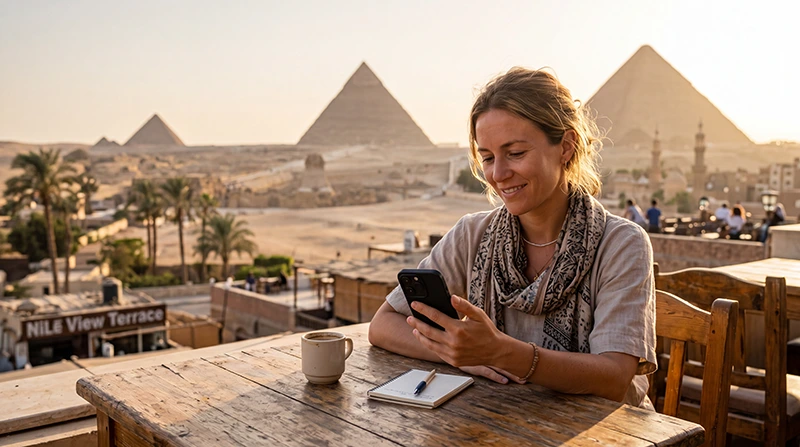

Buy eSIM for Egypt: Complete Guide for Tourists
If you’re traveling to Egypt, buying an eSIM before departure is one of the easiest ways to stay connected from the moment you arrive. Whether you’re visiting Cairo, Giza, Luxor, Aswan, Hurghada, Sharm El Sheikh or Alexandria, mobile internet is essential for maps, taxis, hotel bookings, WhatsApp and travel updates.
An Egypt eSIM lets you access mobile data without replacing your physical SIM card or looking for a local SIM shop after landing.
Quick answer: the best way to buy an eSIM for Egypt is to choose a travel eSIM online before your trip, install it over WiFi, then enable Data Roaming after arrival.
Top Egypt eSIMs

Egypt eSIM
Fixed
1 GB, 7 days5.00$2 GB, 15 days8.00$3 GB, 30 days11.00$Unlimited
Unlimited, 1 day5.50$Unlimited, 3 days13.00$Unlimited, 5 days21.00$
Africa eSIM
Fixed
1 GB, 7 days11.50$2 GB, 15 days21.50$3 GB, 30 days30.00$Unlimited
Unlimited, 1 day15.50$Unlimited, 3 days44.50$Unlimited, 5 days73.50$Why Buy an Egypt eSIM Before Traveling?
- No airport SIM card queues.
- No physical SIM card needed.
- Instant online delivery.
- Install before departure.
- Keep your regular phone number.
- Use mobile data shortly after arrival.
- Perfect for short holidays and tourist trips.
eSIM vs Local SIM Card in Egypt
| Feature | Travel eSIM | Local SIM Card |
|---|---|---|
| Buy before travel | Yes | No |
| Physical SIM required | No | Yes |
| Keep home SIM active | Yes | Depends on device |
| Airport queue | No | Often yes |
| Best for tourists | Excellent | Good for longer stays |
Where Can You Use an Egypt eSIM?
| Destination | Expected Coverage |
|---|---|
| Cairo | Excellent |
| Giza | Excellent |
| Alexandria | Excellent |
| Luxor | Excellent |
| Aswan | Very Good |
| Hurghada | Excellent |
| Sharm El Sheikh | Excellent |
| Dahab | Very Good |
| Marsa Alam | Very Good |
| Remote desert areas | Variable |
How to Buy an Egypt eSIM Online
- Choose an Egypt eSIM plan.
- Check that your phone supports eSIM.
- Make sure your phone is carrier unlocked.
- Complete your purchase online.
- Receive your QR code by email.
- Install the eSIM while connected to WiFi.
- Activate it after arriving in Egypt.
When Should You Buy Your Egypt eSIM?
The best time to buy your Egypt eSIM is before departure, ideally while you still have stable WiFi at home or in your hotel before flying.
This allows you to install the eSIM calmly and avoid dealing with setup after a long flight.
How to Install Your Egypt eSIM
On iPhone
- Open Settings.
- Tap Cellular or Mobile Service.
- Select Add eSIM.
- Scan your QR code.
- Follow the installation steps.
- Label the plan as Egypt or Travel.
On Android
- Open Settings.
- Go to Connections, SIM Manager or Network & Internet.
- Select Add eSIM or Download SIM.
- Scan your QR code.
- Follow the setup instructions.
- Save the eSIM profile.
Recommended Phone Settings
| Setting | Recommended Value |
|---|---|
| Mobile Data | Egypt eSIM |
| Calls | Primary SIM |
| SMS | Primary SIM |
| Data Roaming | ON for the eSIM |
| Network Selection | Automatic |
| Automatic Data Switching | OFF |
| APN | data.esim if required |
How Much Data Do You Need in Egypt?
| Trip Type | Recommended Data |
|---|---|
| Weekend trip | 1–3 GB |
| One-week holiday | 5–10 GB |
| Two-week trip | 10–20 GB |
| Nile cruise and beach holiday | 10–20 GB |
| Remote work | 20 GB+ |
Typical Data Usage
| Activity | Approximate Usage |
|---|---|
| Google Maps | 5–10 MB per hour |
| WhatsApp messages | Very low |
| WhatsApp voice calls | 30–50 MB per hour |
| WhatsApp video calls | 250–500 MB per hour |
| Instagram browsing | 100–300 MB per hour |
| TikTok | 500 MB–1 GB per hour |
| YouTube HD | 1–3 GB per hour |
Can You Keep Your Home SIM?
Yes. Most Dual SIM phones allow you to keep your regular SIM active while using your Egypt eSIM for mobile data.
- Use the eSIM for internet.
- Keep your home SIM for calls.
- Receive SMS verification codes.
- Continue using your existing phone number.
- Keep WhatsApp linked to your normal number.
Does WhatsApp Work with an Egypt eSIM?
Yes. WhatsApp works normally with mobile data from your Egypt eSIM.
Your WhatsApp account remains linked to your existing phone number, so your chats, contacts and groups stay the same.
Can You Make Calls with an Egypt eSIM?
NoveSIM travel eSIM plans are mobile data only. They do not include a local phone number, voice calls or SMS.
You can still make internet-based calls using WhatsApp, Viber, FaceTime, Messenger, Telegram, Zoom or Google Meet.
Can You Use Hotspot?
Yes. Most smartphones allow hotspot sharing with an eSIM, which is useful for laptops, tablets and travel companions.
Best Uses for Mobile Internet in Egypt
- Google Maps navigation.
- Uber and taxi apps.
- Hotel check-ins.
- Online tickets and museum bookings.
- WhatsApp communication.
- Photo and video sharing.
- Translation apps.
- Online banking.
- Nile cruise coordination.
- Beach resort communication.
Common Mistakes to Avoid
- Buying an eSIM without checking phone compatibility.
- Installing the eSIM without WiFi.
- Deleting the eSIM after installation.
- Forgetting to enable Data Roaming.
- Selecting the primary SIM for Mobile Data.
- Leaving Automatic Data Switching enabled.
- Trying to scan the same QR code multiple times.
What If Mobile Data Doesn’t Work?
- Check that the Egypt eSIM is turned ON.
- Select the Egypt eSIM for Mobile Data.
- Enable Data Roaming.
- Restart your phone.
- Turn Airplane Mode on for 30 seconds.
- Keep Network Selection on Automatic.
- Set APN to data.esim if manual setup is required.
Related Egypt Guides
- Egypt eSIM
- Best eSIM for Egypt
- Internet in Egypt for Tourists
- Mobile Data in Egypt
- How to Use an eSIM in Egypt
- Install an Egypt eSIM
- Egypt eSIM APN Settings
- Egypt eSIM Not Working
FAQ
Can I buy an Egypt eSIM before traveling?
Yes. Buying before departure is recommended because you can install the eSIM over WiFi and be ready before arrival.
Do I need a physical SIM card?
No. An eSIM is digital and does not require a physical SIM card.
Can I keep my regular SIM card?
Yes. Most Dual SIM phones allow you to keep your regular SIM active while using the Egypt eSIM for mobile data.
Does WhatsApp work with an Egypt eSIM?
Yes. WhatsApp works normally and keeps your existing phone number.
Do I need Data Roaming enabled?
Yes. Most travel eSIMs require Data Roaming to be enabled on the eSIM line.
What APN should I use?
If manual APN setup is required, use data.esim.
Final Recommendation
Buying an eSIM for Egypt before your trip is the easiest way to avoid airport queues, roaming surprises and physical SIM card changes. Choose a plan with enough data for your itinerary, install it over WiFi before departure, enable Data Roaming after arrival and enjoy reliable mobile internet across Egypt.