


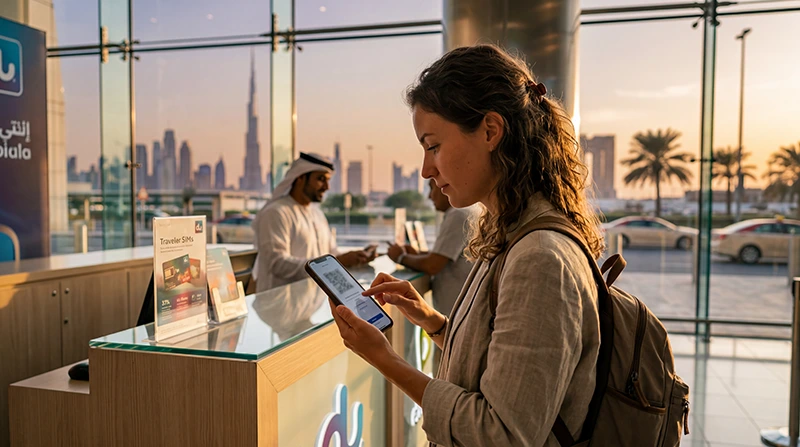

Buying a Dubai eSIM is one of the fastest and easiest ways to get mobile internet while traveling in the UAE.
Whether you are visiting Burj Khalifa, Dubai Marina, Palm Jumeirah, luxury hotels, beaches, airports, malls, business districts, cafés, or desert resorts, reliable mobile internet is essential for maps, taxis, WhatsApp, hotel bookings, and travel apps.
Quick answer: many travelers now buy a Dubai eSIM online before departure so they can activate mobile internet immediately after landing in the UAE.
Top United Arab Emirates eSIMs

United Arab Emirates eSIM
Fixed
1 GB, 7 days4.00$2 GB, 15 days6.50$3 GB, 30 days8.50$Unlimited
Unlimited, 1 day5.00$Unlimited, 3 days12.50$Unlimited, 5 days20.00$
Why Travelers Buy eSIMs for Dubai
Dubai is one of the most connected cities in the world, and tourists depend heavily on mobile internet during their trip.
Travelers commonly use mobile data for:
- Google Maps navigation
- Ride-hailing apps
- WhatsApp messaging
- Restaurant reservations
- Hotel check-ins
- Business communication
- Remote work
- Social media uploads
Buying an eSIM before departure allows travelers to skip airport SIM card lines and connect much faster after arrival.
What Is a Dubai eSIM?
A Dubai eSIM is a digital SIM that allows travelers to activate mobile internet without inserting a physical SIM card.
Instead of buying a plastic SIM card after landing, travelers can:
- Install the eSIM before travel
- Activate internet digitally
- Keep their regular SIM active
- Use data immediately after landing
- Avoid airport setup delays
Where Can You Buy a Dubai eSIM?
Travelers usually buy Dubai eSIMs:
- Online before departure
- Through travel eSIM providers
- Via QR code delivery
- Through mobile apps
- Before arriving in the UAE
Many travelers prefer online eSIM purchase because activation can happen before travel.
Top United Arab Emirates eSIMs
United Arab Emirates eSIM
Fixed
1 GB, 7 days4.00$2 GB, 15 days6.50$3 GB, 30 days8.50$Unlimited
Unlimited, 1 day5.00$Unlimited, 3 days12.50$Unlimited, 5 days20.00$Can You Buy SIM Cards at Dubai Airport?
Yes. Physical tourist SIM cards are available at Dubai airports through operators such as du and e& (Etisalat).
However, many travelers now prefer eSIM because:
- No physical SIM swapping
- Faster activation
- No waiting in airport lines
- Easier installation
- Internet immediately after landing
- Keep your regular SIM active
How to Buy and Install a Dubai eSIM
- Choose a UAE or Dubai eSIM plan.
- Complete the purchase online.
- Receive the QR code by email.
- Connect your phone to WiFi.
- Open Mobile Data or SIM settings.
- Select Add eSIM.
- Scan the QR code.
- Follow the installation instructions.
- Restart the phone if necessary.
Many travelers install the eSIM before departure and activate mobile data after arriving in Dubai.
How to Activate Dubai eSIM After Landing
- Open Mobile Data settings.
- Select the Dubai eSIM for mobile data.
- Enable Data Roaming.
- Wait for the network connection.
- Restart the phone if necessary.
Many Dubai eSIM plans connect automatically within minutes after arrival.
Which Networks Are Best in Dubai?
The two main UAE operators are:
- e& (Etisalat)
- du
Both provide strong coverage across Dubai airports, malls, hotels, beaches, tourist attractions, metro routes, and business districts.
e& (Etisalat)
- Excellent Dubai coverage
- Strong nationwide reliability
- Good for business travel
- Strong highway coverage
du
- Strong urban speeds
- Popular with tourists
- Reliable city coverage
- Good airport availability
Can You Keep Your Normal SIM Active?
Yes. Many smartphones support using a physical SIM together with an eSIM.
This allows travelers to:
- Keep their regular phone number
- Receive SMS messages
- Use Dubai mobile data
- Stay reachable while traveling
- Continue using apps normally
Does WhatsApp Work in Dubai?
WhatsApp messaging works normally in Dubai with mobile internet access.
Travelers commonly use WhatsApp for:
- Messaging family and friends
- Travel coordination
- Business communication
- Sharing photos and videos
Some travelers also use VPN services for additional VoIP functionality while in the UAE.
How Good Is Mobile Internet in Dubai?
Dubai has some of the strongest mobile internet infrastructure in the region.
Coverage is generally excellent across:
- Dubai city center
- Airports
- Malls
- Hotels
- Tourist attractions
- Business districts
- Metro routes
- Beaches
How Much Data Do You Need in Dubai?
| Travel style | Recommended usage |
|---|---|
| Light travel usage | 5GB to 10GB |
| Maps and social media | 10GB to 20GB |
| Remote work and hotspot | 20GB+ |
| Heavy streaming | Unlimited or large plans |
Can You Use Hotspot With Dubai eSIM?
Many Dubai eSIM plans support hotspot tethering.
Travelers commonly use hotspot for:
- Laptops
- Tablets
- Travel partners
- Remote work
- Backup internet
How to Avoid Dubai eSIM Problems
- Install the eSIM before departure
- Enable roaming after arrival
- Save QR codes offline
- Check device compatibility
- Restart the phone after setup
- Download offline maps
- Keep installation instructions saved offline
Related Dubai & UAE Internet Guides
- Dubai eSIM
- Best eSIM for Dubai
- Best eSIM for UAE
- Internet in Dubai for Tourists
- Internet at Dubai Airport
- United Arab Emirates eSIM
FAQ: Buy eSIM Dubai
Can I buy a Dubai eSIM before traveling?
Yes. Many travelers buy and install their Dubai eSIM before departure so they can connect immediately after landing.
Can tourists buy SIM cards at Dubai Airport?
Yes. Tourist SIM cards are available at Dubai airports through operators such as du and e&.
Is eSIM better than buying a SIM card after landing?
For many travelers, eSIM is more convenient because setup can happen before travel and no physical SIM swap is needed.
Which network is best in Dubai?
e& (Etisalat) and du are generally considered the strongest Dubai mobile networks for tourists.
Can I keep my regular SIM active while using a Dubai eSIM?
Yes. Many smartphones support dual SIM functionality using a physical SIM together with an eSIM.
Does WhatsApp work in Dubai?
WhatsApp messaging works normally with mobile internet access throughout Dubai.
Final Recommendation
Buying a Dubai eSIM before departure is one of the easiest ways to stay connected while traveling in the UAE.
For the smoothest experience, many travelers install the eSIM before arriving so they can use maps, WhatsApp, taxis, hotel bookings, and travel apps immediately after landing without dealing with airport SIM card queues.