


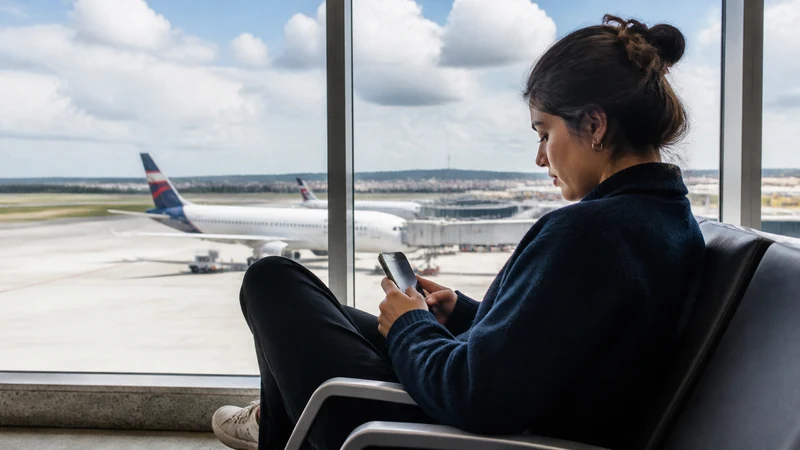

A São Paulo stopover can mean staying airside for a few hours, changing terminals or leaving Guarulhos Airport for the city. Each case creates a different need for mobile data.
Official GRU information currently lists four free Wi-Fi hours in two sessions on .GRU WIFI. That can cover terminal tasks, while an installed Brazil eSIM is more useful for transport and navigation outside the airport.
Do not activate a plan casually without checking when its validity begins, especially if Brazil is only one segment of a longer trip.
Quick answer: For an airside connection, verified airport Wi-Fi may be enough. Install a Brazil eSIM before flying if you will change terminals, leave GRU or want independent data; select it for mobile data and enable Data Roaming after landing.
Top Brazil eSIMs

Brazil eSIM
Fixed
1 GB, 7 days€ 4.442 GB, 15 days€ 7.103 GB, 30 days€ 9.32Unlimited
Unlimited, 1 day€ 4.88Unlimited, 3 days€ 11.54Unlimited, 5 days€ 18.19
Choose by Stopover Type
| Stopover | Practical connection |
|---|---|
| Short, airside | Official GRU Wi-Fi plus offline boarding details |
| Terminal change | Wi-Fi with mobile data as backup |
| City visit | Brazil eSIM for maps, transport and messages |
| Overnight | eSIM plus hotel Wi-Fi |
Set Up Before Departure
- Confirm the phone is unlocked and eSIM-compatible.
- Check the plan’s activation rule and validity.
- Install on reliable Wi-Fi and label the line Brazil.
- Save both flight details and any São Paulo address offline.
- After landing, select the eSIM for data and enable roaming on that line.
If You Leave GRU
Guarulhos Airport is outside central São Paulo, and traffic can reshape a short layover. Connectivity does not solve immigration, baggage, terminal-transfer or return-time constraints. Confirm that leaving the airport is realistic, then keep the return route and terminal details offline.
Read the GRU internet guide and São Paulo mobile internet guide before relying on live navigation.
Safe Wi-Fi and eSIM Troubleshooting
Verify .GRU WIFI against airport signage and avoid sensitive account changes on unverified hotspots. If the eSIM does not connect, check the data line, Data Roaming and automatic switching; use data.esim only when a manual APN is required. Do not delete the profile.
Airside Transit or Landside Stopover?
An airside connection keeps the traveller within the secure transfer process, while a landside stopover can involve immigration, baggage collection, customs, terminal navigation and another security screening. Internet needs grow when you leave the transfer path because transport, live traffic and the return journey become part of the plan.
Do not decide whether to visit São Paulo from the scheduled gap alone. Confirm entry requirements, whether bags are checked through, terminal locations, the airline’s check-in deadline and the time needed to return through security. A mobile connection helps with coordination but cannot recover time lost to queues or road traffic.
How Much Connection Does an Airside Layover Need?
For a short airside stay, verified airport Wi-Fi may cover flight updates, messages and a small amount of browsing. Keep the onward boarding pass and itinerary offline in case the Wi-Fi portal or airline app fails. Take a screenshot of the next gate or terminal only after checking the airport display because gates can change.
A Brazil eSIM is still useful when the connection is long, terminals change or you want data independent of the Wi-Fi portal. Check the activation rule first. If the plan begins on a Brazilian network connection, turning it on for a brief transit may start validity intended for a later trip segment.
Using the Official GRU Wi-Fi
Guarulhos Airport’s current passenger information identifies the official network as .GRU WIFI and describes four complimentary hours divided into two sessions. Airport services can change, so verify the name and current terms on terminal signage when you arrive.
- Open the phone’s Wi-Fi settings.
- Compare the displayed network name with official airport signage.
- Select .GRU WIFI.
- Follow the current Boingo portal and choose the free option.
- Keep the browser open until access completes.
If the captive portal does not appear, disconnect and reconnect, open an ordinary webpage and temporarily pause a VPN only if doing so is safe. Do not trust a similarly named hotspot or enter eSIM credentials into an airport portal.
Prepare the eSIM Before the First Flight
- Confirm the exact phone is unlocked and eSIM-compatible.
- Install the Brazil profile once on dependable private Wi-Fi.
- Label it “Brazil” so it is not confused with another travel line.
- Read the product’s activation trigger and validity.
- Save the order number and support page offline.
- Do not publish or forward the QR code.
Installation does not necessarily equal activation. Review Brazil eSIM installation and Brazil eSIM activation before a multi-country journey.
Arrival Settings at GRU
- Switch on the Brazil eSIM.
- Select it under Cellular Data or Preferred Data SIM.
- Enable Data Roaming on Brazil.
- Disable automatic data switching.
- Leave network selection on Automatic.
- Turn Wi-Fi off briefly and load a normal webpage.
Keep roaming off on the home SIM if avoiding home-carrier data is the goal. Its calls, messages and voicemail can follow separate rates. NoveSIM Brazil plans are data-only and do not supply a Brazilian number, standard calls or SMS.
Changing Terminals at Guarulhos
Confirm the next terminal from the airline or airport display and follow official transfer signs. Do not assume that two flights use the same terminal because they share an airline or booking. Keep the boarding pass, booking reference and airline contact accessible without internet.
Mobile data is useful if the terminal connection moves through areas where one Wi-Fi session drops, but it does not replace airport instructions. If the connection is tight, prioritise the gate and required formalities over troubleshooting a non-essential data issue.
Leaving GRU for São Paulo
Guarulhos Airport is outside central São Paulo. Journey time varies with traffic, destination and transport choice, so a fixed estimate can create false confidence. Identify one precise destination, calculate a conservative return cutoff and keep enough margin for airport re-entry.
Save the full street address, not only the venue or hotel name. Download the city map, return route and relevant terminal information. Use Internet in São Paulo for tourists for city-level connectivity and Internet at GRU Airport for the terminal choices.
Data Use on a Short Stopover
Maps, messaging, flight checks and ride confirmation are relatively light. Video streaming, cloud photo backup and app updates can consume much more than a short layover requires. Pause automatic uploads and download entertainment before departure.
A small allowance can cover an ordinary stopover, but choose the plan based on the whole Brazil segment, not only the airport hours. Review How Much Data for Brazil and check whether the selected validity extends through the onward itinerary.
Security During a Busy Transfer
Use a strong phone lock, keep the device physically secure and avoid displaying the eSIM QR code in public. Confirm Wi-Fi network names, use HTTPS and avoid sensitive account changes on an unverified connection. Remove a temporary network from saved Wi-Fi if you do not want automatic reconnection.
A trusted VPN can protect traffic after connection, but it cannot make a fake access point official. If a portal requests payment details or unusual permissions for a service advertised as free, stop and verify with airport staff.
If the eSIM Does Not Connect During Transit
First decide whether mobile data is essential for the connection. If verified Wi-Fi and offline documents cover a short airside transfer, do not spend the entire layover changing settings. For a city visit or onward ground journey, confirm Brazil is the data line with Data Roaming enabled.
Toggle Airplane Mode for about 30 seconds, wait for registration and restart once if needed. Keep Automatic network selection. If signal appears without internet, check validity and use data.esim only when manual APN entry is required. Follow Brazil eSIM troubleshooting and never delete the profile as an early fix.
Plan for a Missed or Changed Connection
Save the airline’s official contact channel, booking reference and any travel-insurance details. A data connection can help you receive a rebooking notice, but use airport desks and official airline channels for decisions. Do not send passport, payment or eSIM credentials to an account discovered through an unsolicited message.
If an overnight stay becomes necessary, use mobile data to contact verified accommodation and transport, then move large downloads to trusted hotel Wi-Fi. Keep enough phone battery for boarding passes and communication.
Related Articles
- Brazil eSIM plans
- Internet at GRU Airport
- Internet in São Paulo
- Mobile internet in Brazil
- Install a Brazil eSIM
- Activate a Brazil eSIM
- Brazil dual-SIM settings
- Brazil APN settings
- Brazil eSIM not working
- Brazil eSIM coverage
- How much data for Brazil
- Best SIM card for Brazil
- Brazil eSIM on iPhone
- Brazil eSIM on Android
- NoveSIM Support
FAQ
Is GRU Wi-Fi enough for a stopover?
It may be enough for an airside stay, but an eSIM provides independent data for terminal changes or a city visit.
Should I activate the eSIM during transit?
Only after checking the product’s activation rule and validity so a short stopover does not consume time needed later.
Can I visit São Paulo on a layover?
That depends on immigration, baggage, traffic and the time needed to return; verify the full itinerary rather than judging only by flight hours.
What if the eSIM has no internet at GRU?
Select it for data, enable Data Roaming, refresh Airplane Mode and use data.esim only if required. Keep the profile installed.
Final Recommendation
For a short airside connection, verified GRU Wi-Fi and offline boarding documents may be sufficient. Check the Brazil plan’s activation trigger before switching it on solely for a brief transit.
For a terminal change, overnight stop or city visit, install the eSIM before flying and prepare the route offline. Select Brazil for data, enable its roaming and keep automatic switching to the home SIM off.
If leaving GRU, make the decision from immigration, baggage, traffic and airport-return requirements rather than available internet alone. Protect a conservative return margin and use official airport and airline instructions throughout the stopover.