


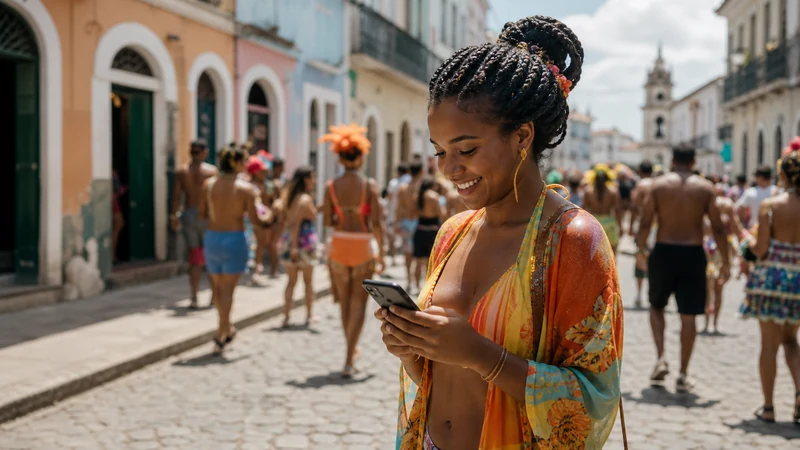

Mobile internet during Brazil Carnival supports group coordination, ride-hailing, ticket access and maps, but dense crowds can slow networks even where coverage is normally strong.
Carnival is not one event in one city. Official tourism information highlights major celebrations in Rio de Janeiro, Salvador, Recife, Olinda, Belo Horizonte and São Paulo, each with different routes and access arrangements.
Prepare for both congestion and battery drain before joining a bloco or entering a parade venue.
Quick answer: Install a Brazil eSIM before travel, save meeting points and tickets offline, disable cloud photo backup and carry a power bank. In crowds, messages may work when video uploads do not; do not rely on a live connection as the only way to regroup.
Top Brazil eSIMs


Why Carnival Changes Mobile Performance
Thousands of phones can compete for local capacity near a parade, bloco or transport hub. A full signal indicator does not guarantee fast data. Indoor venues, temporary barriers and movement through packed streets add variation.
A Crowd-Proof Connection Plan
- Choose a meeting point and time before entering the crowd.
- Screenshot tickets, accommodation and return route.
- Share the plan with companions.
- Set the Brazil eSIM as data line and disable switching.
- Carry a charged power bank in a secure place.
Control Carnival Data Use
Video uploads and automatic photo backup can exhaust data and battery. Record media offline and upload later on trusted accommodation Wi-Fi. Text messages and low-resolution location sharing are usually more practical in congestion.
Use Brazil data estimates to size the plan, adding a margin for transport and coordination.
Phone and Wi-Fi Safety
Keep the device out of sight when not needed, use a strong lock and enable account recovery features before travel. Do not join a hotspot merely because its name references the event or venue. Never expose the eSIM QR code.
If data stops, wait, move away from the densest area and toggle Airplane Mode. Use data.esim only when the APN is genuinely missing; do not delete the profile.
Carnival Is Not One Connectivity Environment
Official Brazil tourism information highlights major celebrations in Rio de Janeiro, Salvador, Recife, Olinda, Belo Horizonte and São Paulo. A ticketed parade, a street bloco and a large circuit create different crowd movement, access control and transport needs. Plan connectivity for the exact city and event rather than for “Carnival” in general.
Check official event and city channels for current routes, times, ticket rules and transport changes. Do not rely on an old map or an unofficial social post. Save the final information offline shortly before leaving the accommodation.
Why Full Signal Can Still Mean Slow Data
A dense crowd can place thousands of phones on the same local network capacity. The device may remain registered and show several bars while messages, uploads or ride apps respond slowly. That is congestion, not necessarily an eSIM installation problem.
Move away from the densest point, wait and try a lightweight message before restarting the phone. Repeated speed tests and video uploads use data and battery while providing little practical benefit in a temporary crowd bottleneck.
Create an Offline Regrouping Plan
- Choose a precise meeting point that remains accessible during the event.
- Set a time to regroup if messages fail.
- Save a screenshot and written description of the location.
- Make sure every person knows the accommodation address.
- Choose a backup point outside the most crowded area.
- Do not rely only on live location sharing.
A network delay can make a live pin appear stale or prevent delivery. The offline plan should work even if every phone is temporarily disconnected or one device runs out of battery.
Prepare Tickets and Entry Details
Download official tickets, QR codes and booking references into a wallet or file that opens without internet. Take a screenshot only when the ticket issuer permits it and the code remains valid. Keep identification requirements and the correct entrance available offline.
Do not buy a ticket from an unsolicited message or send passport and payment information to an unofficial account. Use the organiser’s recognised channels and confirm the exact venue before travel.
Transport Before and After the Event
Road closures, crowd-control zones and temporary public-transport arrangements can change pickup points. Save the outbound and return route, identify more than one transport option and note a safe pickup area away from the densest crowd.
Ride apps may show long waits or changing prices, and mobile data can slow when many people leave simultaneously. Do not wait until the final battery percentage to arrange the return. In São Paulo, use Internet in São Paulo; in Rio, use Internet in Rio de Janeiro.
Choose a Data Allowance for Carnival
Messages, maps and booking checks are relatively light. Frequent short video, live streaming and cloud photo upload are much heavier. Carnival can also increase use because travellers coordinate more often and spend long periods away from accommodation Wi-Fi.
Review How Much Data for Brazil and add a reasonable event margin. Pause automatic backup, app updates and media autoplay. Record photos and video offline, then upload later on trusted accommodation Wi-Fi.
Battery Planning for a Long Carnival Day
- Start with a fully charged phone.
- Carry a reputable charged power bank.
- Lower screen brightness.
- Stop repeated network and speed tests.
- Download maps so navigation needs less live data.
- Close camera and social apps after use.
- Protect the charging cable and phone from rain and crowds.
Weak-signal searching and video recording create heat and drain battery. If the phone becomes unusually hot, stop charging or heavy use and let it cool in a secure, ventilated place.
Set Up the Brazil eSIM Before the Event
Install the profile before departure on reliable private Wi-Fi. After arrival, select Brazil for mobile data, enable Data Roaming on that line and disable automatic switching to the home SIM. Keep network selection and radio technology on Automatic.
Do not perform first-time setup in the middle of a crowd. Review Brazil eSIM installation and dual-SIM settings while you still have time and a stable connection.
Phone Theft and Account Recovery Preparation
Use a strong screen lock, hide notification previews for sensitive apps and enable the device’s official find-and-lock feature before travel. Review account-recovery methods and make sure a trusted person or second device can access essential booking information.
Keep the phone physically secure and out of sight when not needed. Avoid holding it near the edge of a moving crowd or open vehicle. Store passport, primary payment method and phone separately enough that one loss does not remove every travel resource.
Protect the eSIM Credential
The QR code and activation details are installation credentials. Do not store them in a public photo album, show them at an event or include them in a screenshot sent through an unofficial support account.
If the phone is lost, use the device manufacturer’s official remote-lock process and contact NoveSIM through the official channel. Do not ask a stranger to “transfer” the eSIM by sending the QR code.
Use Public Wi-Fi Carefully
A hotspot named after a bloco, parade, sponsor or venue is not automatically official. Verify the network with the organiser or venue. Avoid banking, account recovery and password changes on an unverified open network.
HTTPS and a trusted VPN protect traffic in useful ways but do not prove who owns the access point. Mobile data is often the simpler option for essential communication when the local network has capacity.
If the eSIM Stops Working in a Crowd
- Confirm that Brazil remains selected for mobile data.
- Check that Data Roaming is still enabled.
- Move away from the densest area.
- Wait and try a text message or simple webpage.
- Toggle Airplane Mode for about 30 seconds.
- Restart once only if registration does not recover.
If signal exists but no page loads after leaving the congested area, check validity and allowance. Use data.esim only when manual APN entry is required. Follow Brazil eSIM troubleshooting and keep the profile installed.
Slow Data vs No Internet
If pages eventually load, treat the problem as performance and avoid broad resets. Use Slow eSIM in Brazil to check crowd congestion, high-speed allowance and background traffic. A 5G icon is not a speed guarantee in a packed event area.
If the phone shows No Service after you move to an open, normally covered location, then investigate registration and network selection. Keep Automatic as the normal setting.
Related Articles
- Brazil eSIM plans
- Mobile internet in Brazil
- Internet in Rio de Janeiro
- Internet in São Paulo
- How much data for Brazil
- Install a Brazil eSIM
- Activate a Brazil eSIM
- Brazil dual-SIM settings
- Brazil eSIM coverage
- Brazil eSIM not working
- Slow Brazil eSIM
- Brazil eSIM hotspot
- Best SIM card for Brazil
- eSIM-compatible devices
- NoveSIM Support
FAQ
Will mobile data work during Carnival?
Usually where coverage exists, but dense crowds can cause slow or intermittent service.
How much data should I plan?
Maps and messages are light; frequent video uploads are heavy. Review your own use and add a crowd-travel buffer.
Should I use public event Wi-Fi?
Only after verifying the official network name. Avoid sensitive transactions on an unverified hotspot.
What if my group gets separated?
Use the pre-agreed offline meeting point and time rather than depending only on live messages.
Final Recommendation
Prepare the Brazil eSIM, tickets, transport and account recovery before entering a Carnival crowd. Choose an offline meeting point and return plan that work even when messages and live location do not.
Use mobile data for lightweight coordination, control video and backup traffic, and carry enough battery for the full event. Treat full signal as registration evidence, not a guarantee of fast service during peak crowd congestion.
Keep the phone and eSIM credentials physically secure. If service changes, move away from the crowd and use reversible checks; do not delete the profile or let connectivity become the only safety plan.