


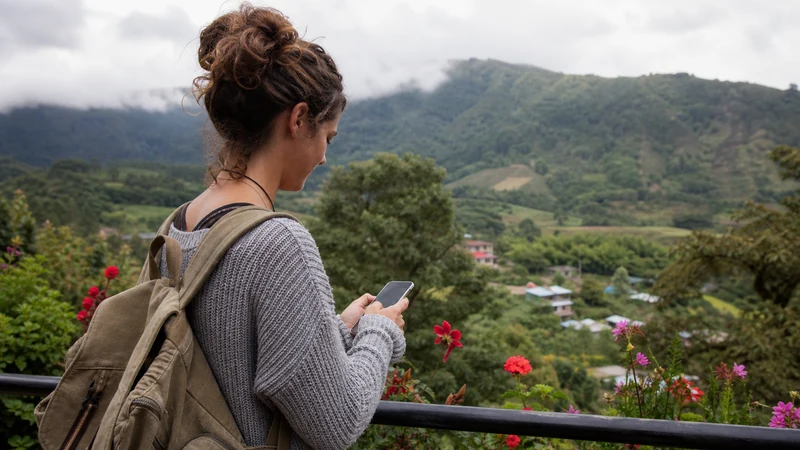

Boquete mobile internet is address-sensitive. A connection in the town centre does not predict reception at a hillside rental, coffee finca, rural road or trailhead only a short distance away.
Use the town to test the Panama line and complete downloads, then verify both mobile reception and Wi-Fi with the exact accommodation when connectivity affects the booking.
NoveSIM Panama plans are data-only. They support maps, messages and internet calls where coverage is usable but do not include a local number, conventional calls or SMS.
Quick answer: Test the eSIM in David or central Boquete before a rural transfer. Ask the host for a recent Wi-Fi test from the booked room and which mobile network works at that address. Carry trail and return information offline because highland terrain can interrupt service quickly.
Top Panama eSIMs

Panama eSIM
Fixed
1 GB, 7 days€ 4.442 GB, 15 days€ 7.543 GB, 30 days€ 9.76Unlimited
Unlimited, 1 day€ 4.88Unlimited, 3 days€ 11.98Unlimited, 5 days€ 19.08
Central America eSIM
Fixed
1 GB, 7 days€ 7.102 GB, 15 days€ 11.543 GB, 30 days€ 15.53Unlimited
Unlimited, 1 day€ 6.66Unlimited, 3 days€ 16.42Unlimited, 5 days€ 26.18Why Boquete mobile internet is address-specific
Central streets, residential slopes and properties marketed as “near Boquete” can have different elevation, terrain and visibility to mobile infrastructure. A destination-level map cannot resolve one room behind a ridge or inside a reinforced building.
When a long stay or work call depends on connectivity, request evidence from the actual desk or room—not a screenshot taken at reception or in town.
Use the town as a preparation checkpoint
- Download the accommodation and return route.
- Confirm transport and check-in instructions.
- Send arrival messages before climbing to a rural property.
- Update offline maps and weather information.
- Test the Panama eSIM with Wi-Fi switched off.
A successful town test confirms the profile and settings. If service later disappears at a finca or trail, location becomes a stronger explanation than installation failure.
Questions for a hillside or rural host
- Does mobile data work inside the booked room, outside only, or not at all?
- Which network has worked recently at the property?
- Can the host provide current upload, download and latency from the workspace?
- Does Wi-Fi remain available during a power interruption?
- Where is the nearest practical backup connection?
- How should arrival be coordinated when the guest has no signal?
For remote work, combine these answers with the Panama digital-nomad checklist.
Trails and fincas require an offline return plan
Download the route, save the meeting point and follow current local or guide advice. Tell another person the planned return time. Mobile data is useful when it appears, but it is not a safety system for forested or highland routes.
Weak-signal searching increases battery drain, so carry suitable protected power and use aeroplane mode when the guide expects a long no-signal section.
Set up the travel line before the climb
- Install over reliable Wi-Fi when the order instructions permit.
- Select the Panama line for mobile data.
- Enable Data Roaming for the travel line.
- Keep home-line roaming off and disable automatic switching.
- Leave network selection on Automatic.
- Test ordinary browsing in a populated place.
The broader Panama coverage guide explains why terrain and buildings matter more than SIM format.
When the line fails outside town
Move outdoors only where safe, wait for registration and compare the result at the next populated stop. If the same profile works again in town, keep it unchanged.
Signal bars without data justify checking roaming, plan status and allowance. Use manual APN data.esim only when NoveSIM requires it. Do not delete the eSIM; its activation credential may not be reusable.
Related Articles
FAQ
Does an eSIM work in Boquete?
It can work where the plan’s authorised partner has usable service, but the exact property, terrain, building and phone determine the result.
Is Boquete suitable for remote work?
Some properties may be, but obtain a current test from the exact workspace and confirm power and a second connection.
Will mobile data work on trails?
Do not depend on it. Keep the route, return arrangement and local guidance offline.
Should I reinstall the eSIM after losing signal?
No. Retest at the next populated location and keep the installed profile because the activation credential may not be reusable.
Final Recommendation
Treat Boquete mobile internet as an address-level question.
Test in town, verify the exact property and download everything needed before rural travel.
Keep the installed eSIM when terrain causes a local coverage gap.