


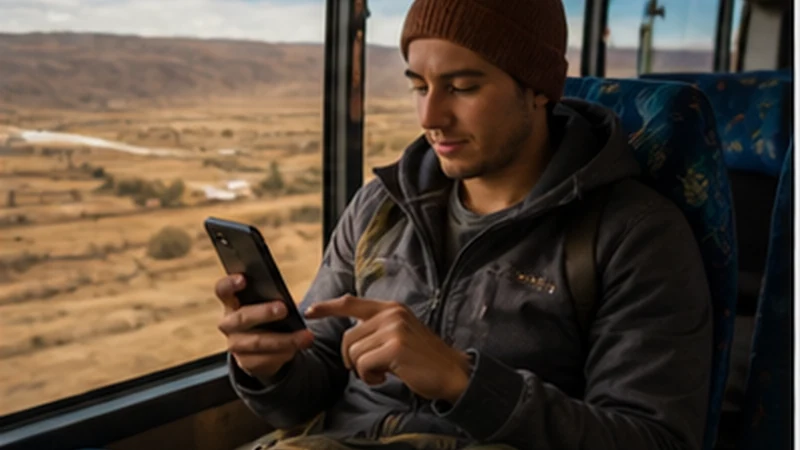

Bolivia backpacking internet requires a mix of mobile data and offline preparation because a low-cost itinerary often includes hostels, overnight buses and stops where reception is inconsistent.
A travel eSIM lets an unlocked, compatible phone connect without visiting a shop after every arrival. It is most useful for maps, hostel messages, transport research and booking changes between dependable Wi-Fi connections.
NoveSIM travel plans are data-only, with no Bolivian number, traditional calls or SMS. Messaging and internet-calling apps can still work when the phone has mobile data or Wi-Fi.
Quick answer: For Bolivia backpacking internet, install an eSIM before departure, restrict automatic downloads, save each day’s route offline and carry enough battery power for long bus journeys and hostel check-ins.
Top Bolivia eSIMs


Bolivia Backpacking Internet on a Daily Budget
Choose an allowance around the tasks that genuinely need a live connection. Text messages, email and occasional map searches use much less data than video, social uploads, cloud photo backup or operating-system updates. The Bolivia data guide can help translate those habits into a realistic allowance.
Use hostel Wi-Fi for large downloads only when the connection is trustworthy. Avoid sensitive account activity on an open network, check that the network name belongs to the accommodation and use mobile data when a shared connection appears suspicious.
Prepare for Overnight Buses and Changing Hostels
Before boarding, save the destination terminal, hostel address, reservation reference and a map of the arrival area. Screenshots are useful when an app signs out or cannot reload. Tell the accommodation if the bus is likely to arrive late and keep its contact details outside the booking app.
Weak or changing signal can increase battery use as a phone searches for a network. Start long transfers with a charged phone, carry a suitable power bank and download entertainment over Wi-Fi. Mobile coverage should not be treated as an emergency or personal-safety system.
Set Up an eSIM Before the Backpacking Route
- Confirm that the exact phone model supports eSIM and is carrier-unlocked.
- Choose a plan that includes Bolivia and check its allowance, validity and activation terms.
- Install the profile over dependable private Wi-Fi before departure.
- Label it Bolivia or Travel so it is easy to identify beside the home SIM.
- On arrival, select it for mobile data and enable Data Roaming on the travel line.
- Disable roaming and automatic data switching on the home line.
Follow the complete Bolivia eSIM installation steps rather than waiting until a late-night bus arrival. Installation, activation and network registration are separate events, so review the plan instructions before switching it on.
Coverage Beyond Bolivia’s Main Cities
Reception varies with terrain, buildings, congestion, local infrastructure and the network available to the plan. Read the Bolivia coverage guide when building the route, but expect gaps on remote journeys and around highland landscapes.
- Save offline map regions rather than individual pins.
- Keep the next accommodation address in the original language.
- Share the route and expected arrival time with a trusted contact.
- Do not depend on a last-minute message to arrange a remote pickup.
Sharing Data with a Laptop or Travel Companion
A hotspot can reduce the need for several plans, but tethering drains the host phone’s battery and every connected device uses the same allowance. Confirm that hotspot use is permitted, protect it with a password and consult the Bolivia hotspot guide before relying on it for a laptop.
Fix a Connection Without Losing the eSIM
- Check that the Bolivia profile is on and selected for mobile data.
- Confirm Data Roaming is on for the travel line and off for the home line.
- Use Airplane Mode for 30 seconds, reconnect and restart the phone if needed.
- Leave network selection on Automatic unless support advises a manual choice.
- If signal appears without internet, use data.esim only when manual APN entry is required.
Do not delete the installed eSIM as an early fix because the activation code may not support another installation. Keep the profile and work through the Bolivia connection checks first.
Related Articles
FAQ
Is an eSIM useful for backpacking Bolivia?
Yes, when the phone is unlocked and compatible and the plan includes Bolivia. It gives the traveller mobile data without making shop visits part of every arrival.
Can I rely on hostel Wi-Fi throughout Bolivia?
No. Quality and security vary, and a connection may not reach every room. Keep mobile data for essential tasks and save important route details offline.
How can backpackers use less mobile data?
Download maps and entertainment over trusted Wi-Fi, pause cloud backups and automatic updates, reduce video quality and monitor hotspot users.
Will mobile data work throughout an overnight bus journey?
Continuous coverage cannot be guaranteed. Save the arrival map, terminal and hostel details before boarding and carry sufficient battery power.
Final Recommendation
Bolivia backpacking internet is most dependable when mobile data covers essential tasks and trusted Wi-Fi handles large downloads.
Install the eSIM before the route begins, select it for data after arrival, keep home-line roaming disabled and retain the installed profile if troubleshooting is needed.
Prepare every long transfer offline and protect the phone’s battery. That keeps navigation and accommodation details available even when the backpacking route leaves reliable reception behind.