


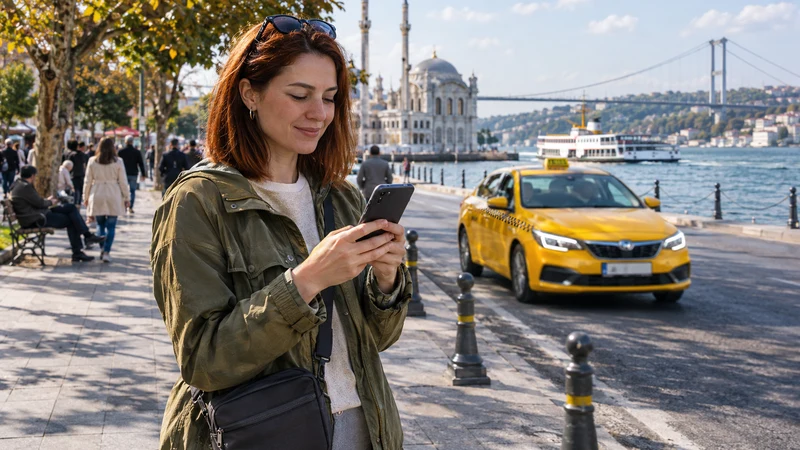

A data-only travel eSIM can provide the internet connection for BiTaksi in Turkey. You still need to register the app with a mobile number you can verify and arrange a payment method that works for your ride.
The payment detail worth checking is whether you mean paying inside the app or tapping a card on the driver’s phone. BiTaksi treats these as different services, with different rules for foreign cards.
NoveSIM Turkey plans supply mobile data, without a Turkish number, conventional calls or carrier SMS. Use the travel line for the app while keeping access to whichever number and bank authentication method you need.
Quick answer: set up BiTaksi before departure, verify your number and review the payment options shown in the app. Use mobile data for requesting and tracking a taxi. Do not assume a foreign card accepted for an in-app payment will also work with bitaksiPOS, and keep a cash fallback.
Top Turkey eSIMs

Turkey eSIM
Fixed
1 GB, 7 days€ 2.272 GB, 15 days€ 3.183 GB, 30 days€ 4.09Unlimited
Unlimited, 1 day€ 2.73Unlimited, 3 days€ 5.91Unlimited, 5 days€ 9.55
Europe Extra eSIM
Fixed
1 GB, 7 days€ 2.272 GB, 15 days€ 3.643 GB, 30 days€ 4.55Unlimited
Unlimited, 1 day€ 2.73Unlimited, 3 days€ 5.46Unlimited, 5 days€ 9.10Europe+ eSIM
Fixed
1 GB, 7 days€ 2.732 GB, 15 days€ 4.093 GB, 30 days€ 5.46Unlimited
Unlimited, 1 day€ 2.73Unlimited, 3 days€ 6.37Unlimited, 5 days€ 10.46Europe Lite eSIM
Fixed
1 GB, 7 days€ 2.272 GB, 15 days€ 3.643 GB, 30 days€ 4.55Unlimited
Unlimited, 1 day€ 2.73Unlimited, 3 days€ 5.46Unlimited, 5 days€ 9.10Verify the account before you need a taxi
BiTaksi’s membership conditions require a confirmed mobile number. The official pages checked do not clearly guarantee that every international number can register, so try your own number before travelling rather than depending on a last-minute code at arrivals.
Switching the phone’s mobile-data line does not supply a new registration number. An SMS addressed to your home number still needs that line’s service; a NoveSIM data-only eSIM cannot receive it. If you keep the home line enabled, check its roaming charges and disable its data roaming when you intend to use only travel data.
Review automatic data switching too. Turning the home line off altogether prevents it from receiving cellular calls and SMS. Our guide to keeping your number while using eSIM data explains the distinction.
In-app payment and bitaksiPOS are different
The official BiTaksi FAQ lists domestic and foreign Mastercard, Visa and American Express credit cards for in-app payments. It gives narrower conditions for debit cards, so do not assume that every card with one of those logos is supported.
With an in-app payment, the driver enters the meter amount and you confirm the payment on your screen. Check the amount before approving it. Card acceptance and any bank authentication remain separate from the phone’s internet connection.
| Payment method | What happens | What to check |
|---|---|---|
| BiTaksi in-app payment | You use a saved card and confirm the amount in the app | Whether your card can be added and the issuer approves the transaction |
| bitaksiPOS | You tap a contactless card on the driver’s POS-enabled phone | The official passenger page says foreign cards are not accepted |
| Cash | You pay the driver using the cash option | The total due, including any applicable service fee and tolls |
The bitaksiPOS passenger guidance explicitly excludes foreign cards. A contactless symbol on your card does not remove that restriction. Confirm the payment method before relying on it for the journey.
BiTaksi’s terms allow bank authentication and provide for cash payment if online payment cannot be completed. Prepare a backup before the ride. Repeatedly changing eSIM settings will not resolve a declined bank transaction.
Prepare your first booking
- Download the official BiTaksi app, complete registration and check that you can sign in.
- Review the payment methods available to your account. Complete any requested card or bank checks.
- Save the accommodation’s full address in Turkish, together with a map pin you can show if needed.
- At the pickup location, check mobile data and the app’s location permission before requesting a taxi.
- Place the pickup pin where you can safely wait and where a car can reach you. Read any instructions shown for that location.
- Match the driver and vehicle details in the booking before getting into the taxi.
A map pin can be wrong even when mobile data works. BiTaksi advises moving the pin manually if the app cannot locate you. At an airport, follow the terminal’s official transport arrangements; do not assume every app booking can collect you from any exit.
Read the options before confirming a ride
The displayed journey estimate is not a guarantee of the final amount. BiTaksi’s terms distinguish the meter fare, service fee and applicable bridge or motorway tolls. Check the current details in the app instead of relying on an old fare screenshot.
Also review any selected tip or option for the driver to approach with the meter running. These can affect what you pay. Cancellation conditions apply, so avoid making speculative bookings simply to test the connection.
For a conventional call to the driver or support, charges belong to the voice line used. A data-only eSIM does not include those calls. Use the contact options actually offered for the booking rather than assuming every call button uses internet data.
Choose travel data for the rest of the day too
Compare NoveSIM Turkey plans against your travel days and wider usage: maps, messages, photo uploads and any hotspot sharing. There is no need to choose an allowance solely around a taxi request. Check your exact device against the eSIM compatibility guidance before buying.
Install according to the purchased plan’s instructions and check what starts its validity. At the destination, select the travel line for mobile data and apply its supplied Data Roaming setting. The NoveSIM setup guide covers the connection process.
If the booking fails, identify what stopped
- The verification code is missing: check the number and the verification method offered by BiTaksi. More mobile data will not activate an unreachable SMS line.
- The card is rejected: read the payment message and check the bank’s authentication request. Keep the agreed fallback available.
- The app cannot find you: review location permission and move the pickup pin to your actual waiting point.
- No websites or apps load: check the data line, remaining allowance, validity and required roaming setting.
If manual APN entry is required by NoveSIM, use data.esim. Keep the installed eSIM while troubleshooting; delete it only if support instructs you to. If webpages load but the booking still fails, follow BiTaksi’s account or ride support rather than resetting the phone’s network configuration.
Related Articles
FAQ
Can I use BiTaksi with a data-only travel eSIM?
Travel data can connect the app where the plan has coverage and BiTaksi offers the service. Account verification, payment approval and taxi availability are separate requirements.
Will NoveSIM receive my BiTaksi verification code?
No. NoveSIM data-only plans do not receive carrier SMS. Keep access to the number used for registration and complete the verification offered by the app before departure.
Can I use a foreign card with bitaksiPOS?
The official bitaksiPOS passenger page says foreign cards are not accepted. This is different from paying inside BiTaksi, whose FAQ lists supported foreign credit cards. Check the method you intend to use.
Does a failed payment mean the eSIM is not working?
No. If other online services load, check card eligibility, the bank’s approval process and the payment message. Internet access does not guarantee that a transaction will be accepted.
Final Recommendation
Prepare BiTaksi with a verified number and a checked payment method before your Turkey trip.
Use the travel eSIM for the app’s internet connection, check the pickup pin and review the amount before approving payment.
Keep the address offline and a cash alternative available. Knowing how you will pay is as useful as having data when the taxi arrives.