


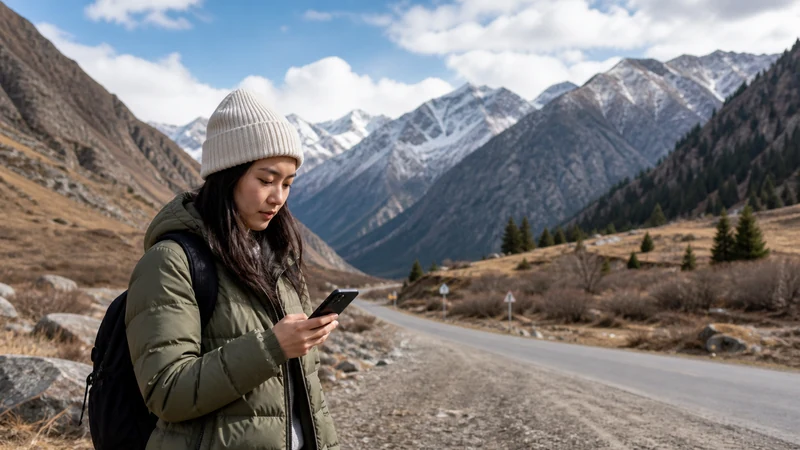

For a Bishkek to Ala Archa trip, mobile internet is useful for contacting your driver and checking the journey, but your return arrangement should not depend on getting a signal at the park. Agree where and when you will meet before leaving Bishkek.
The awkward moment is often the journey back: you have finished walking, your battery is lower and the person collecting you needs to find the right meeting point. A saved booking and a clear pickup agreement are more useful than assuming an app will arrange everything later.
Our NoveSIM travel eSIMs are data-only. We do not provide a Kyrgyz phone number, conventional calls or SMS; internet messages and calls need a working data connection.
Quick answer: Test your mobile data in Bishkek, download the driving route and save your driver’s details. Confirm whether the driver will wait or return, the exact pickup point and what to do if neither of you can send a message. Do not assume continuous reception between Bishkek and Ala Archa.
Top Kyrgyzstan eSIMs

Kyrgyzstan eSIM
Fixed
1 GB, 7 days3.50$2 GB, 15 days6.50$3 GB, 30 days9.00$Unlimited
Unlimited, 1 day6.00$Unlimited, 3 days13.50$Unlimited, 5 days21.00$
Commonwealth of Independent States eSIM
Fixed
1 GB, 7 days9.00$2 GB, 15 days19.50$3 GB, 30 days20.50$Unlimited
Unlimited, 1 day9.50$Unlimited, 3 days25.50$Unlimited, 5 days41.00$Prepare mobile internet for the Bishkek to Ala Archa journey
Choose a plan that explicitly includes Kyrgyzstan and check its validity against your travel dates. The Kyrgyzstan eSIM product page is the place to check the current allowance and terms. Your phone also needs to be eSIM-compatible and carrier-unlocked.
Install while you have a dependable connection, following the order instructions. Before the car leaves, choose the travel eSIM for mobile data and open a new web page with Wi-Fi switched off. An installed profile is not proof that mobile internet is working.
Reception on the approach does not establish reception at your eventual pickup point or on a trail. The Ala Archa connectivity guide covers preparation for the visit itself; this page focuses on getting there and back.
Make the return pickup workable without messages
If you are booking a car, ask whether the quoted arrangement includes waiting, a later collection or only the outward journey. Save the answer, agreed price and driver or company contact locally on your phone.
- Choose a recognisable meeting point together, not just “at Ala Archa”.
- Agree a pickup time and how changes will be handled.
- Clarify what happens if you return late or cannot reach the driver.
- Check whether your contact can use an internet messaging app or requires a conventional phone call.
A data-only eSIM cannot replace a phone number when a transport service requires calls or SMS. Keeping another SIM available for those tasks may be useful, but check its roaming charges rather than enabling it without knowing the cost.
Save the right information before departure
- Download the map area covering your Bishkek starting point, the approach and the return journey.
- Save the pickup location and your accommodation address in a form you can open offline.
- Keep a screenshot of the transport agreement, including the return details.
- Charge your phone and take a suitable power bank if you will use it throughout the visit.
- Tell your travel companion where the booking and contact details are stored.
A driving route does not describe a walking trail. If you plan to walk beyond your arrival point, prepare that route separately and do not treat a road-navigation app as hiking guidance. The Kyrgyzstan offline maps guide explains the distinction between saved information and features that still need internet.
If data drops during the drive
Use the downloaded route and keep moving according to the agreed transport plan. Repeatedly changing settings because reception has briefly disappeared can make it harder to recognise a genuine setup problem.
If the phone still cannot load a new page when you next have an opportunity to check it, confirm the selected data line, remaining allowance and the roaming instructions supplied with your plan. Keep the installed profile; do not delete it to try to restore reception. Use the Kyrgyzstan eSIM troubleshooting guide for a persistent fault.
Save photos on the phone and postpone cloud uploads if you need to conserve battery or data for the return contact. Mobile internet should help with the day trip, not be its only means of coordination.
Related Articles
FAQ
Can I rely on mobile internet from Bishkek to Ala Archa?
No continuous connection is guaranteed. Prepare the route and return agreement offline, even if mobile data works when you leave Bishkek.
Should I arrange the return car before leaving?
Yes. Confirm whether the driver waits or comes back, and agree the location and time without making the arrangement dependent on a later online booking.
Can I call my driver with a NoveSIM eSIM?
You can use an internet calling app when both parties can use it and you have data. Our travel eSIM does not provide conventional calls or a Kyrgyz number.
Is a downloaded driving map enough for walking in the park?
No. Prepare the walking route separately. A map for the car journey is not a substitute for appropriate trail information and local safety advice.
Final Recommendation
For mobile internet between Bishkek and Ala Archa, start with a tested connection and a return pickup that works without messages.
Keep the driver’s details, accommodation address and route accessible offline, and preserve enough battery for the journey home.
If your plans include walking, separate that preparation from the transfer. Neither an eSIM nor an online car booking guarantees that you can arrange a return from any point in the park.