


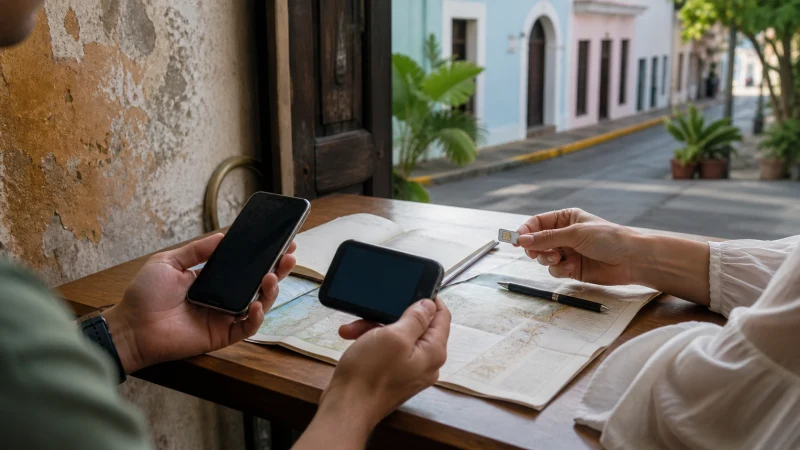

The best internet option for Puerto Rico depends on whether the itinerary stays in San Juan or continues to the coast, the mountains, Vieques or Culebra.
Price alone does not settle the question. When choosing internet access for a Puerto Rico trip, account for setup time, validity, number requirements, shared devices and the parts of the itinerary where data is essential.
Our Puerto Rico eSIM is designed for mobile internet during the trip. Route apps and browsing through the eSIM, while standard calls and SMS stay on the appropriate line. The phone can retain its normal number and route data through the Puerto Rico eSIM, subject to the handset and home operator.
Quick answer: When choosing internet access for a Puerto Rico trip, install before travel, protect the home SIM from roaming and keep an offline fallback for the first journey.
Top Puerto Rico eSIMs

Puerto Rico eSIM
Fixed
1 GB, 7 days€ 3.592 GB, 15 days€ 6.293 GB, 30 days€ 8.09Unlimited
Unlimited, 1 day€ 3.59Unlimited, 3 days€ 8.99Unlimited, 5 days€ 13.93
What matters when choosing internet access for a Puerto Rico trip
Store the first route, essential contacts and tickets locally on the phone. Confirm power and workspace arrangements before relying on a hotspot for an important session.
Useful Puerto Rico follow-up reading includes Mobile Data in Puerto Rico: What Travellers Need to Know and How Much Mobile Data Do You Need for a Puerto Rico Trip?.
Identify the tasks that cannot wait: authentication, navigation, family coordination or a work call. Estimate laptop and shared-device use separately from ordinary phone activity. The itinerary matters more than the destination label: a city break, transfer day and rural drive place different demands on the phone.
Compare a travel eSIM with pocket Wi-Fi for the whole group
A NoveSIM eSIM puts the data connection on a compatible, unlocked phone. Pocket Wi-Fi uses a separate mobile router to provide a Wi-Fi connection for nearby devices. It may suit companions who stay together or devices that cannot use an eSIM, but confirm the router’s supported device count, destination service and allowance before booking. Neither option guarantees reception along the whole itinerary.
Consider what happens when the group separates. Devices using one pocket Wi-Fi router must remain within its Wi-Fi range; taking the router on an excursion does not leave the other travellers with that connection. Sharing a phone’s eSIM data through a hotspot has the same proximity dependency and requires both the phone and the purchased plan to permit tethering. Separate suitable data plans can avoid reliance on one shared device, but compare their combined cost rather than assuming that sharing is always cheaper.
Include power and handover arrangements in the decision. With pocket Wi-Fi, another battery needs charging, and someone must carry the router whenever the group needs it. Before paying, confirm whether delivery or collection is available for the actual arrival time, how a delayed flight is handled, and where and when the equipment must be returned. Do not assume an airport collection desk, local stock or a particular rental service is available in Puerto Rico.
Compare the same travel dates and workload: usable data, validity, any speed-management or fair-use terms, tethering or connected-device limits, and the total payable amount. For a router rental, check delivery, collection, return, any deposit and the stated consequences of loss or late return. For an eSIM, confirm compatibility, activation timing and the current plan terms. No particular router supplier, rental price, deposit or collection arrangement is confirmed here; use the provider’s current written terms before choosing. Keep essential bookings and meeting instructions offline whichever connection you use.
Keep the first pickup independent of airport Wi-Fi
Save the accommodation address, booking reference, arrival instructions and exact pickup point before departure. Confirm how to contact the driver or accommodation and what to do if an online message cannot be delivered. Keep the written meeting instructions outside the booking app so a fresh login or delayed connection does not prevent the first transfer.
Use airport or accommodation Wi-Fi only after confirming the current network with staff or official signage. A suitable Wi-Fi connection can handle larger downloads; mobile data is useful for directions, booking changes and pickup messages after leaving it. Before setting off, disable Wi-Fi briefly and test a small webpage or the app you actually need over the selected travel line. Keep the offline copies even when that test succeeds.
Keep a solo check-in plan outside the phone’s live connection
When travelling alone, agree with a trusted contact when you will check in after arrival or a longer journey, and what they should do if that message is late. Share the relevant accommodation or transport details in advance rather than relying on a live location feed. A missed update can reflect a flat battery, a delayed transfer or unavailable data; a travel eSIM does not provide continuous tracking or guaranteed message delivery.
Keep the arrival address, written pickup instructions and a useful contact accessible offline, with a separate secure copy where practical. Before leaving airport or accommodation Wi-Fi, check that the selected mobile-data line can open the app needed for the next stage and that the phone has enough power. If a driver requires an ordinary call, arrange a calling method in advance: NoveSIM data-only plans do not supply standard voice minutes or carrier SMS.
If the connection drops, use the pre-agreed meeting instructions and check-in fallback rather than repeatedly changing settings while trying to find the pickup. Send the delayed update when a suitable connection returns. For urgent assistance, use the appropriate local emergency channel rather than treating an internet message to a friend as an emergency service.
Check whether the home plan already covers Puerto Rico
Before buying a separate data plan, ask the home operator how the exact tariff treats Puerto Rico: included data, any roaming charge, allowance, hotspot rules and restrictions. Do not infer the answer from a US number or the operator’s name, and do not assume that every visitor faces international roaming charges. Compare the confirmed home-plan terms with the current NoveSIM allowance, validity and setup requirements for the same travel dates.
If using the NoveSIM eSIM for data, keep that line selected and prevent unintended fallback to home-line data. Retain the home number only with its call, SMS and voicemail conditions understood. The travel eSIM is data-only, so arrange another suitable calling method if a pickup depends on an ordinary telephone call.
Test mobile data before leaving resort Wi-Fi
A working connection in the room or lobby does not test the mobile-data line you will use on an excursion. Before the departure time, briefly turn off Wi-Fi, confirm that the intended travel line is selected and open a small webpage or the transport app you need. Check the remaining allowance, validity and battery, then keep avoidable downloads on suitable Wi-Fi. A successful test at the resort does not guarantee reception throughout the outing.
Save the return pickup point, agreed time, booking reference and resort address offline, together with the driver or organiser’s contact and instructions for a missed connection. Confirm before setting out how a change or cancellation will be communicated and what to do if neither party can get online. If the arrangement depends on an ordinary telephone call, organise an appropriate calling option separately from the NoveSIM data-only eSIM. Keep the written return plan even when the booking app is working.
Include setup and arrival time
For more Puerto Rico detail, see Mobile Coverage in Rural Puerto Rico: How to Prepare and How to Use a Puerto Rico eSIM on Android.
A city stay, a beach day and a ferry or mountain journey place different demands on one connection. Compare validity, allowance, hotspot rules and the moments when the phone must work immediately. The plan proves its value away from accommodation Wi-Fi, during directions, bookings and transfers.
Save the first address, booking reference and onward route before departure. That small offline layer remains useful during a network handover or delayed login.
Decide which line keeps the usual number
For more Puerto Rico detail, see Wi-Fi at Luis Muñoz Marín International Airport: An Arrival Guide and Internet in Rincón for Tourists.
Use a stable 4G connection when it works rather than repeatedly changing network settings. Current local advice and road conditions should take priority over an old cached route. Test the required app rather than relying on a large speed test.
Busy urban areas, smaller islands, coastal roads and mountain routes can have very different reception conditions. Terrain, forest, building materials and distance from a site can affect the result. Check the current plan against the actual itinerary before deciding.
Check allowance, validity and hotspot use
A connection that works outdoors but not inside one building points to local radio conditions. A line that never registers may need a settings check instead. The plan proves its value away from accommodation Wi-Fi, during directions, bookings and transfers.
Move to an open area before rewriting configuration. Record what changed and contact support with the plan, handset and location details when the ordered checks do not restore data. A little preparation keeps the next booking or journey available if the connection is interrupted.
For more Puerto Rico detail, see Useful Apps for Travelling in Puerto Rico and Mobile Internet for Vieques and Culebra Ferry Trips.
Plan for coverage along the route
- Keep installation details where another device can display them.
- Carry enough battery power for the longest planned transfer.
- Pause automatic updates, cloud backup and video downloads.
- Save the first address, booking reference and one useful contact.
- Confirm the exact handset is unlocked and supports eSIM.
Before departure, check the live Puerto Rico eSIM plans for allowance, validity, network access and hotspot terms. The Puerto Rico destination guide links the practical guides for the wider trip.
Know which connection checks are safe
If mobile data stops while choosing internet access for a Puerto Rico trip, confirm signal, the enabled eSIM and the selected mobile-data line. Data Roaming should be on for the Puerto Rico eSIM and off for the home line. Allow automatic network selection to register, try aeroplane mode and one restart, then verify data.esim only if manual APN entry is required. Do not delete the eSIM unless NoveSIM support specifically requests it.
For a connection issue while travelling, more focused help is available in Which Mobile Network Is Best for Tourists in Puerto Rico?.
Choose by total convenience, not price alone
For this trip, start with the tasks that need a live connection: directions, messages, bookings, payment confirmation or work authentication. Estimate their data use, then leave room for delays and changes. Maps and text are relatively modest; video, cloud photo backup, software updates and laptop tethering can consume an allowance quickly.
Related Articles
- How to Install an eSIM for Puerto Rico Before You Travel
- How to Select a Network Manually with a Puerto Rico eSIM
- Internet in Culebra for Tourists
- Mobile Internet at Puerto Rico’s Beaches
FAQ
What should be prepared first?
Prepare the phone and first transfer before travel, especially details that would be difficult to recover without data. Install on secure Wi-Fi and keep important details offline.
Does a Puerto Rico eSIM include a local number?
No. On the road, remember that our Puerto Rico travel plans are data-only and do not include a Puerto Rican number, ordinary voice minutes or carrier SMS.
Where can I check the supported networks for Puerto Rico?
Open the exact live Puerto Rico plan before purchase. The current plan description is the authority for supported networks, access and included features.
Should the eSIM be removed if data stops?
No. When troubleshooting, check the active line, Data Roaming, network selection and APN data.esim first, then contact NoveSIM support before removing an installed profile.
Final Recommendation
When choosing internet access for a Puerto Rico trip, compare the complete itinerary rather than one headline feature. Account for setup time, number requirements, hotspot use and the places where reception matters most.