


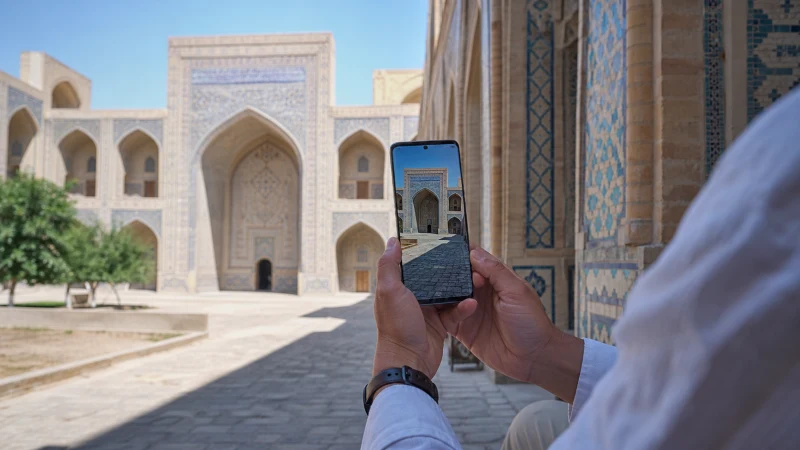

For a tourist choosing a mobile network in Uzbekistan, start with the operators your SIM or eSIM can actually use. A network visible in the phone’s search results is not necessarily available through your purchased plan.
Ucell and Beeline publish coverage tools that help you compare specific addresses and routes. Neither a national speed headline nor reception at one Tashkent hotel is enough to name the best operator for a trip that also includes Samarkand, Khiva or a remote excursion.
We provide data-only travel eSIMs, without a local number, conventional calls or SMS. If an Uzbek telephone number is essential, compare a local SIM separately rather than choosing solely by network coverage.
Quick answer: Check the supported partners for your exact package, compare their coverage at your overnight stops and along important transfers, and prioritise working data over a particular network logo. The NoveSIM Uzbekistan page checked on 11 October 2026 lists Ucell 5G and Unitel LLC 4G; recheck before buying.
Top Uzbekistan eSIMs

Uzbekistan eSIM
Fixed
1 GB, 7 days€ 3.182 GB, 15 days€ 4.093 GB, 30 days€ 5.00Unlimited
Unlimited, 1 day€ 2.73Unlimited, 3 days€ 5.46Unlimited, 5 days€ 8.19
Which Networks Can a NoveSIM Plan Use?
The Uzbekistan product page identifies Ucell and Unitel LLC as supported networks, with different advertised network generations. This is a statement about the displayed travel product, not a ranking of every domestic operator.
Read the details for the selected allowance and duration, especially if you are considering a regional package instead. Do not assume that all packages have identical partners or that a domestic operator’s own subscriber benefits also apply to a roaming travel eSIM.
Compare Ucell and Beeline against Your Stops
Use Ucell’s coverage map and Beeline’s coverage tools as starting points. Check your accommodation’s address, not only the city name. For a moving itinerary, follow the road or railway between stops rather than checking just its endpoints.
Ucell explicitly describes its coverage information as indicative. Terrain, the handset and local radio conditions can change the result. Ask accommodation staff about recent indoor reception if you need to work from a particular room; a map does not measure that room’s upload speed.
For planning the journey itself, the route-coverage guide separates city stays from intercity and remote travel.
Choose by the Task You Need to Complete
| Your priority | What to compare |
|---|---|
| Maps and messaging on a city break | Coverage at accommodation and daily stops; included data and validity |
| Uploads or work calls | Recent performance at the actual location and a separate Wi-Fi backup |
| Long transfers | Coverage along the route, not merely at departure and arrival |
| A local telephone number | Local SIM call/SMS terms as well as network coverage |
A faster download result does not necessarily resolve poor upload performance or interruptions during a call. For routine navigation, a working 4G connection can be sufficient; see the 5G guide before paying for a feature your handset or package cannot use.
If you need conventional local calls, the Uzbekistan SIM-card guide is the more relevant comparison.
Should You Select an Operator Manually?
Keep automatic operator selection for the first connection. If service fails repeatedly, manual selection may be a diagnostic step, but choose only a partner permitted by the plan. Selecting an unsupported operator will not expand your package’s access.
If you test a supported alternative, note the location and whether data improves. Restore automatic selection before moving on unless support has advised otherwise. The manual-selection instructions cover the procedure; this is not a reason to reinstall the profile.
Keep the eSIM installed during checks. Delete it only if NoveSIM Support explicitly instructs you to do so.
Related Articles
- Check the exact handset’s eSIM compatibility
- Diagnose no signal or no data
- Other ways to get internet in Uzbekistan
FAQ
Is Ucell or Beeline always better for tourists?
No universal winner is established here. Compare the networks available through your plan at your actual stops, and distinguish indoor service from the coverage shown on a map.
Can I use any operator shown in a manual network search?
No. The phone may detect operators that do not accept your travel profile. Your purchased plan determines which partners it can use.
Does a domestic operator’s 5G offer apply to my travel eSIM?
Not automatically. The operator’s own subscribers and roaming travel-plan customers may have different access. Check the selected travel package’s network details.
Which network should I choose for an intercity trip?
Compare the full route on the available partners’ coverage tools. Save maps and tickets offline because coverage at both endpoint cities does not establish continuous service between them.
Final Recommendation
The best network for your Uzbekistan visit is one your plan supports and that serves the places where you need data.
For a city stay, start with accommodation and daily destinations. For a longer itinerary, extend the comparison along the transfers before choosing the package.
Leave initial selection automatic and reserve manual operator changes for a specific connection problem, not a search for an unverified nationwide winner.