
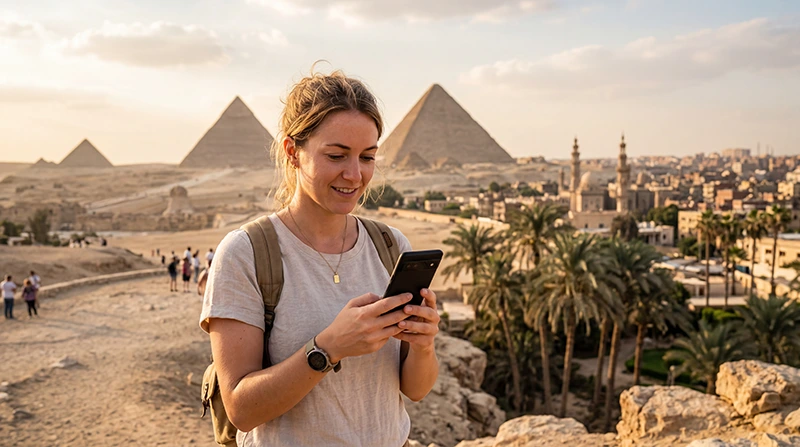

If you’re traveling to Egypt, choosing the right mobile internet option is important for maps, taxis, WhatsApp, hotel bookings, online tickets and staying connected during your trip.
Egypt has good mobile coverage in major cities, tourist resorts and popular routes, including Cairo, Giza, Alexandria, Luxor, Aswan, Hurghada and Sharm El Sheikh. Coverage may vary in remote desert areas, oases and long-distance roads.
Quick answer: the best network in Egypt for tourists is usually the one with strong coverage in your specific destination. A travel eSIM connects to supported local partner networks, giving you mobile data without buying a physical SIM card after arrival.
Top Egypt eSIMs
Main Mobile Networks in Egypt
Egypt has several major mobile operators. Travelers may connect through partner networks depending on the eSIM plan, local SIM card or roaming agreement.
| Network Type | Best For |
|---|---|
| Large national networks | Cities, resorts and main travel routes |
| Travel eSIM partner networks | Tourists who want easy setup |
| Local SIM networks | Longer stays or local number needs |
| Hotel WiFi | Indoor backup connection |
Best Coverage Areas in Egypt
| Destination | Expected Coverage |
|---|---|
| Cairo | Excellent |
| Giza | Excellent |
| Alexandria | Excellent |
| Luxor | Excellent |
| Aswan | Very Good |
| Hurghada | Excellent |
| Sharm El Sheikh | Excellent |
| Dahab | Very Good |
| Marsa Alam | Very Good |
| Siwa Oasis | Variable |
| Remote desert areas | Variable |
Best Network for Cairo and Giza
Cairo and Giza usually have strong mobile coverage. Tourists can use mobile data for airport transfers, Uber, Google Maps, hotel communication, restaurant searches, museum tickets and visiting the Pyramids.
Because Cairo is large and traffic can be heavy, reliable mobile data is especially useful for navigation and driver coordination.
Best Network for Luxor and Aswan
Luxor and Aswan generally have good mobile coverage in central areas, hotels and major tourist sites. Mobile data is useful for temple visits, tour coordination, maps and Nile cruise communication.
Coverage may vary slightly while cruising along the Nile, so download important documents and maps before departure.
Best Network for Hurghada and Sharm El Sheikh
Red Sea resorts such as Hurghada and Sharm El Sheikh usually have strong coverage in hotel zones, beaches, marinas and tourist areas.
Even if your hotel has WiFi, mobile data is useful for airport transfers, diving centers, boat trips, excursions, taxis and WhatsApp outside the resort.
Best Network for Desert Trips
Remote desert areas, oases and long-distance roads may have weaker or inconsistent signal. If your itinerary includes desert tours, always prepare offline backups.
- Download offline maps.
- Save hotel addresses.
- Save guide and driver contacts.
- Keep important documents offline.
- Carry a power bank.
Travel eSIM vs Local SIM for Network Access
| Feature | Travel eSIM | Local SIM Card |
|---|---|---|
| Uses local mobile networks | Yes | Yes |
| Buy before arrival | Yes | No |
| Physical SIM required | No | Yes |
| Keep home SIM active | Yes | Depends on phone |
| Best for tourists | Excellent | Good for longer stays |
Why Tourists Choose an eSIM
- No physical SIM card needed.
- No airport queue.
- Install before departure.
- Use mobile data shortly after arrival.
- Keep your regular SIM active.
- Use WhatsApp with your existing number.
- Good for holidays, city breaks and resort stays.
Can You Manually Select a Network?
In most cases, you should leave Network Selection on Automatic. Your phone will connect to the supported available network for your eSIM or SIM card.
Manual network selection can sometimes cause connection problems if you choose an unsupported operator.
Recommended Phone Settings
| Setting | Recommended Value |
|---|---|
| Mobile Data | Egypt eSIM |
| Calls | Primary SIM |
| SMS | Primary SIM |
| Data Roaming | ON for the eSIM |
| Primary SIM Data Roaming | OFF |
| Network Selection | Automatic |
| Automatic Data Switching | OFF |
| APN | data.esim if required |
APN Settings for Egypt eSIM
Most phones configure APN settings automatically. If mobile data does not work after arrival, enter the APN manually.
| Field | Value |
|---|---|
| APN | data.esim |
| Username | Leave blank |
| Password | Leave blank |
| Authentication | None |
How to Improve Signal in Egypt
- Keep Network Selection on Automatic.
- Restart your phone.
- Turn Airplane Mode on for 30 seconds.
- Move outdoors or closer to a window.
- Check that the eSIM is selected for Mobile Data.
- Enable Data Roaming on the eSIM.
- Check APN settings if mobile data does not work.
How Much Data Do You Need?
| Travel Style | Recommended Data |
|---|---|
| Weekend trip | 1–3 GB |
| One-week holiday | 5–10 GB |
| Two-week Egypt trip | 10–20 GB |
| Nile cruise and beach holiday | 10–20 GB |
| Remote work | 20 GB+ |
| Heavy hotspot use | 20 GB+ or unlimited |
Typical Data Usage
| Activity | Approximate Usage |
|---|---|
| Google Maps navigation | 5–10 MB per hour |
| WhatsApp messages | Very low |
| WhatsApp voice calls | 30–50 MB per hour |
| WhatsApp video calls | 250–500 MB per hour |
| Instagram browsing | 100–300 MB per hour |
| TikTok | 500 MB–1 GB per hour |
| YouTube HD | 1–3 GB per hour |
Can You Keep Your Home SIM?
Yes. Most Dual SIM smartphones allow you to keep your regular SIM active while using your Egypt eSIM for mobile data.
- Use the eSIM for internet.
- Keep your home SIM for calls.
- Receive SMS verification codes.
- Continue using your regular phone number.
- Keep WhatsApp linked to your existing number.
Does WhatsApp Work on Egyptian Networks?
Yes. WhatsApp works normally with mobile data or WiFi in Egypt. Your WhatsApp account remains linked to your existing phone number.
Can You Use Hotspot?
Yes. Most smartphones allow hotspot sharing with an eSIM. This is useful for laptops, tablets and travel companions.
Common Network Problems
- Data Roaming is disabled on the eSIM.
- The wrong SIM is selected for Mobile Data.
- Automatic Data Switching is turned on.
- APN settings are missing.
- Network Selection is set manually.
- Signal is weak in remote desert areas.
- Indoor signal is blocked by thick walls.
What If Mobile Data Does Not Work?
- Check that the Egypt eSIM is turned ON.
- Select the Egypt eSIM for Mobile Data.
- Enable Data Roaming on the eSIM.
- Turn off Data Roaming on your primary SIM.
- Restart your phone.
- Turn Airplane Mode on for 30 seconds.
- Keep Network Selection on Automatic.
- Set APN to data.esim if manual setup is required.
Related Egypt Guides
- Egypt eSIM
- Best Mobile Data in Egypt
- Unlimited Data in Egypt
- Best eSIM for Egypt
- Buy eSIM for Egypt
- Mobile Internet in Egypt
- How to Get Internet in Egypt
- Egypt eSIM APN Settings
FAQ
What is the best network in Egypt for tourists?
The best network depends on your destination. Major cities and resorts usually have strong mobile coverage, while remote desert areas may be more variable.
Does an Egypt eSIM use local networks?
Yes. A travel eSIM connects to supported local partner networks in Egypt.
Should I select a network manually?
No. Automatic Network Selection is recommended unless customer support instructs otherwise.
Is coverage good in Cairo and Giza?
Yes. Cairo and Giza usually have excellent mobile coverage for tourists.
Can coverage be weak in desert areas?
Yes. Remote desert areas, oases and long-distance roads may have variable signal.
What APN should I use?
If manual APN setup is required, use data.esim.
Final Recommendation
The best network in Egypt depends on where you travel, but major tourist destinations usually have strong mobile coverage. For most tourists, an Egypt eSIM is the easiest way to access supported local networks without buying a physical SIM card. Install it before departure, enable Data Roaming, keep Network Selection on Automatic and enjoy reliable mobile internet across Egypt.


