
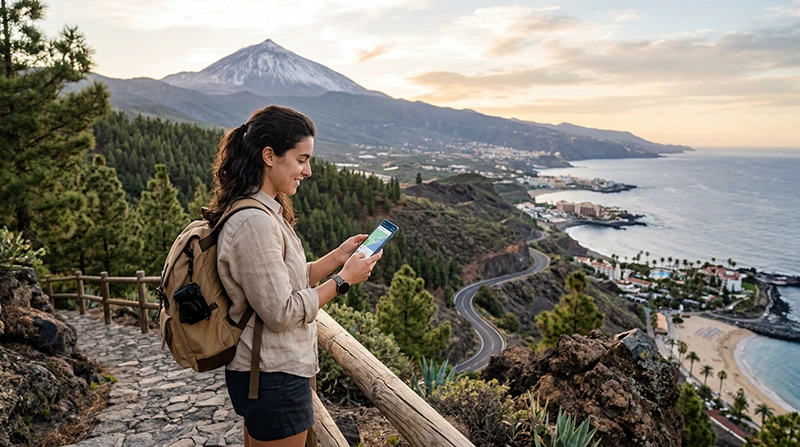

Traveler using eSIM and mobile internet in Tenerife

Best eSIM for Tenerife: Canary Islands Data Guide

For Best eSIM for Tenerife: Canary Islands Data Guide, choose by itinerary, validity and realistic data use rather than price alone.

Save the installation details offline and keep automatic data switching off so the phone does not unexpectedly use the primary SIM.

A NoveSIM plan selected for Best eSIM for Tenerife: Canary Islands Data Guide adds travel data for maps, bookings and online communication without replacing the telephone number already attached to the primary SIM.

Quick answer: Choose a Spain plan that explicitly covers the Canary Islands, matches the full trip length and provides enough data for maps, messaging and transport. Tenerife is part of Spain, but plan wording and coverage still take priority over assumptions.

Top Spain eSIMs

Before purchase, review how NoveSIM works, confirm the exact model on the compatible-device list and choose coverage from the travel eSIM destinations.

Top Spain eSIMs

Why Travellers Need Internet in Tenerife

Internet access becomes important almost immediately after landing in Tenerife.

  • Using Google Maps for island navigation
  • Finding beaches, hotels, villas, and resorts
  • Checking airport transfers and taxi routes
  • Using WhatsApp and social media
  • Planning road trips around the island
  • Checking Teide National Park routes and weather
  • Booking excursions, restaurants, and activities
  • Opening digital tickets, QR codes, and travel documents

Why Many Travellers Prefer eSIM in Tenerife

An eSIM is a digital SIM card built directly into compatible smartphones.

Instead of searching for SIM card shops after arrival, travellers can install a Spain eSIM before departure and activate mobile internet once they arrive in Tenerife.

This is especially useful for travellers who want internet ready for airport transfers, hotel check-in, maps, beaches, and car rental navigation.

Benefits of Using eSIM in Tenerife

  • Install before travel
  • No physical SIM card required
  • No airport SIM card queues
  • Useful for beaches, roads, hotels, and Teide routes
  • Works across Tenerife and other Spanish destinations
  • Can keep your regular SIM active

Main Internet Options in Tenerife

Option Best For Main Limitation
Spain eSIM Easy mobile internet on compatible phones Requires eSIM-compatible phone
Physical SIM card Older phones without eSIM Requires SIM replacement or shop visit
Public WiFi Hotels, cafes, and resorts Limited while driving, hiking, or visiting beaches
Roaming Short trips with included roaming Costs and limits depend on your provider

Can You Buy a SIM Card in Tenerife?

Yes. Travellers can usually buy prepaid SIM cards from airports, telecom stores, electronics stores, shopping centers, and tourist areas in Tenerife.

However, buying a physical SIM card may involve:

  • Finding a store after arrival
  • Waiting in queues
  • Comparing plans in-store
  • Replacing your regular SIM card
  • Possible activation delays
  • Risk of losing your home SIM card

Many travellers prefer eSIM because it makes arrival and setup easier.

Is Public WiFi Enough in Tenerife?

Public WiFi may be available in hotels, cafes, airports, restaurants, and resorts.

However, public WiFi is usually not enough for a full Tenerife trip because travellers often move between beaches, roads, viewpoints, hotels, hiking areas, and attractions.

Mobile internet is much more useful for:

  • Road trips around the island
  • Beach navigation
  • Teide National Park routes
  • Taxi and transfer apps
  • Restaurant bookings
  • Weather updates
  • Maps while exploring

Using eSIM Around Tenerife

Travellers commonly use mobile internet while visiting:

  • Santa Cruz de Tenerife
  • Costa Adeje
  • Los Cristianos
  • Playa de las Américas
  • Puerto de la Cruz
  • Teide National Park
  • La Laguna
  • Los Gigantes
  • Tenerife South Airport
  • Tenerife North Airport

Tenerife eSIM vs SIM Card vs WiFi

Internet Option Advantages Possible Drawbacks
Spain eSIM Easy setup before travel Requires compatible unlocked phone
Physical SIM card Can work for older phones Requires SIM swap or store visit
Public WiFi Useful indoors Limited outside hotels, cafes, and resorts
Roaming No new SIM needed Costs and limits depend on provider

How Much Data Do You Need in Tenerife?

The amount of data you need depends on your travel style.

Travel Style Estimated Data Need
Maps, messaging, light browsing 1GB – 3GB
Regular island holiday 3GB – 8GB
Heavy social media and video use 10GB – 20GB
Remote work and hotspot use 30GB+ or unlimited recommended

Best Data Plan for Tenerife Travel

For a short Tenerife holiday, a smaller data plan may be enough if you mainly use maps, WhatsApp, browsing, and hotel communication.

For beach holidays, daily navigation, social media uploads, road trips, or Teide excursions, a medium data plan is often more comfortable.

If you plan to work remotely, use hotspot, stream video, upload content, or stay longer, a larger or unlimited data plan may be more suitable.

Coverage in Tenerife

Mobile coverage is usually strong in popular tourist zones, towns, hotels, resorts, airports, beaches, and main roads.

Coverage is usually good in:

  • Santa Cruz de Tenerife
  • Costa Adeje
  • Los Cristianos
  • Playa de las Américas
  • Puerto de la Cruz
  • Main resort areas
  • Airport routes
  • Major roads

Signal quality may vary in remote mountain areas, volcanic landscapes, hiking routes, isolated beaches, tunnels, and parts of Teide National Park.

Using eSIM for Teide National Park

Many Tenerife travellers visit Teide National Park for viewpoints, hiking, photography, and scenic drives.

Mobile internet is useful for navigation, weather updates, route planning, and emergency communication.

However, coverage can vary in mountain areas, so downloading offline maps before visiting Teide is recommended.

Using eSIM for Tenerife Road Trips

Tenerife is ideal for road trips, and mobile internet is useful for:

  • GPS navigation
  • Traffic updates
  • Finding viewpoints
  • Checking parking options
  • Finding restaurants and fuel stations
  • Planning beach stops
  • Reaching hotels and villas

Offline maps are recommended for remote routes, mountain areas, and areas with weaker signal.

Can You Use Tenerife eSIM on Other Canary Islands?

Yes. A Spain eSIM can also be useful if you travel beyond Tenerife.

  • Gran Canaria
  • Lanzarote
  • Fuerteventura
  • La Palma
  • La Gomera
  • El Hierro
  • Mainland Spain destinations

Can You Use Hotspot with a Tenerife eSIM?

Hotspot availability depends on the selected eSIM plan and your device settings.

Some plans may allow hotspot sharing for laptops, tablets, or other devices.

If hotspot is important for remote work or family travel, check the plan details before purchase.

Do You Need Data Roaming Enabled?

Yes. Most travel eSIM plans require data roaming to be enabled on the eSIM line.

If roaming is disabled, mobile internet may not work correctly even if the eSIM is installed.

If you want to avoid using your primary SIM abroad, keep data roaming disabled on your regular SIM and enable it only on the Spain eSIM line.

APN Settings for NoveSIM eSIM

In most cases, APN settings configure automatically.

If manual setup is required for NoveSIM eSIM, use:

Setting Value
APN data.esim

Can You Keep Your Main SIM Active?

Yes. Most modern smartphones support dual SIM functionality.

This allows travellers to use the Tenerife eSIM for mobile data while keeping their regular SIM active for:

  • Calls
  • SMS verification codes
  • Banking apps
  • Authentication messages
  • WhatsApp on the same number

How to Activate eSIM for Tenerife

  1. Choose your Spain eSIM plan before travel.
  2. Install the eSIM using the QR code or activation link while connected to WiFi.
  3. Arrive in Tenerife.
  4. Select the Spain eSIM for mobile data.
  5. Enable data roaming on the eSIM line.
  6. Wait for the phone to connect to the network.

Where to Find Your NoveSIM eSIM Details

Your NoveSIM eSIM QR code and installation instructions are available:

  • In your confirmation email
  • Under My Account → Orders → View → eSIM details

Before Choosing eSIM for Tenerife

Before your trip, consider:

  • How much data will you need?
  • Will you visit Teide National Park?
  • Will you rent a car?
  • Will you travel beyond Tenerife?
  • Do you need hotspot functionality?
  • Does your phone support eSIM?
  • Is your phone carrier unlocked?

Check compatible eSIM devices

Get Internet Ready Before Your Tenerife Trip

Many travellers prepare mobile internet before departure so they can stay connected immediately after arrival in Tenerife.

Browse NoveSIM eSIM destinations

More Spain and Canary Islands eSIM Guides

Check Exact Country Coverage

A regional product is useful only when every country in the itinerary appears in the current plan coverage. Review validity, allowance, supported destinations and hotspot rules before purchase. Install before departure on dependable Wi-Fi, but follow the product’s activation timing because installation and validity do not always begin at the same stage.

For choosing the best eSIM for Tenerife, separate confirmed facts from assumptions. Current product instructions and the exact device settings take priority over a generic article, because plan coverage, network partners, operating-system menus and local availability can change.

Use Dual SIM without Unwanted Roaming

Select the travel eSIM for mobile data, enable Data Roaming on that line and switch off roaming for the primary SIM. Disable automatic data switching. The primary number can often remain available for calls or verification texts, but the home carrier may charge for those services, so check its rules separately.

Test the intended service with Wi-Fi turned off after the phone has had time to register. Keep the order number available, but never publish or share the full QR code, activation credentials or other sensitive account information.

Prepare a Reliable Backup

Save offline maps, tickets, accommodation details, transfer instructions and essential contact information before departure. Mobile performance can vary with the selected plan, device, partner network, terrain, buildings and congestion. No travel connection should be the only copy of a time-sensitive document.

Carry sufficient battery or a power bank, particularly when using navigation or hotspot features. If a connection problem continues, contact NoveSIM Support with the order number, exact phone model, current location, displayed status and screenshots that hide activation details. Do not delete the eSIM as an early troubleshooting step.

Pre-Travel Checklist

  1. Confirm the exact handset model, eSIM support and carrier-unlocked status.
  2. Check that the selected plan explicitly covers every destination in the itinerary.
  3. Match the plan validity and data allowance to the complete journey, including travel days.
  4. Install over dependable Wi-Fi and label the profile clearly as Travel.
  5. Save the order details, offline maps, tickets and accommodation address securely.
  6. Learn which SIM controls calls, messages and mobile data before departure.

Complete the checklist while support and reliable Wi-Fi are readily available. Do not scan the activation code on a different phone merely to test it, and do not share the code in a screenshot. If the profile appears in SIM settings, installation has normally completed even when the destination network is not yet available.

Arrival Settings for iPhone and Android

On iPhone, open Settings and then Mobile Service or Cellular. Switch on the labelled travel line, select it under Cellular Data and enable Data Roaming within that line’s options. Turn off Allow Cellular Data Switching when the home SIM must not provide roaming data. Android wording varies: look under Network & Internet, Connections, SIM Manager or Mobile Network, then choose the eSIM for mobile data and enable roaming for it.

Leave preferred network type and operator selection on Automatic for the first connection. After landing or crossing a border, registration can take several minutes. If necessary, use Airplane Mode for 30 seconds and restart. Manual network selection is a diagnostic step only: choose a partner confirmed for the exact plan, because every operator visible in the phone is not necessarily authorised.

Calls, SMS and Internet Apps

NoveSIM’s data-only service should be tested by loading a map or website with Wi-Fi switched off, not by placing a traditional call. WhatsApp, Signal, iMessage, email and similar internet services can use the travel data connection where locally available. Installing an eSIM does not normally change the telephone number registered to an existing app account.

A compatible dual-SIM phone can often keep the primary line available while the travel eSIM supplies data. This does not make the primary line’s roaming free. The home carrier may charge for calls, voicemail or SMS, and some phones temporarily affect data during a call. Check the carrier’s rates and the handset’s dual-SIM behaviour before relying on the arrangement for verification or urgent communication.

When to Ask for Support

Ask for help after confirming compatibility, coverage, line status, the selected mobile-data SIM and roaming. Provide concise evidence: the order number, exact model, software version, current country and city, the message shown by the phone and screenshots of relevant settings. Hide the QR code, activation string, email address and unrelated personal data.

For choosing the best eSIM for Tenerife, support can check plan status and current partner guidance more reliably when changes have been made one at a time. Avoid factory resets, unofficial firmware, random APNs and repeated profile removal. Those actions can erase useful evidence or turn a configuration problem into a more difficult installation problem.

Related Articles

FAQ

What is the quick answer about choosing the best eSIM for Tenerife?

Choose a Spain plan that explicitly covers the Canary Islands, matches the full trip length and provides enough data for maps, messaging and transport. Tenerife is part of Spain, but plan wording and coverage still take priority over assumptions.

Do NoveSIM plans include a local phone number or SMS?

No. NoveSIM travel plans are data-only and do not provide a local number, traditional calls or SMS. Internet communication apps can use the mobile-data connection where available.

Should Data Roaming be enabled?

Most travel eSIMs require Data Roaming on the travel line. Keep roaming off on the primary SIM and disable automatic mobile-data switching if avoiding home-carrier data charges is the goal.

Should I delete an eSIM when something does not work?

No. Do not delete an installed eSIM unless NoveSIM Support explicitly instructs you to do so. Some activation codes are intended for one installation and may not be reusable.

Final Recommendation

Confirm phone compatibility, unlocked status, exact country coverage, validity and allowance before relying on choosing the best eSIM for Tenerife.

Install over reliable Wi-Fi, keep the activation details private and use the travel eSIM for mobile data with roaming enabled only on that line when required.

Keep offline travel essentials and work through reversible checks before contacting support. This protects the installed profile and provides a safer route to reliable mobile data.

Scroll to Top