
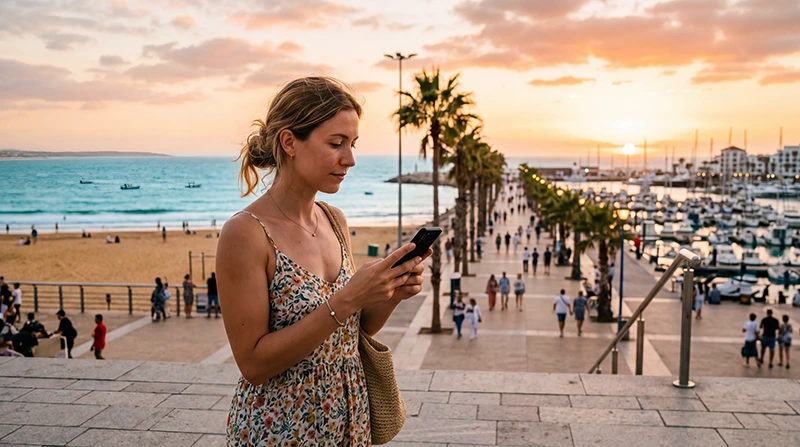

Tourist using an eSIM for mobile internet in Agadir Morocco

Best eSIM for Agadir: Mobile Data Guide for Tourists

If you are visiting Agadir, a travel eSIM is one of the easiest ways to stay connected without buying a physical SIM card after arrival.

Mobile internet is useful for Google Maps, WhatsApp, airport transfers, hotel communication, beach navigation, surfing trips, restaurant reservations, taxis and day trips along Morocco’s Atlantic coast.

Quick answer: the best eSIM for Agadir is a Morocco travel eSIM that works with your unlocked eSIM-compatible phone, includes enough data for your holiday and can be installed before departure. Enable Data Roaming after arriving in Morocco and keep Network Selection on Automatic.

Top Morocco eSIMs

Why Use an eSIM in Agadir?

  • Install before departure.
  • No physical SIM card required.
  • No airport SIM shop queues.
  • Get online immediately after landing.
  • Keep your regular SIM active.
  • Use WhatsApp with your existing number.
  • Perfect for beach holidays and road trips.
  • Avoid expensive roaming charges.

Best Internet Options in Agadir

Option Best For
Morocco eSIM Most tourists
Local SIM card Long stays or local number
Hotel WiFi Backup internet indoors
International roaming Emergency use
Public WiFi Light browsing only

Mobile Coverage in Agadir

Location Expected Coverage
Agadir Al Massira Airport Very Good to Excellent
Agadir Beach Excellent
Marina Agadir Excellent
City Centre Excellent
Souk El Had Excellent
Agadir Oufella Very Good
Taghazout Very Good
Tamraght Very Good
Paradise Valley Variable
Rural mountain roads Variable

Morocco eSIM vs Local SIM Card

Feature Morocco eSIM Local SIM Card
Buy before travel Yes No
Physical SIM required No Yes
Works after landing Yes After purchase
Keep your home SIM Yes Depends on phone
Best for holidays Excellent Good

Internet at Agadir Airport

Having mobile data immediately after landing at Agadir Al Massira Airport allows you to contact your transfer, navigate to your hotel, book a taxi or check travel information.

If your eSIM is already installed, simply enable Data Roaming after arriving in Morocco.

Internet Around Agadir Beach

Mobile coverage is generally excellent along Agadir Beach, the marina and the promenade. Mobile data is ideal for navigation, restaurant searches, booking activities and sharing photos during your holiday.

Internet for Surf Trips

Agadir is a popular base for surfers visiting Taghazout, Tamraght and nearby beaches. Mobile data helps you check surf forecasts, communicate with surf schools and navigate between beaches.

Coverage is generally good along the coast but may become more limited in remote valleys or mountain areas.

How Much Data Do You Need?

Trip Type Recommended Data
Weekend beach trip 3–5 GB
One-week holiday 5–10 GB
Beach + excursions 10–20 GB
Road trip 10–20 GB
Remote work 20 GB+
Heavy streaming Unlimited or largest available plan

Typical Data Usage

Activity Approximate Usage
WhatsApp messages Very low
WhatsApp voice calls 30–50 MB/hour
WhatsApp video calls 250–500 MB/hour
Google Maps 5–10 MB/hour
Email & browsing 50–150 MB/hour
Instagram 100–300 MB/hour
TikTok 500 MB–1 GB/hour
YouTube HD 1–3 GB/hour

Recommended Phone Settings

Setting Recommended Value
Mobile Data Morocco eSIM
Calls Primary SIM
SMS Primary SIM
Data Roaming ON for the eSIM
Primary SIM Roaming OFF
Network Selection Automatic
Automatic Data Switching OFF
APN data.esim if required

APN Settings

Field Value
APN data.esim
Username Leave blank
Password Leave blank
Authentication None

Can You Keep Your Home SIM?

Yes. Most Dual SIM phones allow you to use your Morocco eSIM for mobile internet while keeping your regular SIM active for calls and SMS.

  • Keep your normal number.
  • Receive verification codes.
  • Use WhatsApp with your existing number.
  • Avoid roaming charges.

Does WhatsApp Work in Agadir?

Yes. WhatsApp works normally over mobile data or WiFi. Your account remains linked to your existing phone number.

Can You Use Hotspot?

Yes. Most Morocco eSIM plans support hotspot where local coverage is available. This is useful for connecting laptops, tablets or another traveler’s device.

How to Save Mobile Data

  • Download offline maps.
  • Use hotel WiFi for backups.
  • Disable automatic app updates.
  • Turn off cloud photo uploads.
  • Reduce streaming quality.
  • Use hotspot only when necessary.

Common eSIM Problems

  • Data Roaming disabled.
  • Wrong SIM selected.
  • Missing APN settings.
  • Automatic Data Switching enabled.
  • Weak signal in remote valleys.
  • Phone does not support eSIM.

What to Do If Your eSIM Doesn’t Work

  1. Enable the Morocco eSIM.
  2. Select it for Mobile Data.
  3. Enable Data Roaming.
  4. Restart your phone.
  5. Turn Airplane Mode on for 30 seconds.
  6. Keep Network Selection on Automatic.
  7. Enter APN data.esim if necessary.

Related Morocco Guides

FAQ

What is the best eSIM for Agadir?

For most travelers, a Morocco travel eSIM is the most convenient option because it can be installed before departure and provides mobile data immediately after arrival.

Does eSIM work in Agadir?

Yes. Morocco eSIMs work well in Agadir where supported local mobile network coverage is available, including the airport, beaches, marina and city centre.

Is mobile internet good in Agadir?

Yes. Mobile coverage is generally excellent across Agadir and nearby coastal resorts. Coverage may become more limited in remote mountain areas or Paradise Valley.

How much data do I need for Agadir?

Most visitors use between 5 GB and 10 GB during a one-week holiday. Heavy users, hotspot users or remote workers should consider 20 GB or more.

Can I use WhatsApp with an Agadir eSIM?

Yes. WhatsApp works normally over mobile data while keeping your existing phone number.

What APN should I use?

If manual setup is required for a NoveSIM Morocco eSIM, use data.esim.

Final Recommendation

A Morocco travel eSIM is the easiest way to stay connected in Agadir. It provides reliable mobile internet for beaches, surfing, airport transfers, navigation, messaging and sightseeing without replacing your physical SIM card.

Install your eSIM before departure, enable Data Roaming after arriving in Morocco, keep Network Selection on Automatic and use data.esim as the APN if manual configuration is required.

Browse Morocco eSIM plans here.

Scroll to Top