


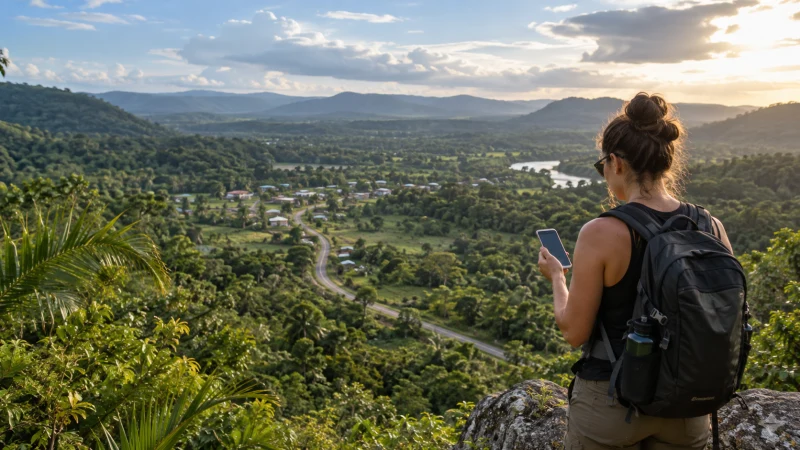

Belize eSIM coverage cannot be judged by a single country-wide promise. The experience depends on the local partner network available to the plan, the exact location, terrain, building construction and network demand at the time.
Checked on 23 October 2026, NoveSIM’s Belize product panel lists DigiCell — 4G and Speednet — 4G. Recheck the selected product before purchase. These entries do not guarantee access at every location, seamless switching between networks or 5G service.
An eSIM does not create separate coverage: it connects through a supported local network. Always check the current product details and prepare for gaps where losing data would disrupt navigation or a transfer.
Quick answer: Check the current networks for your Belize eSIM, then test mobile data at the place where you need it. A working connection at an accommodation or dock is not proof of service on a boat, remote caye or inland route. Start with Automatic Network Selection and test your saved maps and onward instructions without internet before departure.
Top Belize eSIMs

Belize eSIM
Fixed
1 GB, 7 days€ 25.932 GB, 15 days€ 48.233 GB, 30 days€ 67.33Unlimited
Unlimited, 1 day€ 28.66Unlimited, 3 days€ 84.17Unlimited, 5 days€ 139.67
Check the places where your itinerary needs data
For Belize City, Ladyville, Belmopan or San Ignacio, test at the actual accommodation, pickup point or departure location. This guide does not establish measured coverage rankings between those places or the routes connecting them. Buildings, local reception and network demand can change the result over a short distance.
On Ambergris Caye or Caye Caulker, service may be available around populated areas, but the experience can change as you move offshore. A phone that works at the accommodation may lose usable data during a reef excursion or boat crossing.
Boat trips, cayes and offshore excursions
Do not use a mobile signal as your only safety or navigation tool at sea. Before departure, save the operator’s meeting point, return time, emergency contact and accommodation address. Put tickets and identification details in an offline folder rather than relying on cloud access.
Where Wi-Fi is available on a property, use it to update maps and messages before the next journey. Public Wi-Fi remains a backup, not proof that mobile data will work across the surrounding water.
Interior travel and jungle routes
Road trips towards San Ignacio and established towns are different from excursions into reserves, caves and forested areas. Terrain and distance from network infrastructure can reduce or interrupt service. Tell your driver or guide where you are going, download the route and avoid leaving essential confirmations only in email.
If your itinerary continues across the western border, use the Guatemala–Belize handover checklist for separate pickup points and next-country data checks. A Belize-only allowance does not establish Guatemala inclusion.
Settings to check when the eSIM has no data
- No registration: confirm the eSIM line is enabled and the package covers Belize with valid service. Start with Automatic Network Selection and, if safe, try an open location. A network appearing in a manual list is not proof that your profile may use it.
- Signal without internet: check the selected data line, active allowance and required roaming setting before treating the problem as a coverage gap.
- Working but slow: pause uploads, backups and sharing, then load a small page. Compare indoor and outdoor positions where practical; one result does not identify the cause or measure the whole route.
- Confirm that the Belize eSIM is turned on and selected for mobile data.
- Enable data roaming on the eSIM line when required by the plan instructions.
- Leave network selection on automatic and allow the phone time to register.
- Restart the phone or briefly toggle flight mode.
- Check the plan validity and remaining allowance.
If signal appears but pages do not load, follow the dedicated signal-but-no-data troubleshooting guide. Manual network selection should be a later diagnostic step, not the default setup.
If the NoveSIM instructions require manual APN entry, use data.esim, not a domestic operator’s APN. Do not delete the installed eSIM unless NoveSIM support instructs you to do so. Keep unwanted home-line data roaming and automatic data switching off while diagnosing.
Test the offline route and return plan
- Download the full map area for the outward and return journey while you have a connection.
- While safely stopped, use Airplane Mode with Wi-Fi off and open the saved map. Check that the destination, pickup point and agreed return location remain readable.
- Open saved shuttle or boat tickets and accommodation instructions without signing in. Keep names, addresses and contact numbers in plain text as well as any map pins.
- Agree what happens if a pickup changes or you cannot message, then restore the intended data settings before leaving.
Offline maps do not guarantee live traffic, updated departures or every navigation function. Check current arrangements with the transport provider before departure. Terrestrial mobile coverage is not maritime connectivity, and NoveSIM data-only service does not supply conventional telephone calls or SMS.
How to prepare before arrival
Check that the phone is unlocked and appears on the supported device list. Install the eSIM over stable Wi-Fi and retain the installation details. For a broader comparison with local SIM and roaming, use our mobile internet in Belize guide.
Related Articles
FAQ
Does an eSIM cover all of Belize?
No provider can guarantee usable data at every location. Coverage depends on the partner network, terrain, device and local conditions.
Will an eSIM work on Ambergris Caye and Caye Caulker?
Mobile service may be available in populated parts of the cayes, but performance can vary and should not be assumed on offshore journeys.
Should I select a network manually?
Start with automatic network selection. Try manual selection only when troubleshooting and only choose a network supported by the plan.
What should I download for offline use?
Save maps, accommodation addresses, boat or shuttle tickets, driver contacts and any instructions needed to reach the next stop.
Final Recommendation
Judge Belize eSIM coverage with realistic route-based expectations. It is most valuable for navigation and communication around connected areas, while offline preparation protects the parts of the trip where boats, distance or terrain make service less predictable.