


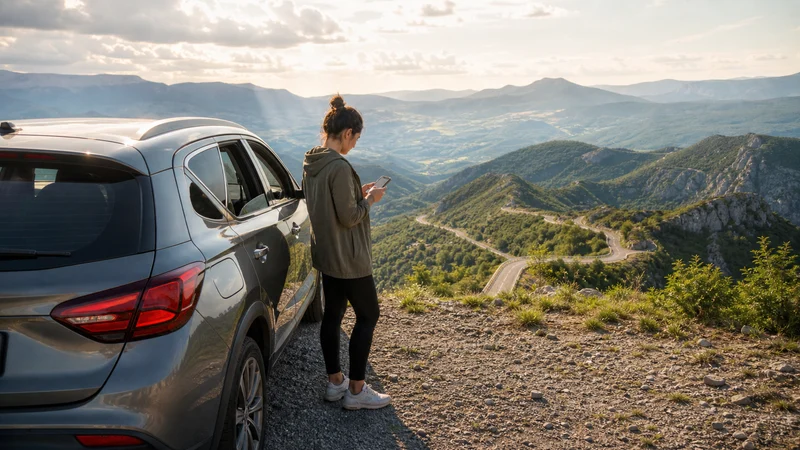

Mobile internet on a Serbia road trip is generally easiest to manage with a travel eSIM or local SIM backed by offline maps. Reception is usually more dependable in cities and along major corridors than in mountain valleys, tunnels and lightly populated rural areas, so the connection should support the journey rather than be its only navigation tool.
The right setup depends on the route. A drive between Belgrade and Novi Sad is different from a multi-day itinerary through Tara, Zlatibor, the Đerdap gorge or small towns in Central Serbia. Prepare the full route before departure, confirm that every country on a cross-border itinerary is included and keep essential documents available without a signal.
NoveSIM Serbia plans are data-only. We do not provide a Serbian telephone number, conventional calls or SMS. Maps, messaging, email and supported internet-calling apps can use the data connection, while a compatible dual-SIM phone can keep the primary line separately available.
Quick answer: Install the Serbia eSIM over stable WiFi before the trip, select it for mobile data after arrival and enable Data Roaming on that line. Download the complete driving area, save accommodation and emergency details offline, and never change network settings while driving.
Top Serbia eSIMs

Serbia eSIM
Fixed
1 GB, 7 days€ 3.082 GB, 15 days€ 4.843 GB, 30 days€ 6.16Unlimited
Unlimited, 1 day€ 3.08Unlimited, 3 days€ 7.49Unlimited, 5 days€ 12.33
Balkans eSIM
Fixed
1 GB, 7 days€ 4.402 GB, 15 days€ 7.053 GB, 30 days€ 9.25Unlimited
Unlimited, 1 day€ 4.84Unlimited, 3 days€ 11.01Unlimited, 5 days€ 17.17Europe Extra eSIM
Fixed
1 GB, 7 days€ 2.202 GB, 15 days€ 3.523 GB, 30 days€ 4.40Unlimited
Unlimited, 1 day€ 2.64Unlimited, 3 days€ 5.28Unlimited, 5 days€ 8.81Europe+ eSIM
Fixed
1 GB, 7 days€ 2.642 GB, 15 days€ 3.963 GB, 30 days€ 5.28Unlimited
Unlimited, 1 day€ 2.64Unlimited, 3 days€ 6.16Unlimited, 5 days€ 10.13Choose the Connection Around the Route
A travel eSIM is convenient when the phone is unlocked and compatible because it can be prepared before the first driving day. A local prepaid SIM may suit a longer stay or a traveller who needs a Serbian number. Home-network roaming can work, but Serbia is not automatically covered by EU/EEA Roam Like at Home, so verify the tariff before enabling it.
Check the exact eSIM plan rather than assuming that any “Europe” package includes Serbia. Compare destination coverage, data allowance, validity, activation rule, hotspot policy and supported networks. The current options are shown on the Serbia eSIM product page.
For a Serbia-only journey, a destination plan may be enough. For a route continuing to Montenegro, Bosnia and Herzegovina, North Macedonia, Bulgaria, Romania or Hungary, choose a regional plan that explicitly lists every country. Crossing a border changes the serving network, and registration can take several minutes even when one eSIM covers both sides.
Prepare the Full Driving Area Offline
Download a larger map area than the visible route line. A diversion, missed junction or change of accommodation can take the vehicle outside a narrowly cached corridor. Include the departure city, overnight stops, border crossings and the roads around national parks or mountain destinations.
Save more than navigation:
- Accommodation names, addresses and telephone numbers.
- Booking confirmations and access instructions.
- Car-rental documents and the provider’s assistance number.
- Insurance details and a copy of the planned border documents.
- Fuel or charging stops on sparsely populated stages.
- Parking information for city arrivals.
- A screenshot of the next day’s route and final approach.
An offline copy does not need to replace live traffic. It provides a usable baseline if the phone enters a tunnel, a deep valley or an area with temporary congestion. Refresh the next day’s material each evening while a stable connection is available.
What Coverage to Expect on Serbian Roads
Serbia’s principal mobile networks are Telekom Srbija under the mts brand, Yettel and A1 Srbija. Urban areas and major transport corridors generally provide the strongest service, but a travel eSIM connects according to its own partner agreements. Do not assume that the profile can access every domestic network manually.
The Belgrade–Novi Sad and Belgrade–Niš corridors pass through well-populated areas, yet reception can still drop in cuttings, tunnels or inside a vehicle with coated glass. The longer and more topographically varied the route, the more important offline preparation becomes.
Western and south-western itineraries around Tara, Zlatibor, Uvac or mountain roads can move between open high ground and screened valleys. In Eastern Serbia, the Danube and Đerdap route includes steep terrain and tunnel sections. Central Serbian roads may alternate between towns, agricultural land and forested areas. A loss of signal in one section is not proof that the eSIM configuration is wrong.
5G availability is expanding, but a road trip should not depend on a permanent 5G symbol. A stable 4G connection is sufficient for navigation, bookings and messaging. The displayed technology depends on the handset, plan, partner network, location, congestion and radio conditions. See the Serbia eSIM coverage guide when evaluating a specific area.
Belgrade to Novi Sad
This is a relatively straightforward intercity stage, but connectivity still matters at both ends. Download the approach to the accommodation or parking location before leaving Belgrade. In Novi Sad, a saved central map helps if reception weakens inside a parking structure or older building.
If the trip includes Fruška Gora, cache the park roads and chosen trailhead separately. Forested and hilly areas can behave differently from the nearby city. Store the return route and a meeting point for the group rather than expecting every passenger to retain a live connection.
Belgrade to Niš and Southern Serbia
The principal motorway route is easier to prepare than a network of minor roads, but navigation should still remain available through tunnels and temporary diversions. Save the Niš arrival area, parking destination and accommodation entrance before departure.
A journey continuing south or east needs a wider offline area. Roadworks, border queues or a change in the day’s schedule may alter the chosen road. Download the relevant border approach and confirm whether the mobile plan continues beyond Serbia before the vehicle reaches the frontier.
Central Serbia, Tara and Zlatibor
Central and western Serbia reward slower travel, but they also create more varied radio conditions. Small towns may provide a strong connection while the road between them passes through woodland, rolling terrain or a narrow valley. Use the last reliable stop to load the next route, check opening times and send an updated arrival estimate.
For Tara, Zlatibor, Uvac and similar outdoor stages, save the precise trailhead or viewpoint rather than only the destination name. Keep a paper note or screenshot of the return junction, and do not treat a navigation app as an emergency communications guarantee.
Weather can change the useful route in mountain areas. A live forecast is valuable, but the safe fallback is an itinerary that remains understandable without data. Avoid changing advanced phone settings simply because reception disappears temporarily behind terrain.
Driving beside the Danube
A Danube itinerary may combine major towns, riverside roads, archaeological sites and the Đerdap gorge. Download each day’s road segment and the final walking area around planned stops. Tunnel sections and steep valley walls can interrupt the current radio connection.
Near an international border, a phone may detect a network from the neighbouring country. Leave network selection on Automatic under normal conditions, but monitor roaming notifications and confirm that the active plan covers the network it selects. A Serbia-only package does not become a Romania plan because the opposite bank is visible.
If the journey includes a cruise or boat excursion, terrestrial mobile coverage and onboard WiFi are separate services. Avoid connecting to an unintended non-terrestrial network and check the vessel’s instructions before leaving the phone in automatic mode for a long crossing.
Camping and Campervan Connectivity
For camping, check the actual site rather than judging coverage by the nearest town. A campsite can sit below a ridge, behind dense trees or at the edge of a network’s usable area. Save the booking, gate instructions and site rules before the final approach.
Campervan travellers should separate three needs: navigation for the driver, ordinary mobile use for passengers and any laptop hotspot session after parking. Do not allow passenger streaming or automatic backups to consume the data needed for the next day’s route.
Use designated, lawful overnight places and verify their current access rules directly. Mobile coverage does not indicate that roadside camping is permitted. Keep the phone, power bank and any hotspot device charged, but secure loose charging cables before the vehicle moves.
Campsite WiFi can be useful for media downloads and operating-system updates. Confirm the network name with staff, avoid sensitive transactions on an untrusted connection and return to mobile data if the WiFi login page or encryption is questionable.
Motorcycle Travel
Configure the phone, route and audio directions before riding. Never attempt network selection, APN changes or troubleshooting while the motorcycle is moving. Stop in a safe and legal place before touching the device.
Weatherproofing and power deserve as much attention as the data plan. A wet charging port, overheated phone or loose cable can remove navigation even when mobile service is available. Carry a charged power bank and keep an offline route on a second device or with another rider where practical.
For a group ride, agree on the next meeting point before entering a remote stage. Mobile messaging is useful for delays, but it should not be the only recovery plan when riders become separated.
Multi-City Trips and Changing Accommodation
A multi-city itinerary creates repeated moments when mobile data is most valuable: leaving a station or car park, finding the next property and responding to a host. Save the next address before checking out and screenshot entry instructions that may be hidden inside a booking app.
When combining driving with buses or trains, store each ticket locally. Station WiFi and onboard WiFi are conveniences, not dependable sources for retrieving a time-sensitive booking. The Serbia public transport apps guide covers the non-driving parts of the journey.
Install the eSIM before the Driving Day
- Confirm that the phone supports eSIM and is network-unlocked.
- Choose a plan that includes Serbia and every additional destination on the itinerary.
- Install the QR code over stable WiFi according to the supplied instructions.
- Label the line clearly, for example “Serbia Data”.
- Keep the profile installed even if it cannot register before arrival.
- After arrival, select it for Mobile Data and enable Data Roaming on that line.
- Disable mobile data and automatic data switching on the home SIM unless intentionally using it.
- Test navigation, messaging and the first saved route while parked.
Most profiles configure the APN automatically. If the NoveSIM plan instructions require manual entry, use data.esim without a username or password. Do not overwrite a working APN to match a generic setting. The full procedure is available in the Serbia eSIM installation guide.
Crossing Serbia’s Borders
A regional eSIM can remain installed across several countries only when the purchased package includes them. At a border, the phone must leave one network and register on another. Keep Network Selection on Automatic and allow a few minutes for that process.
Before the crossing:
- Confirm the next country in the plan’s current coverage list.
- Save the border approach and destination address offline.
- Check whether the allowance and validity continue unchanged.
- Download any required vehicle or booking documents.
- Turn off automatic data switching to the home SIM.
If data does not return after the border, wait until the vehicle is safely parked. Toggle Airplane Mode briefly, check that the travel line remains selected and then restart the phone if necessary. Manual network selection should only use networks supported by the plan.
For a common western route, the Montenegro and Serbia eSIM guide explains how registration changes between those two countries.
Hotspot Use for Passengers and Remote Work
A passenger can use a hotspot for a laptop or another phone if the selected plan permits tethering. Protect it with a strong password and switch it off after the session. Laptops may start backups, updates and synchronisation automatically, so set the connection as metered where the operating system supports it.
The driver should not manage a hotspot or join a call while driving. Schedule work for accommodation, a service area or another safe stop. For an important meeting, choose a location with proven reception and a power source rather than relying on a moving vehicle.
Video meetings consume much more data than email or messaging. Reserve enough allowance for navigation and essential communication through the remainder of the trip.
Troubleshooting without Disrupting the Journey
First distinguish a coverage gap from a configuration problem. If service disappeared in a tunnel or valley but worked earlier, wait until the route reaches an open or populated area. Repeatedly changing settings during a temporary radio gap can create a second problem.
When safely parked, check in this order:
- Confirm that the eSIM line is switched on.
- Verify that it is selected for Mobile Data.
- Enable Data Roaming on the travel eSIM.
- Confirm that the plan is active, has remaining data and includes the current country.
- Toggle Airplane Mode for about 30 seconds and wait for registration.
- Restart the phone if the connection does not return.
- Compare the APN with the plan instructions.
- Try a supported manual network only after the earlier checks.
Do not delete the installed eSIM while troubleshooting. A QR code may not be reusable. If support is needed, record the location, phone model, displayed network, error message and steps already attempted.
Related Articles
- Mobile data in Serbia
- Serbia eSIM plans
- Serbia eSIM coverage
- Install an eSIM for Serbia
- Roaming charges in Serbia
- Montenegro and Serbia eSIM
FAQ
Is mobile coverage reliable on a Serbia road trip?
Coverage is generally strongest in cities and along major corridors, but it can vary in tunnels, mountain valleys, forested areas and lightly populated countryside. Download the full route and important documents before each remote stage.
Will one Serbia eSIM work across neighbouring countries?
Only if the exact plan explicitly includes each country. A Serbia-only plan may stop at the border, while a qualifying regional plan can register on authorised partner networks in the other listed destinations.
Can passengers use a hotspot during the drive?
Yes, when tethering is permitted by the plan. Secure the hotspot, control laptop backups and updates, and reserve enough data for navigation and essential communication. The driver should not manage the phone while moving.
What should I do if data disappears on a rural road?
Continue using the offline route and wait for an open or populated area before troubleshooting. When safely parked, confirm the selected data line and roaming setting, toggle Airplane Mode and restart the phone if needed. Do not delete the eSIM.
Final Recommendation
For Serbia road trip mobile internet, prepare both the connection and the fallback. An eSIM can remove the need to find a shop after arrival, but it cannot guarantee reception through every tunnel, gorge or remote mountain road.
Install the plan on WiFi, label the SIM lines clearly, download the complete route and verify every cross-border destination before departure. Keep the travel line selected for data and prevent the home SIM from taking over unexpectedly.
During the journey, refresh the next stage while parked in an area with stable service. Offline maps, saved bookings and an agreed group plan keep the trip moving when live mobile coverage temporarily does not.