


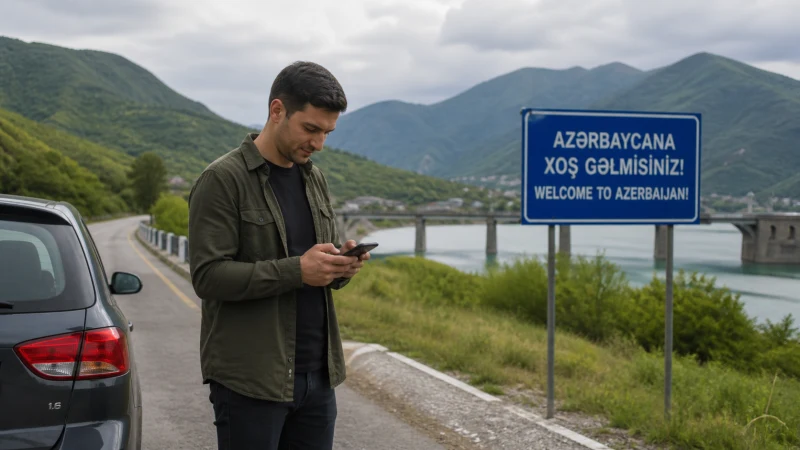

Azerbaijan road-trip internet is most reliable in Baku and populated towns, while signal can change on mountain approaches, open rural stretches and roads between settlements. Build the driving plan so it remains usable without a continuous connection.
The routes to Gobustan, Quba, Lankaran, Sheki, Gabala and Goygol cross different terrain. A network that performs well in central Baku may behave differently near the Greater Caucasus, the southern lowlands or the western mountain foothills.
NoveSIM Azerbaijan travel eSIMs are data-only. We do not provide an Azerbaijani number, conventional calls or SMS. Navigation and internet messaging can use the data connection where coverage is available.
Quick answer: Install the Azerbaijan eSIM before departure, download the complete route and an alternative, and refresh weather, fuel and accommodation details whenever you reach a connected town. Do not make a mountain or regional drive depend on uninterrupted live navigation.
Top Azerbaijan eSIMs


Plan Coverage by Route, Not by Country Average
National coverage descriptions cannot predict the signal at a particular bend, valley or building. Distance from a network site, terrain, the phone’s supported bands and the partner network all affect the result. Even when a route follows a major highway, brief weak sections remain possible.
Leave Network Selection on Automatic while moving. Locking the phone to one network can prevent it from registering on another supported partner later in the journey. The Azerbaijan coverage guide gives broader geographic context, while the route notes below focus on practical preparation.
Baku to Gobustan
Gobustan is a common day trip from Baku, often combining the archaeological reserve with mud-volcano areas. The main approach is much less isolated than a remote mountain expedition, but the final destination and excursion roads can still have weaker or less predictable service than central Baku.
Download the attraction location, return route and any tour meeting point before leaving the city. If the excursion includes unpaved or specialist-vehicle sections, mobile coverage does not replace local access guidance or a confirmed driver arrangement.
Baku to Quba
The journey north toward Quba leaves the dense Baku radio environment and continues toward terrain where signal can vary more with location. Quba itself is a regional centre, but onward mountain travel toward smaller settlements requires stronger offline preparation.
Save the accommodation address and route before climbing away from the main corridor. If the itinerary continues toward mountain villages, check road and weather conditions separately; a mobile coverage map cannot establish whether a road is safe or open.
Baku to Sheki
The Baku–Sheki journey is a popular cross-country route with towns along much of the way. Service may be workable on many main-road sections, but the drive is long enough for the phone to hand over repeatedly between cells and for terrain to affect reception closer to the foothills.
Store both the main route and an alternative. Save the Sheki accommodation details in advance and refresh live information during stops in connected towns rather than waiting until the final approach.
Sheki to Gabala
Sheki and Gabala are both established visitor destinations, yet the road between them should still be treated as a regional drive rather than continuous urban coverage. Mountain terrain, indoor stops and exact network access can change the connection.
Download both town maps and the route connecting them. If you plan side trips beyond the main road, keep meeting points and return directions offline. The Azerbaijan mobile internet guide covers connectivity once you are in the main towns.
Baku to Lankaran
The southern route toward Lankaran follows a different corridor from the northern mountain journeys. Towns along the road provide opportunities to refresh maps and messages, but long driving days still justify an offline route and saved fuel stops.
If continuing toward forested or upland areas beyond Lankaran, expect greater variation than in the city itself. Border proximity also means travellers should follow current road signs and official access guidance rather than relying only on a navigation app.
Ganja and Goygol
Ganja offers urban connectivity and is a practical point for downloading onward information. Travel toward Goygol and nearby mountain attractions introduces terrain and park-access considerations that mobile signal alone cannot solve.
Save the correct entrance, parking or meeting location before leaving Ganja. Check current access and weather information through authoritative local sources, and keep the return route available offline.
What to Download Before Driving
- The full driving area, destination and at least one alternative route.
- Accommodation addresses, check-in instructions and contact details.
- Fuel or charging stops appropriate for the vehicle.
- Rental-company and roadside-assistance information.
- Tickets, meeting points and any required access documents.
- Weather and road information needed for the next leg.
Test offline navigation by switching the phone to Airplane Mode before setting out. A map visible in the recent-app screen is not necessarily stored for offline routing.
Configure the Azerbaijan eSIM for Driving
- Install the profile on reliable Wi-Fi before the trip.
- Confirm that the phone is unlocked and that the plan includes Azerbaijan.
- Select the eSIM for Mobile Data and enable Data Roaming on that line.
- Keep roaming off for the primary SIM and disable mobile-data switching.
- Leave Network Selection on Automatic while travelling.
- Use data.esim only if manual APN entry is required for a NoveSIM plan.
If signal disappears, continue with the saved route until it is safe to stop. In an open location, verify the active data line, toggle Airplane Mode once and allow time for registration. Manual network selection is a later diagnostic step, not something to adjust while driving.
Protect Data and Battery
Navigation, screen brightness and repeated network searching can drain a phone quickly. Carry a charged power bank and accessible cable. Pause cloud photo backup, app updates and automatic video downloads before the driving day.
Hotspot use can increase both battery drain and data consumption. Confirm tethering support before depending on the phone for a passenger’s device or laptop. The Azerbaijan data guide helps estimate the allowance for navigation, media and shared use.
Border and Restricted-Area Awareness
Some routes approach international borders or sensitive areas. Follow current official guidance, road signs and local restrictions. A map pin, visible road or foreign network signal does not confirm that an area is open or permitted.
An Azerbaijan-only plan does not automatically include Georgia or Iran. Prevent the primary SIM from taking over data and verify coverage separately before any international continuation.
Related Articles
- Azerbaijan eSIM plans
- Mobile internet in Azerbaijan
- Azerbaijan eSIM coverage
- Best network in Azerbaijan for tourists
- How much data do you need in Azerbaijan?
- Internet in remote areas of Azerbaijan
- Azerbaijan–Georgia border mobile internet
- Azerbaijan eSIM troubleshooting
FAQ
Will mobile data work throughout an Azerbaijan road trip?
No network can guarantee an uninterrupted connection along every route. Coverage changes with terrain, location, handset and partner access, so download the complete journey before driving.
Which Azerbaijan routes need offline maps?
Every regional route benefits from offline maps, especially approaches to mountain, rural or park destinations. Save Baku–Quba, Baku–Sheki, Sheki–Gabala, Baku–Lankaran and Ganja–Goygol routes before departure.
Should I select a network manually while driving?
No. Leave selection automatic while moving. Only try manual selection when safely stopped and after checking the active data line, roaming and Airplane Mode.
Does an Azerbaijan eSIM cover Georgia or Iran?
Not unless the selected plan explicitly includes the neighbouring country. An Azerbaijan-only plan should not be assumed to work after crossing a border.
Final Recommendation
Plan Azerbaijan road-trip internet around reliable towns and saved information, not the expectation of one continuous national signal. Download each route, alternative and essential stop before departure.
Keep network selection automatic, protect the phone’s battery and refresh live details whenever service is available. With those fallbacks, a temporary coverage gap does not need to interrupt the journey.