


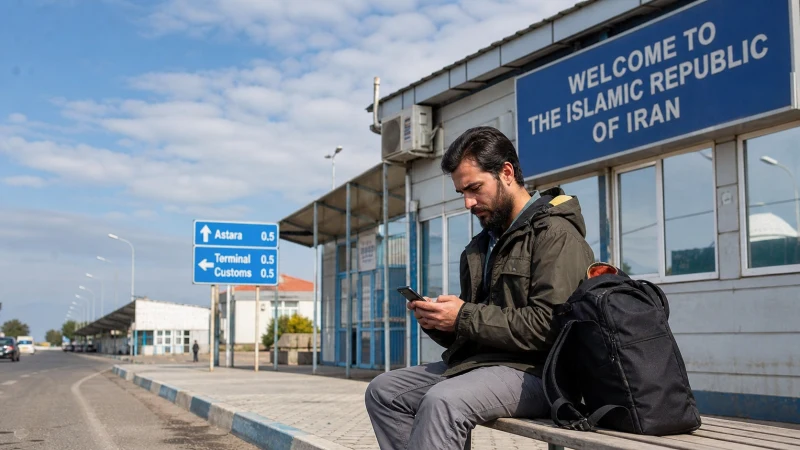

Mobile internet near the Azerbaijan–Iran border can change as the phone detects networks from both countries. Coverage depends on the exact route, terrain, selected plan and supported partner network.
An Azerbaijan plan should not be assumed to include Iran, and connectivity rules or service availability can differ substantially across the border.
NoveSIM travel eSIMs are data-only and do not provide conventional calls or SMS.
Quick answer: Keep automatic network selection enabled, confirm the plan covers every country you will enter and save documents, maps and addresses offline. Avoid manually selecting an Iranian network unless the plan explicitly supports it.
Top Azerbaijan eSIMs


Why Border Coverage Can Be Confusing
A phone may display a network from the other side before the traveller crosses. A strong signal does not prove that the network is included in the plan. Hills, valleys and distance from network sites also create abrupt changes.
Prepare Before the Journey
- Check current official border and travel guidance.
- Save identification, transport and accommodation details offline.
- Download both the main route and an alternative.
- Confirm the eSIM country list and validity.
- Carry sufficient battery for navigation.
Review the Azerbaijan coverage guide before choosing the route and use the road-trip internet checklist for offline preparation.
Use Mobile Data Near the Border
- Select the Azerbaijan eSIM for Mobile Data.
- Enable roaming only on that travel line.
- Leave network selection automatic.
- Keep the primary SIM’s roaming off.
- After any crossing, allow time for a supported registration.
For NoveSIM, use data.esim only when manual APN entry is required. Do not delete the eSIM if the connection changes.
Related Articles
- Azerbaijan eSIM plans
- Azerbaijan coverage
- Azerbaijan road-trip internet
- Remote-area internet
- Mobile internet in Azerbaijan
- Azerbaijan troubleshooting
FAQ
Will an Azerbaijan eSIM work in Iran?
Only if the exact plan explicitly includes Iran. Do not infer coverage from proximity to the border.
Why does my phone show an Iranian network?
Radio signals can cross a border, especially when that network is stronger at the current location.
Should I choose a network manually?
Start with Automatic and select manually only when the plan and support instructions allow it.
What should remain offline?
Keep maps, documents, addresses and onward transport information available without data.
Final Recommendation
Treat the Azerbaijan–Iran border as an offline-first travel segment.
Verify country coverage, avoid unintended network selection and keep the primary SIM protected from roaming.
Use saved documents and maps whenever signal or service rules make connectivity uncertain.