


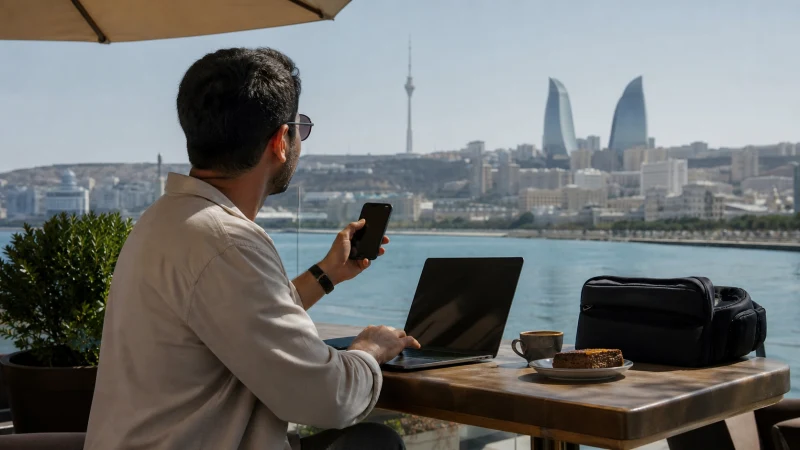

An Azerbaijan eSIM can provide a personal hotspot when the selected plan and phone permit tethering. Hotspot use is not guaranteed by eSIM technology alone, so check the exact product terms before relying on it for work.
A laptop can consume data much faster than a phone because of cloud synchronisation, software updates and video meetings.
NoveSIM travel eSIMs are data-only. We do not provide an Azerbaijani number, conventional calls or SMS.
Quick answer: Confirm hotspot support for the chosen Azerbaijan plan, select the eSIM for Mobile Data, enable Data Roaming and then turn on Personal Hotspot or Mobile Hotspot. Use a strong password and pause laptop updates and cloud backup.
Top Azerbaijan eSIMs


Check Hotspot Support First
Read the current plan details for tethering rules, allowance and any fair-use limit. An “unlimited” label does not necessarily mean unrestricted high-speed laptop use. Choose data according to the real workload with help from the Azerbaijan data guide.
Turn On the Hotspot
- Enable the Azerbaijan eSIM and select it for Mobile Data.
- Turn on Data Roaming for that line.
- Open Personal Hotspot or Mobile Hotspot.
- Set a unique password.
- Connect only the devices you recognise.
- Switch the hotspot off when finished.
Control Laptop Data Use
- Pause operating-system and application updates.
- Disable automatic cloud backup and photo synchronisation.
- Lower video-call quality when appropriate.
- Avoid large downloads until trusted Wi-Fi is available.
- Monitor usage on both phone and connected device.
If the Hotspot Does Not Work
First test mobile data directly on the phone. If that fails, the problem is not limited to tethering. Check roaming, allowance and coverage. For NoveSIM, use data.esim if manual APN entry is required.
If phone data works but the hotspot does not appear, restart both devices and confirm plan support. Do not delete the eSIM. Follow the Azerbaijan troubleshooting guide if the main connection is affected.
Related Articles
- Azerbaijan eSIM plans
- Mobile internet in Azerbaijan
- How much data for Azerbaijan?
- Azerbaijan eSIM on iPhone
- Azerbaijan eSIM on Android
- Azerbaijan eSIM troubleshooting
FAQ
Can I use an Azerbaijan eSIM as a hotspot?
Yes, when the selected plan and phone permit tethering. Check the current product terms first.
Does hotspot use more data?
It often does because connected laptops run updates, cloud services and higher-quality media.
Why does phone data work but hotspot fail?
The plan may restrict tethering, or the phone may need a restart or hotspot-setting correction.
Is public Wi-Fi better than a hotspot?
Trusted Wi-Fi can suit large downloads, while a personal hotspot gives more control for ordinary work. Neither is guaranteed everywhere.
Final Recommendation
Use an Azerbaijan eSIM hotspot only after confirming plan support and allowance.
Secure the connection, control background laptop traffic and monitor usage.
Keep an alternative connection for an important meeting because mobile performance can vary by location.