


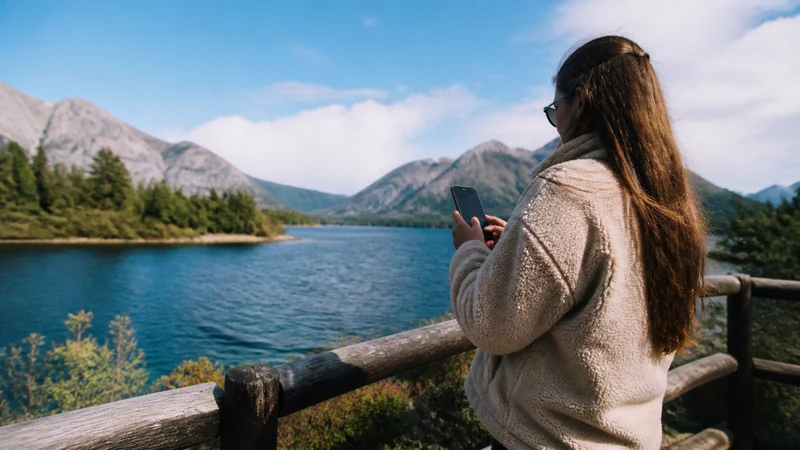

Mobile data in Argentine Patagonia works best in towns and established tourist centres, but it can disappear along remote highways, mountain routes and sparsely populated stretches. The safest plan combines a suitable mobile connection with offline navigation.
A trip limited to Bariloche has different connectivity needs from a long drive through El Calafate, El Chaltén or Tierra del Fuego. Check the actual route rather than treating Patagonia as one uniform coverage area.
NoveSIM Argentina plans are data-only. They do not include an Argentine number, traditional calls or carrier SMS; internet calling and messaging can work where the phone has usable data service.
Quick answer: Use an Argentina plan that lists suitable partner networks, but expect gaps outside Patagonia’s towns. Download maps, fuel stops, accommodation details and emergency information before each remote leg, and never make a mobile signal your only navigation or safety plan.
Top Argentina eSIMs


Where Is Mobile Coverage Most Reliable in Patagonia?
Coverage is generally more dependable in cities and tourist bases than on the roads connecting them. Places such as Bariloche, El Calafate and Ushuaia may have everyday mobile service, yet reception can weaken quickly after leaving built-up areas. Terrain, distance from a mast, weather and indoor construction can all affect the result.
Operator coverage maps show planned outdoor reach, not guaranteed reception at a trailhead, inside a lodge or throughout a national park. Review the partner networks listed for the eSIM and compare them with the current operator maps. The broader Argentina coverage guide explains how to interpret those maps.
Prepare for Long Gaps between Towns
- Download the full route in the mapping app, not just individual town centres.
- Save accommodation addresses, check-in instructions and booking numbers offline.
- Mark fuel stations and realistic stopping points before leaving a town.
- Carry a charging cable and power bank; cold conditions can reduce battery performance.
- Tell another person the route and expected arrival time when travelling remotely.
- Do not depend on internet calling for emergency communication in an area without coverage.
The same preparation is important on longer driving itineraries. See the Argentina road-trip internet guide for device, charging and daily departure checks.
How Much Data Does a Patagonia Trip Need?
Navigation itself is usually not the largest data cost. Photo and video uploads, streaming, video calls and hotspot use can consume much more. Accommodation Wi-Fi can reduce mobile use, but its speed and reliability vary and should not be assumed.
| Use pattern | Planning approach |
|---|---|
| Maps, messages and bookings | A modest fixed allowance may be sufficient when maps are downloaded |
| Daily social media and calls over data | Add a margin for media uploads and longer travel days |
| Remote work or laptop hotspot | Check hotspot terms and choose a larger allowance |
| Frequent video streaming | Use Wi-Fi where practical and reduce video quality on mobile data |
Use the ranges in how much data to choose for Argentina, then adjust for the number of devices and the likelihood of uploading photos or working from the road.
Set Up the eSIM before Entering Remote Areas
- Install the eSIM on stable Wi-Fi before departure or while still in a well-connected town.
- Confirm that the plan covers Argentina and remains valid for the full itinerary.
- Select the eSIM as the mobile-data line and enable Data Roaming for it when required.
- Leave network selection on automatic unless support advises a manual choice.
- Test maps, messages and one browser page before beginning the remote section.
- Keep the installation details securely available offline.
If setup has not yet been completed, follow the Argentina eSIM installation guide. If the line fails in a town where service is expected, use the Argentina troubleshooting sequence and keep the installed profile on the phone.
Crossing into Chile from Patagonia
An Argentina-only plan does not automatically include Chile. Travellers crossing the border should confirm both countries are listed in the plan or arrange a separate connection before leaving coverage. Border queues and rural approach roads are poor places to discover that a plan ends at the frontier.
Keep immigration documents, onward directions and accommodation details available offline. More specific preparation is covered in the Argentina–Chile border internet guide.
Related Articles
- Argentina eSIM Plans
- Internet in Argentina for Tourists
- Choosing an eSIM for Argentina
- Using an Argentina eSIM as a Hotspot
FAQ
Is there mobile data everywhere in Patagonia?
No. Service is more likely in towns and established tourist areas, while highways, mountain routes and remote landscapes can have long gaps.
Will an Argentina eSIM work in Chilean Patagonia?
Only if the plan explicitly includes Chile. Check the country list before crossing the border; an Argentina-only plan should not be assumed to roam there.
Are offline maps necessary for Patagonia?
Yes. Download the complete route and essential stops because a live map cannot retrieve new information during a coverage gap.
Can I work remotely while travelling through Patagonia?
Work is possible from locations with stable mobile service or dependable Wi-Fi, but continuous connectivity cannot be assumed on remote travel days. Schedule important calls from a tested connection.
Final Recommendation
Choose mobile data for Patagonia by route, partner-network access and hotspot needs rather than by headline allowance alone.
Complete installation and testing in a connected location, then download maps and essential documents before every remote leg.
Treat mobile service as a useful travel tool—not a safety guarantee—and plan each long stretch so the journey still works without a signal.